Classroom › Set up and get started
Enable API access
To ensure that you can use Securly Classroom, it is essential to add Securly as an Application to your API control in Google Workspace.
-
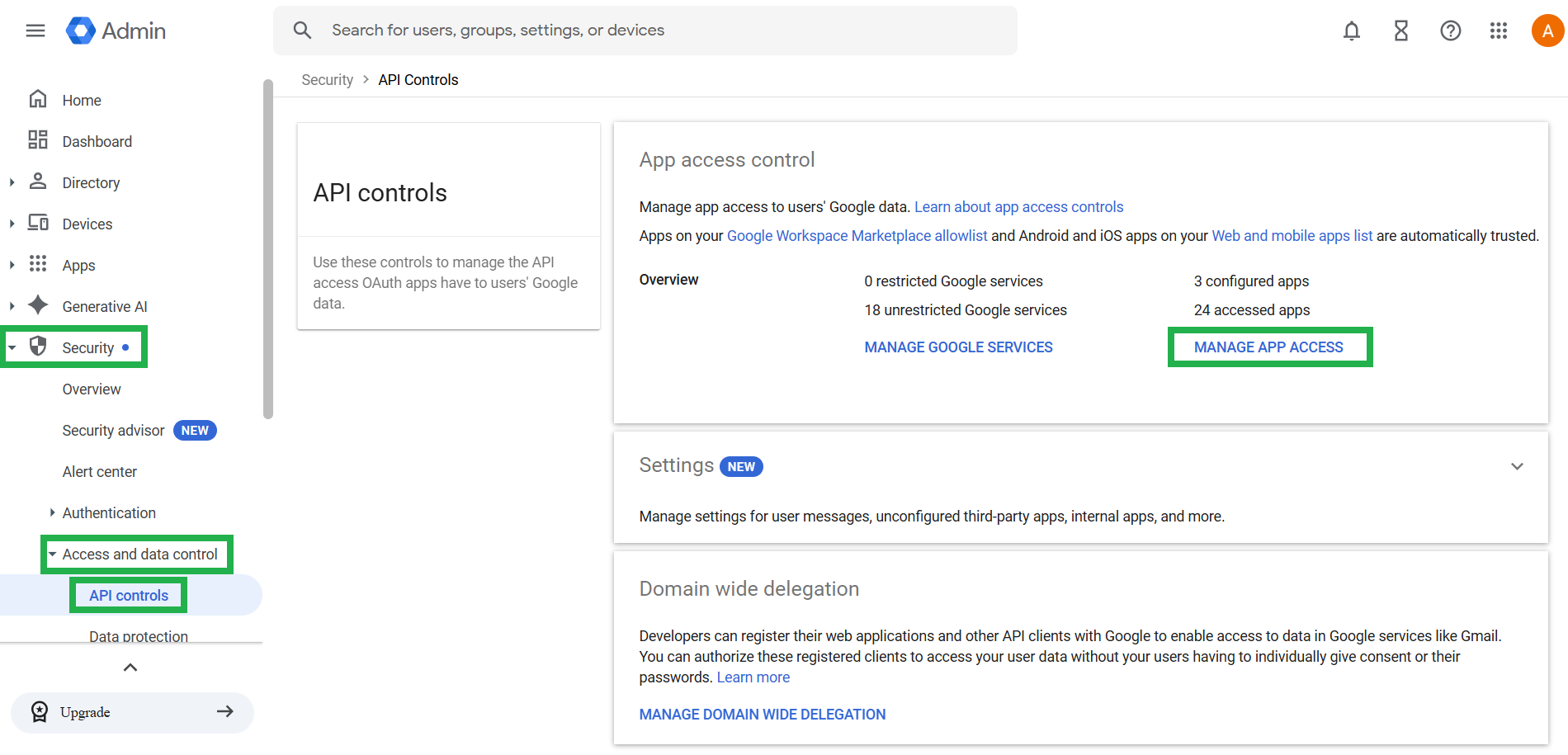
Log in to your Google Admin console and navigate to Security > Access and Data > API controls. Then, click on MANAGE APP ACCESS.
-
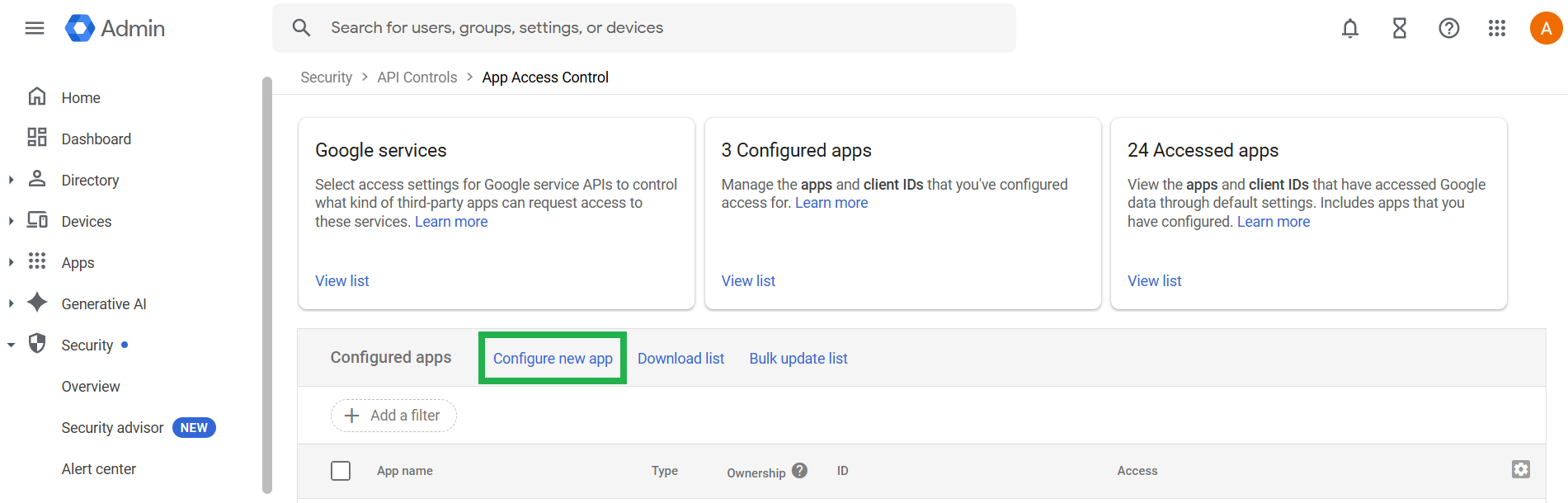
Click on Configure new app.
-
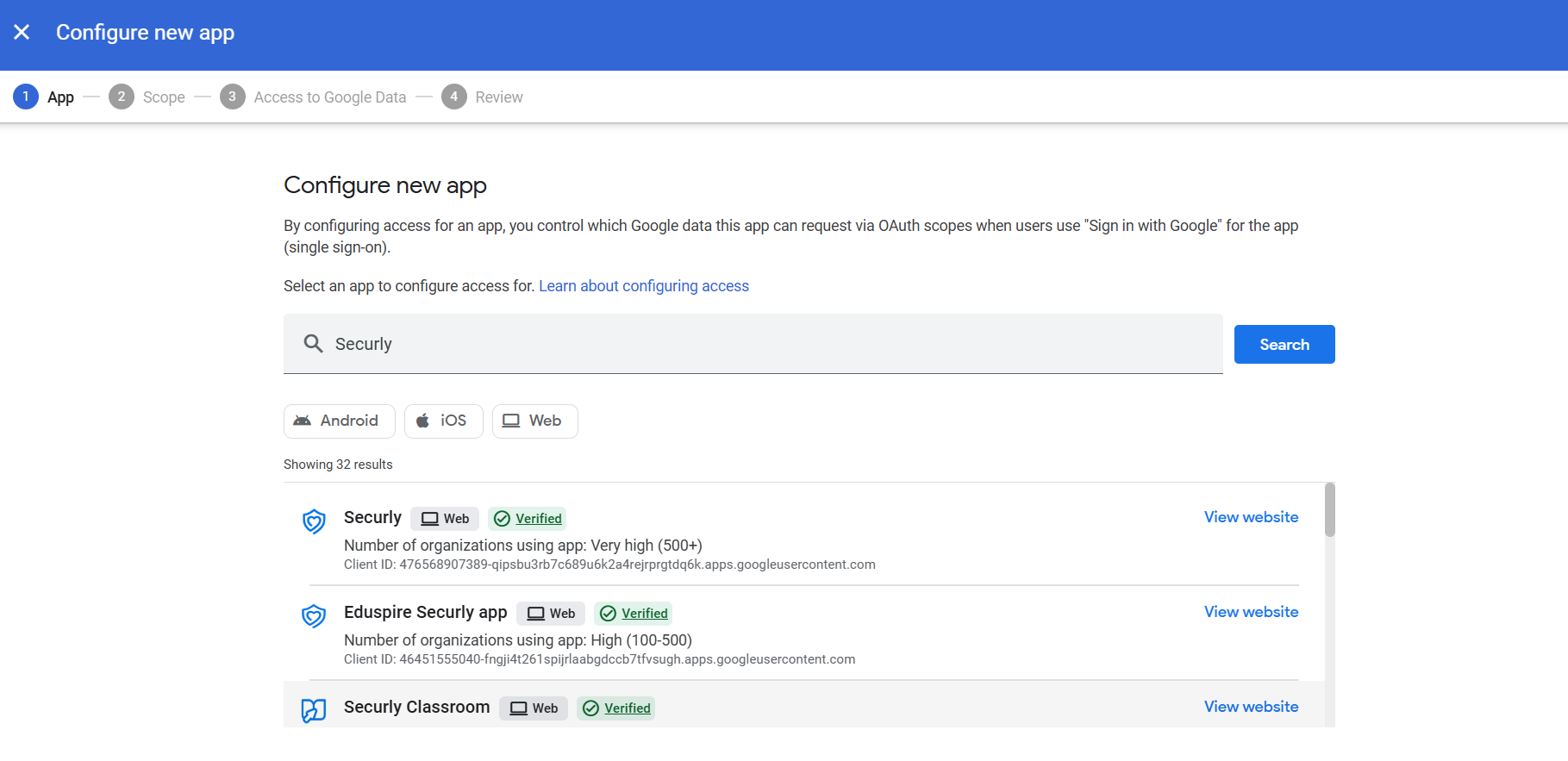
Search for 'Securly' and select Securly Classroom.
-
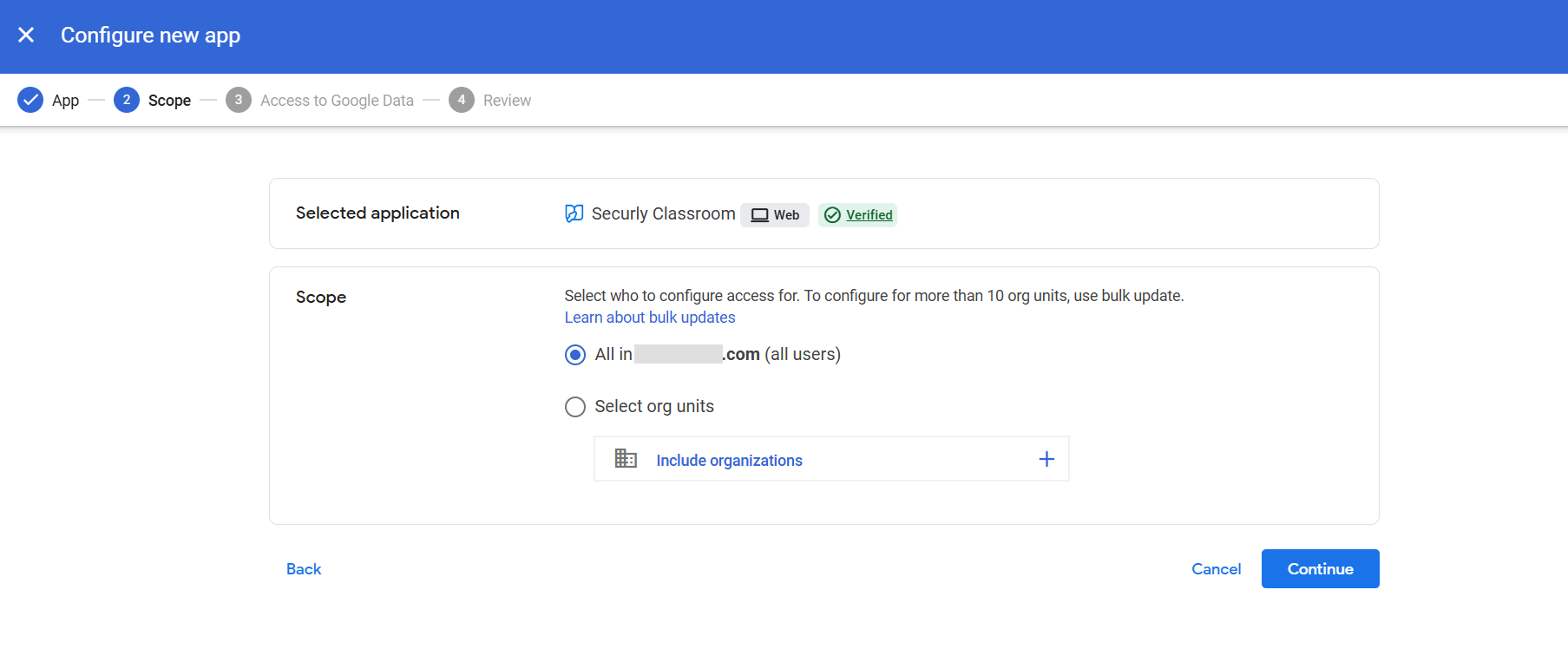
Under Scope, select which org units to configure access for.
-
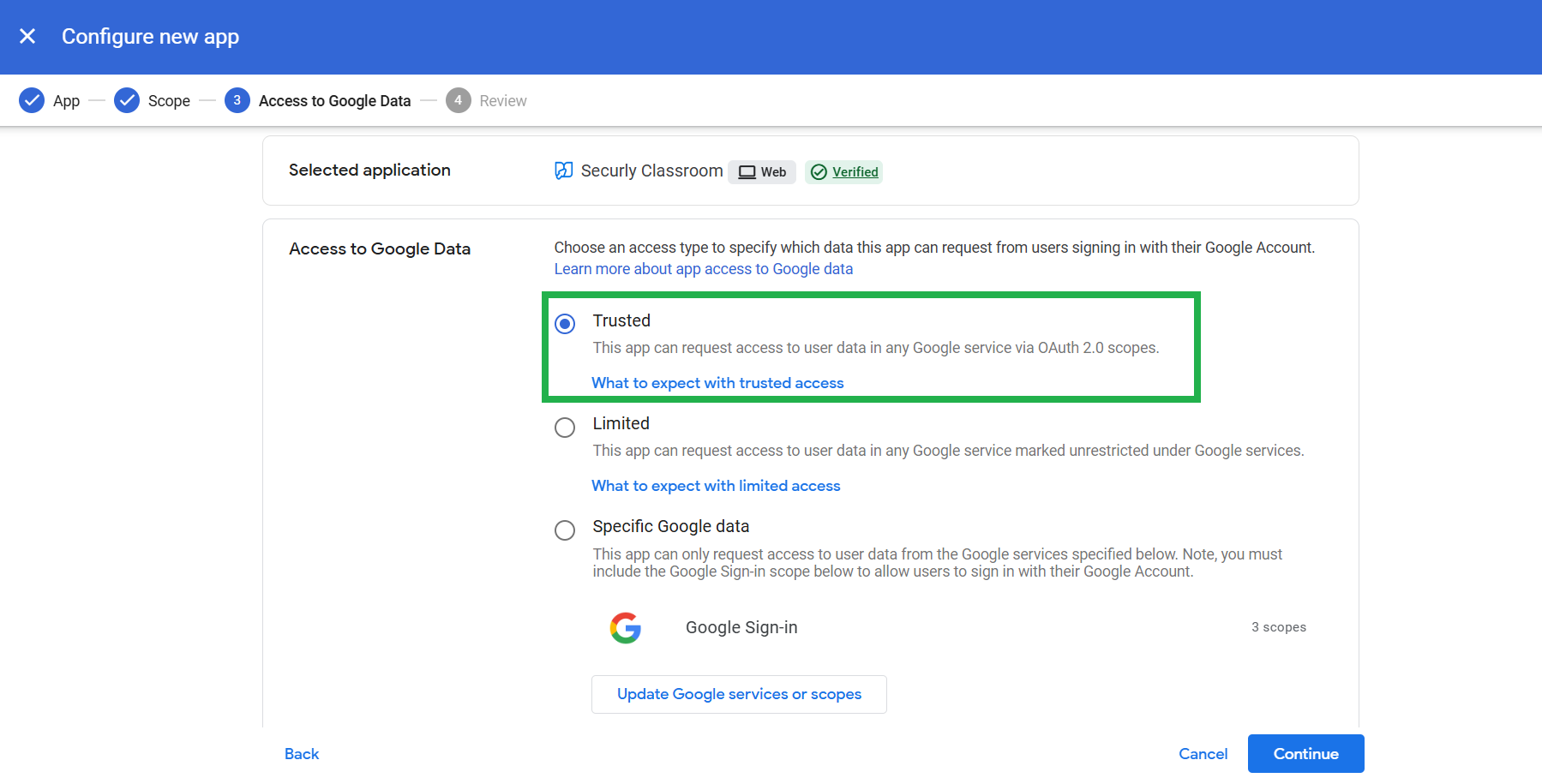
Select "Trusted".
-
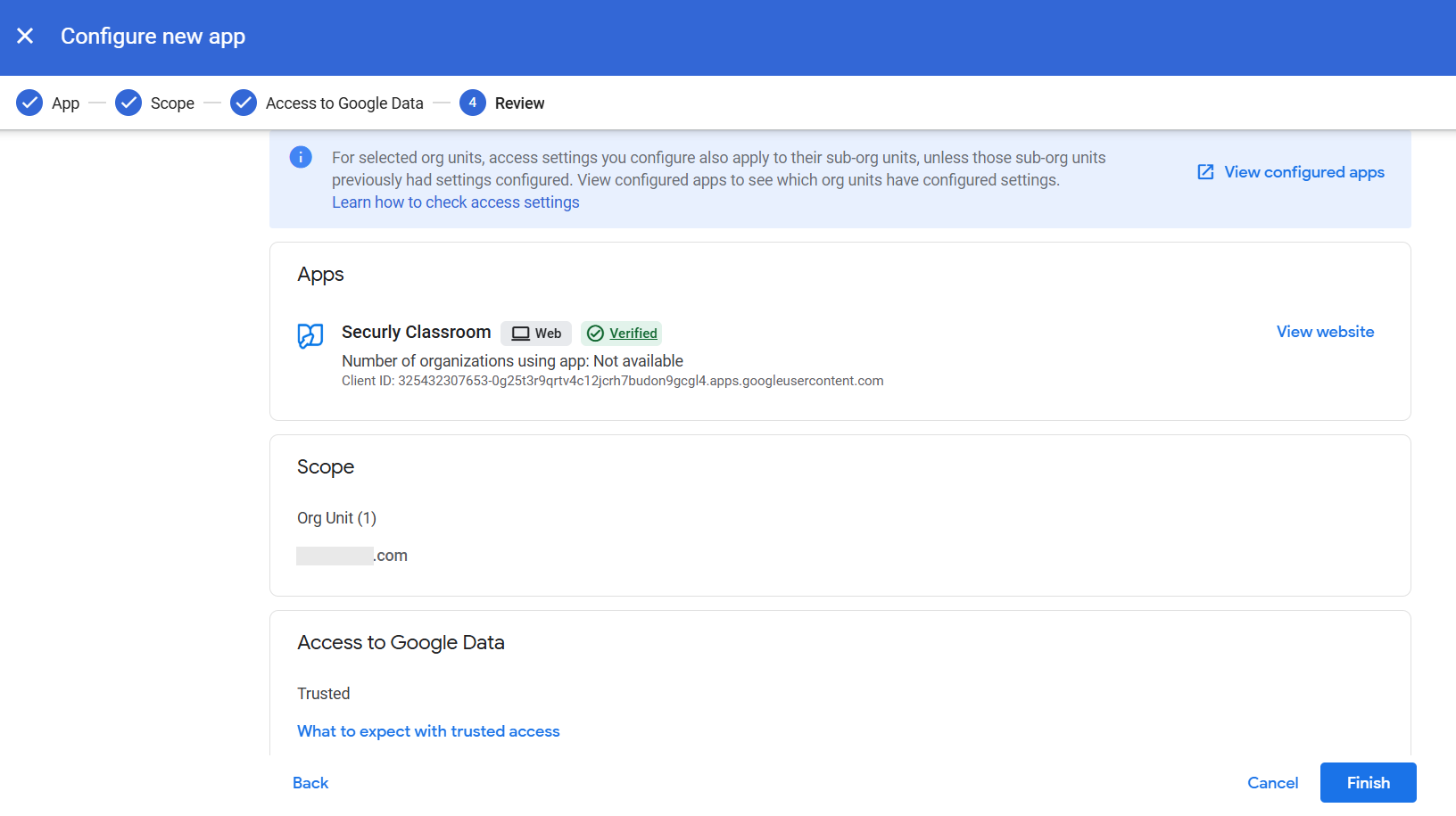
Review your selections and click Finish.
If you are using any other Securly apps, you can repeat this process to enable access for each.