Pass › Pass Mobile App Guide
Adjust Active Building Pass Limit
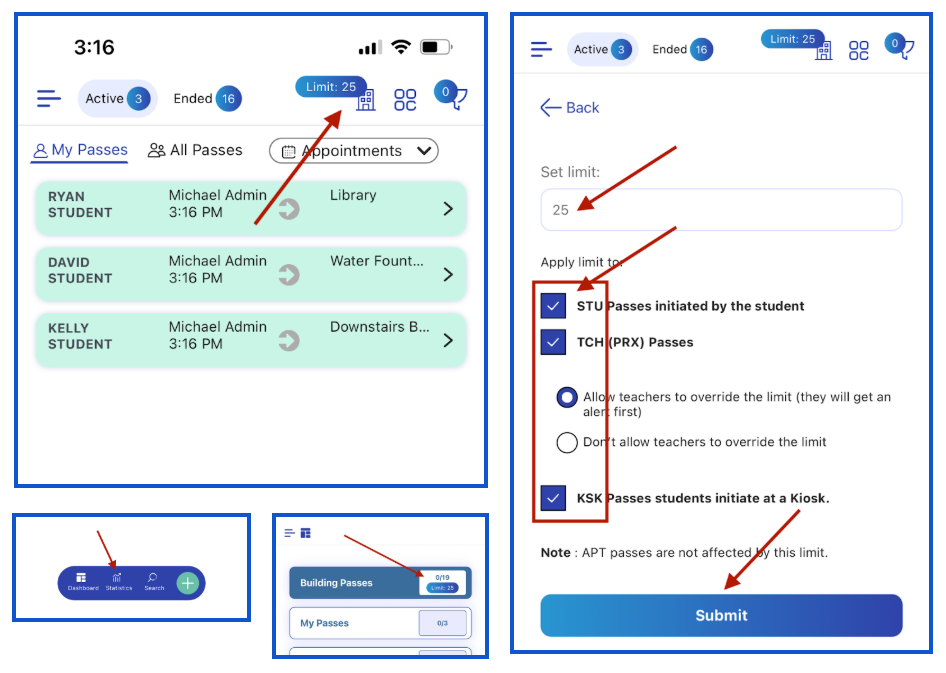
To adjust or change the Active Pass Limit (Admins only), you have two options:
- Click on “Limit”(top right) and make the appropriate adjustments to your active pass limits and then click “Submit”.
- Click on “Statistics”, then “Building Passes”, make the appropriate adjustments to your active pass limits, and then click “Submit”.
To see the change on the web application, refresh your screen and click “Limit”.