Pass › Visitor
Creating Exceptions for a Denied Guest
If you enter a person’s name and date of birth who is not on the Parent/Student Matrix, that person will be denied entry into the building. A popup window will appear with the reason as to why that person was denied entry. You can make an exception for this visitor and allow entry. When an exception is granted, the visitor will not be flagged again for 90 days. Possible exceptions could include the following:
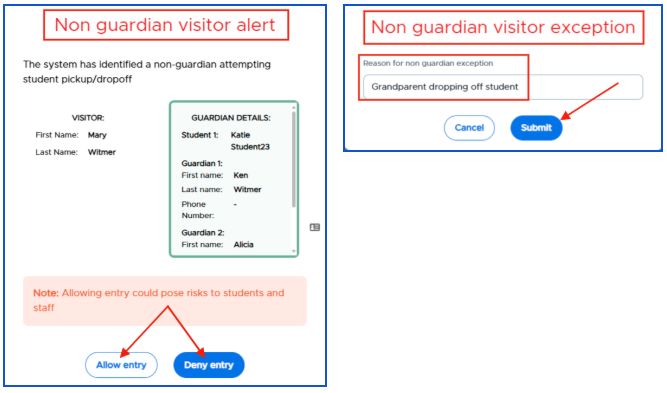
- Non-guardian Exception
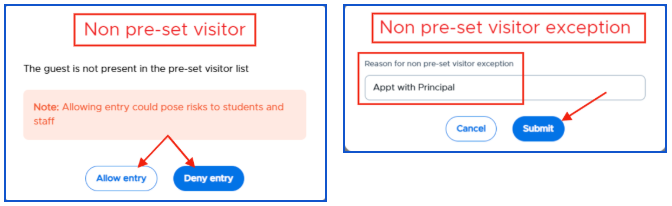
- Non Pre-set Visitor Exception
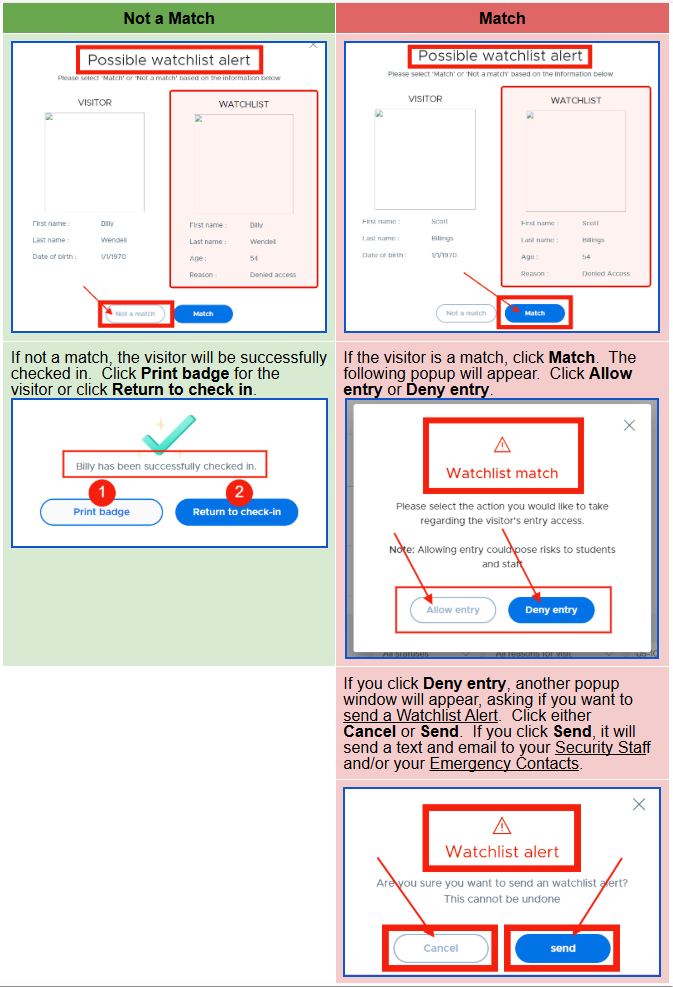
- Watch List Exception
- Sex Offender Exception
- Please note the following:
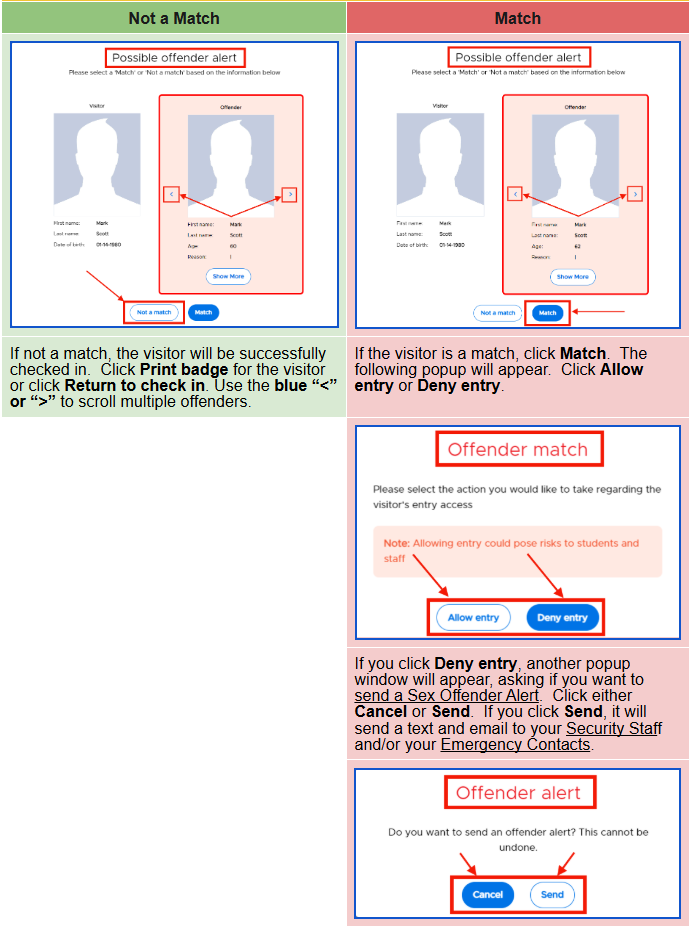
- When a visitor checks into a school using Visitor Management, that visitor's name is background checked against all 50 states' registries. The possible match is based on the name and date of birth or range of birthdate, depending on state-specific information provided to the public. Possible matches will be displayed on the front desk person's check-in screen where they can then allow or deny the visit.
- If an offender is a match but you allow them entry OR if they are marked as “not a match”, they will not be flagged again for 90 days. Only if they are denied entry will they be flagged every time.
- Please note the following:
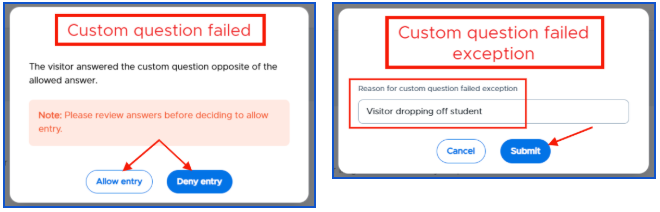
- Custom Question Screening Exception
Non-guardian Exception
Non Pre-set Visitor Exception
Possible Watch List Alert
Possible Sex Offender
Custom Question Screening Exception