Filter › Filter Deployment
How to Deploy Securly SmartPAC via Casper/JAMF MDM
You can deploy the Securly SmartPAC solution to your iPads using various MDMs, including FileWave, TabPilot, Airwatch, and others. We support the most popular MDM solutions.
To deploy Securly SmartPAC using Casper/JAMF MDM, follow these steps:
- Log in to your JAMF/Casper MDM and navigate to Configuration Profiles > Mobile Devices to create a new profile.
- In the left-side menu, scroll down to Certificate and add the securly_self_signed_cert_exp_20200130.der certificate attached at the end of this article.
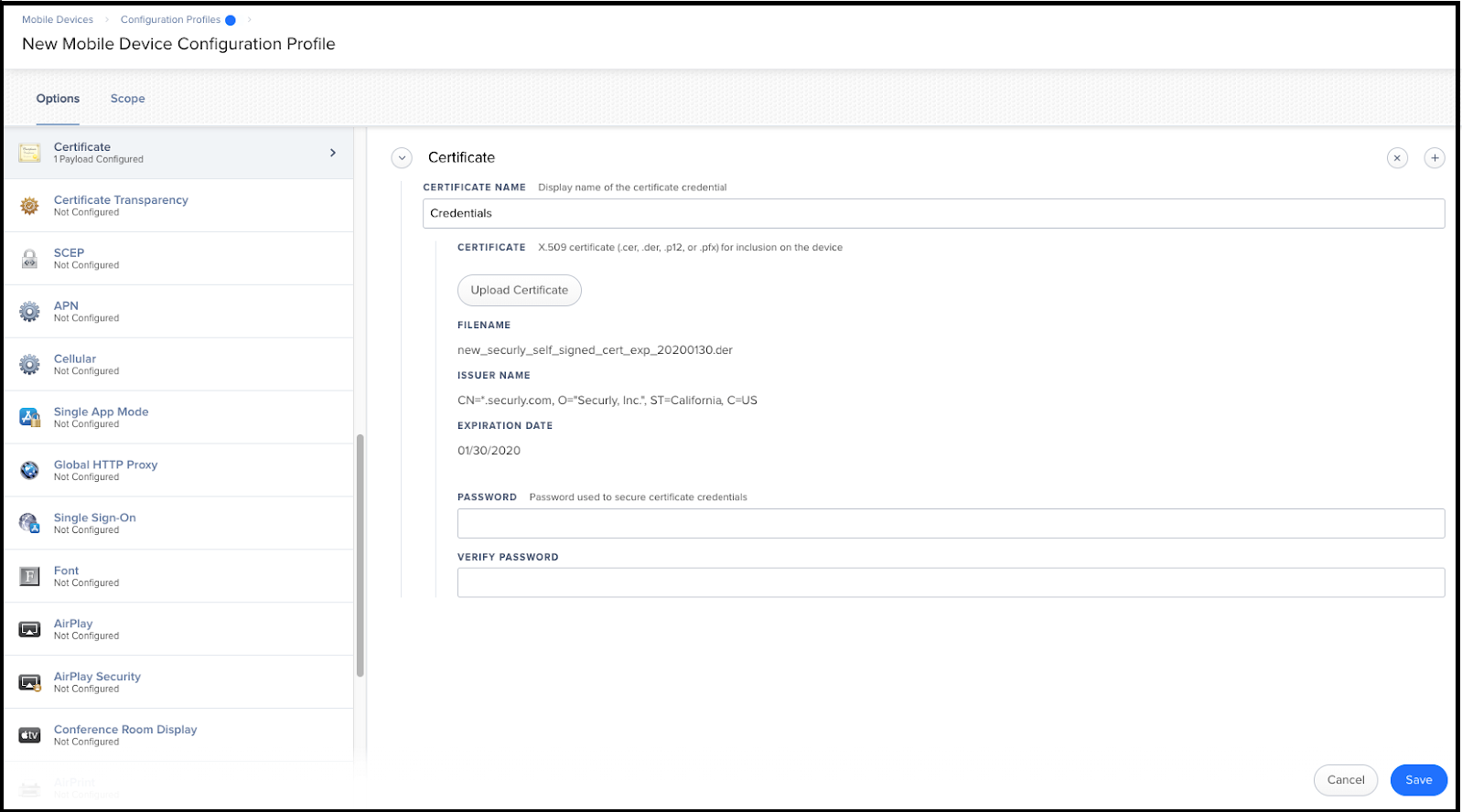
- In the left-side menu, scroll to Global HTTP Proxy and select Proxy Type as Automatic.
- Input the SmartPAC File URL provided by Securly in the Proxy PAC URL field. If you do not know the SmartPAC URL for your school, please contact support.
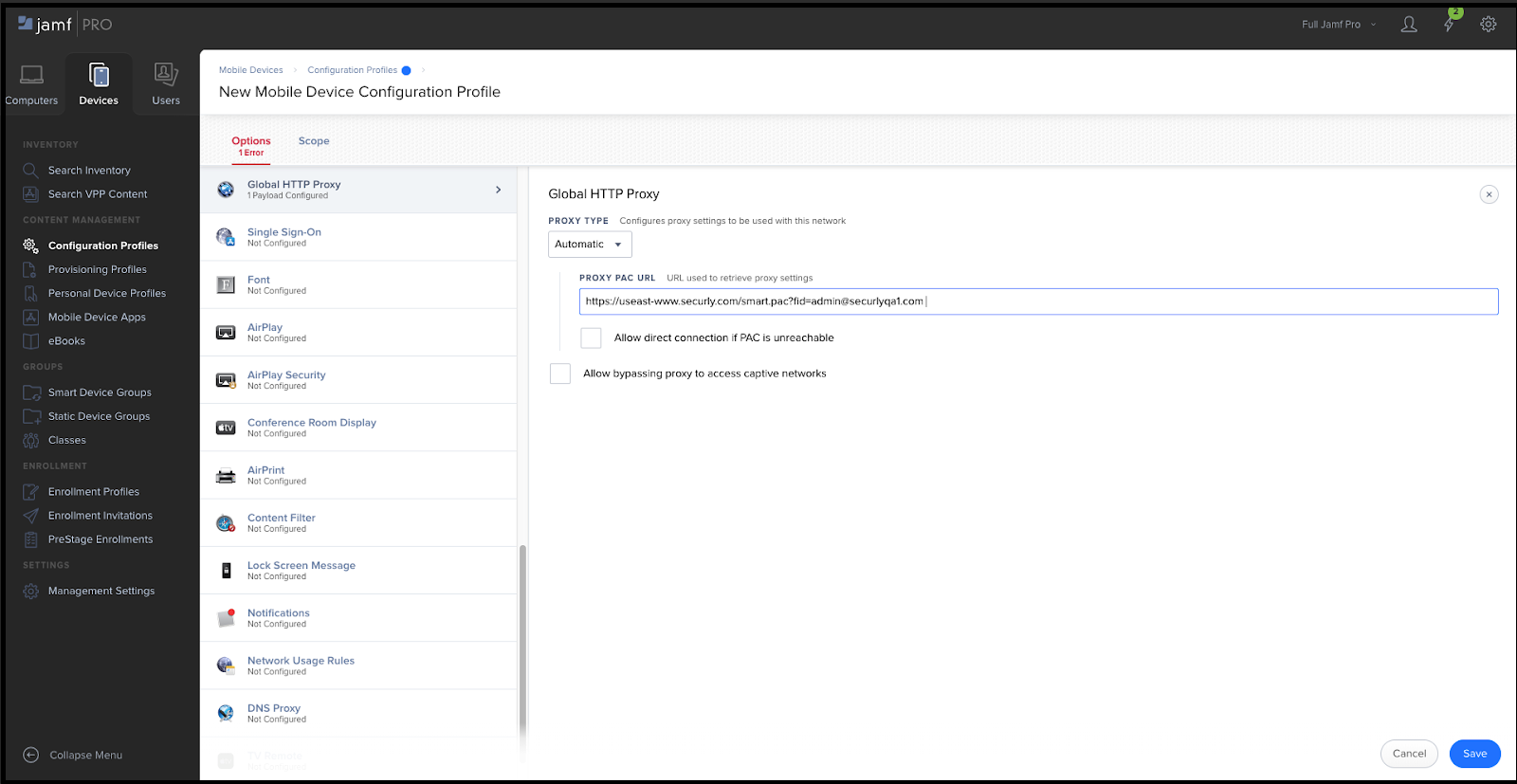
- Check 'Allow direct connection if PAC is unreachable' (Recommended) if you want students to have unfiltered internet in the event of a Securly outage.
- Check 'Allow bypassing proxy to access captive networks' (Recommended) to ensure students can sign into captive portals. SmartPAC should allow captive portal traffic, but this control is good to have as a backup.