Pass › Pass Admin Guide
Important sAPT Information - Students
As soon as an Admin activates this module, students will see an additional option on their Create Pass screen: “Appointment Pass - 5 Request(s) Available”. Students will be allowed to create up to 5 appointment pass requests total (at one time). If a request is pending/missed/confirmed, the student does not receive it back until the next day after the appointment. If it is canceled by the student or teacher, the student receives it back immediately.
Student APT requests can only be made for up to 30 days in advance and must have a start time at least 30 minutes from when the pass is created.
Video Alert:
Please watch the “Student Appointment Request Overview” video below.
To submit an APT request as a student, they must switch to the “Appointment Pass” section of their Create Pass screen - then indicate the “Departing From” and “Destination” information as shown below:
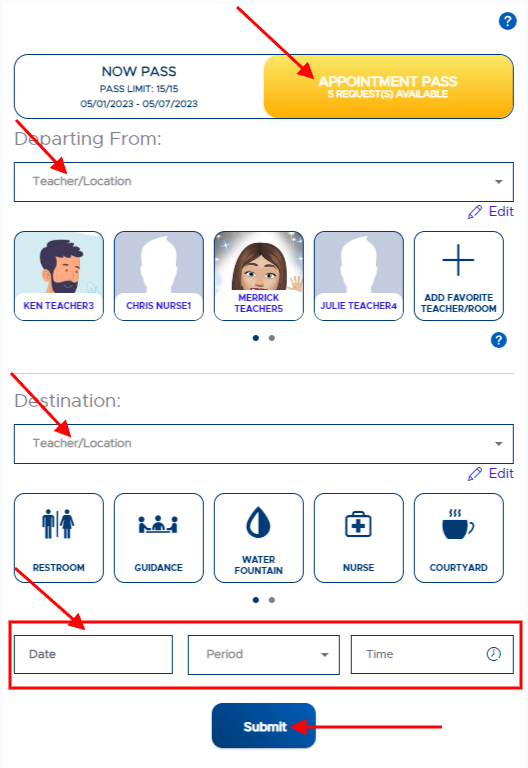
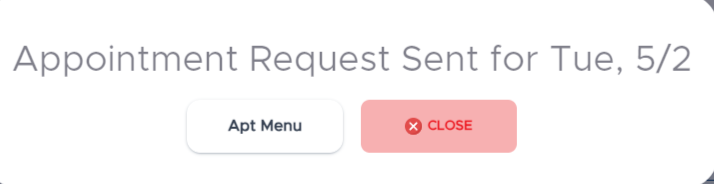
The student must then enter the desired Date, Period, Time (between 6AM-5PM), and a Reason for the pass. The student then clicks Submit. The message below will appear if the request was sent successfully:
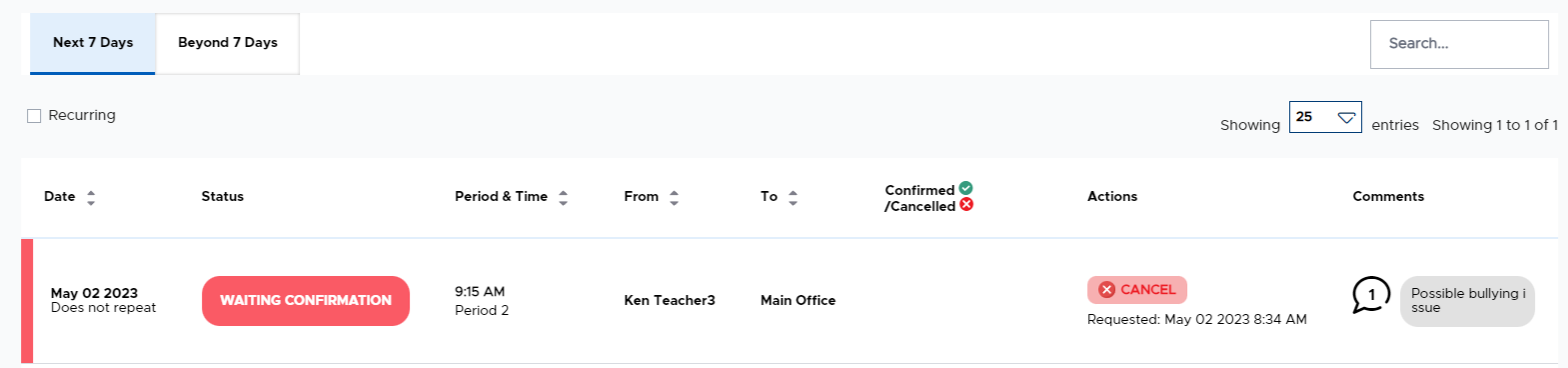
The student can see their pass request(s) on the appropriate tab on the Appointment Pass menu, as shown below. The student has the option to “Cancel” the appointment up until 30 minutes prior to the meeting time. The adult to whom the request was sent must “Confirm” the sAPT in order for it to become a pass.