Filter › Troubleshoot
How to Identify YouTube Video Categories
Understanding the categories assigned to YouTube videos can help you manage which videos are blocked or allowed when you configure YouTube categories for your students. However, finding the specific category assigned to a video can be challenging.
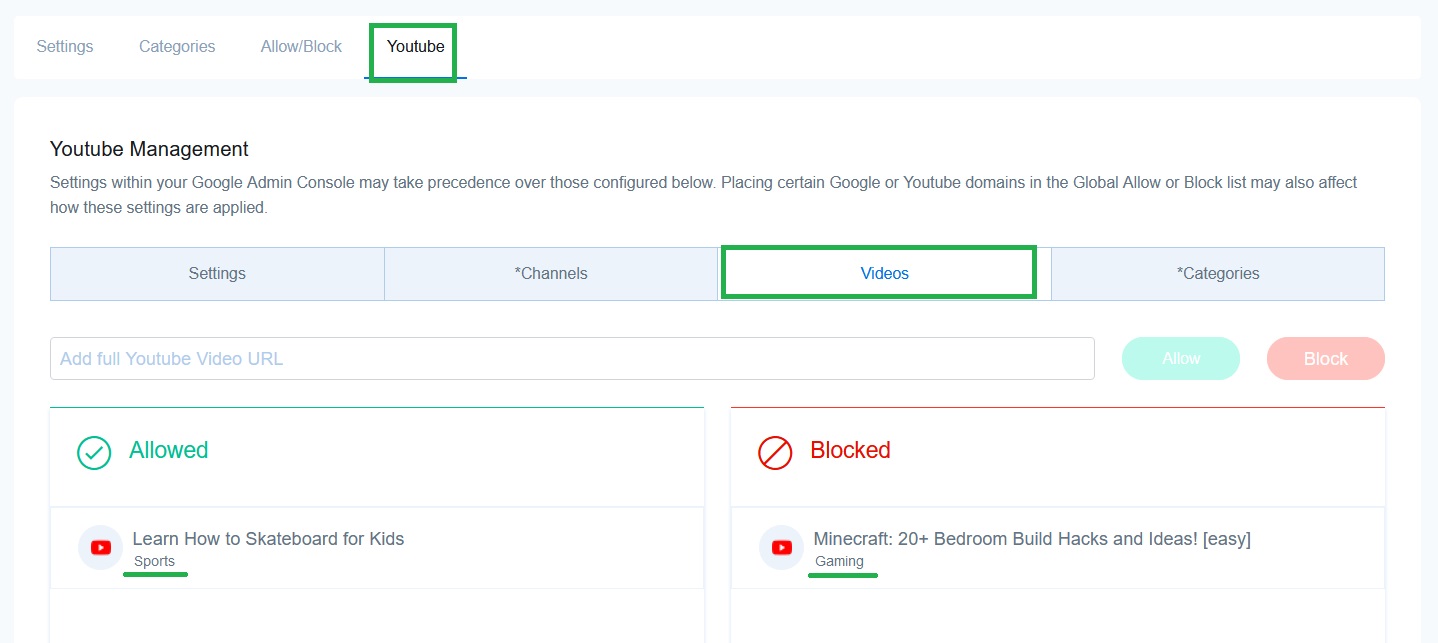
With Securly Filter's YouTube management feature, identifying the category is straightforward.
To find the category of a YouTube video, navigate to any custom policy > YouTube > Videos. Enter the video link in either the Allowed or Blocked text fields. The category will be displayed below the video name in the list.