Filter › Home
The Admin Dashboard
Home's Admin Dashboard is a powerful tool designed to help schools monitor and enhance parental engagement. This dashboard provides detailed statistics on various aspects of parent interaction with the Securly Home app, including:
Total Parents/Total Registered
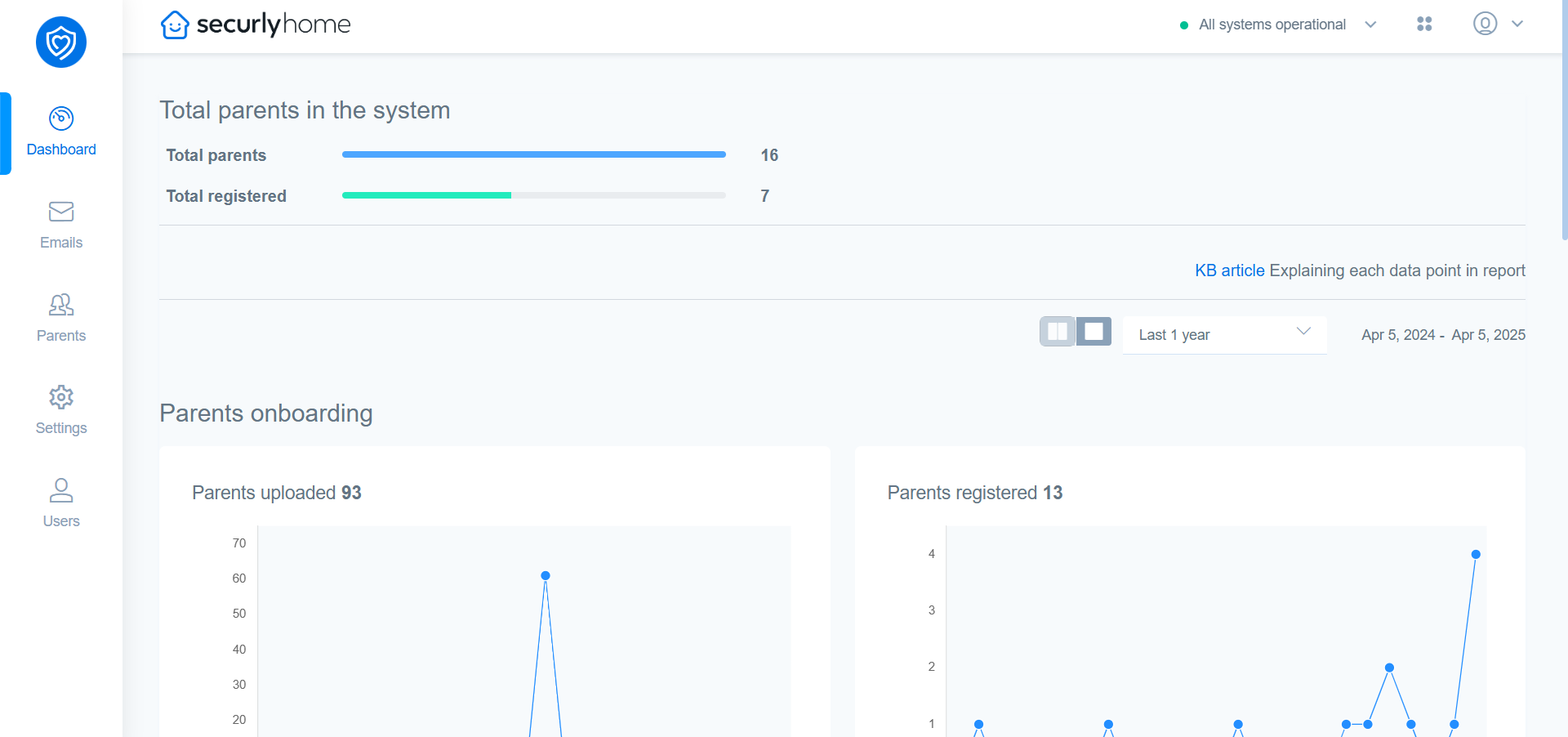
The total number of parents in the system, and the total number of parents who have registered for Securly Home.
Parents Onboarding
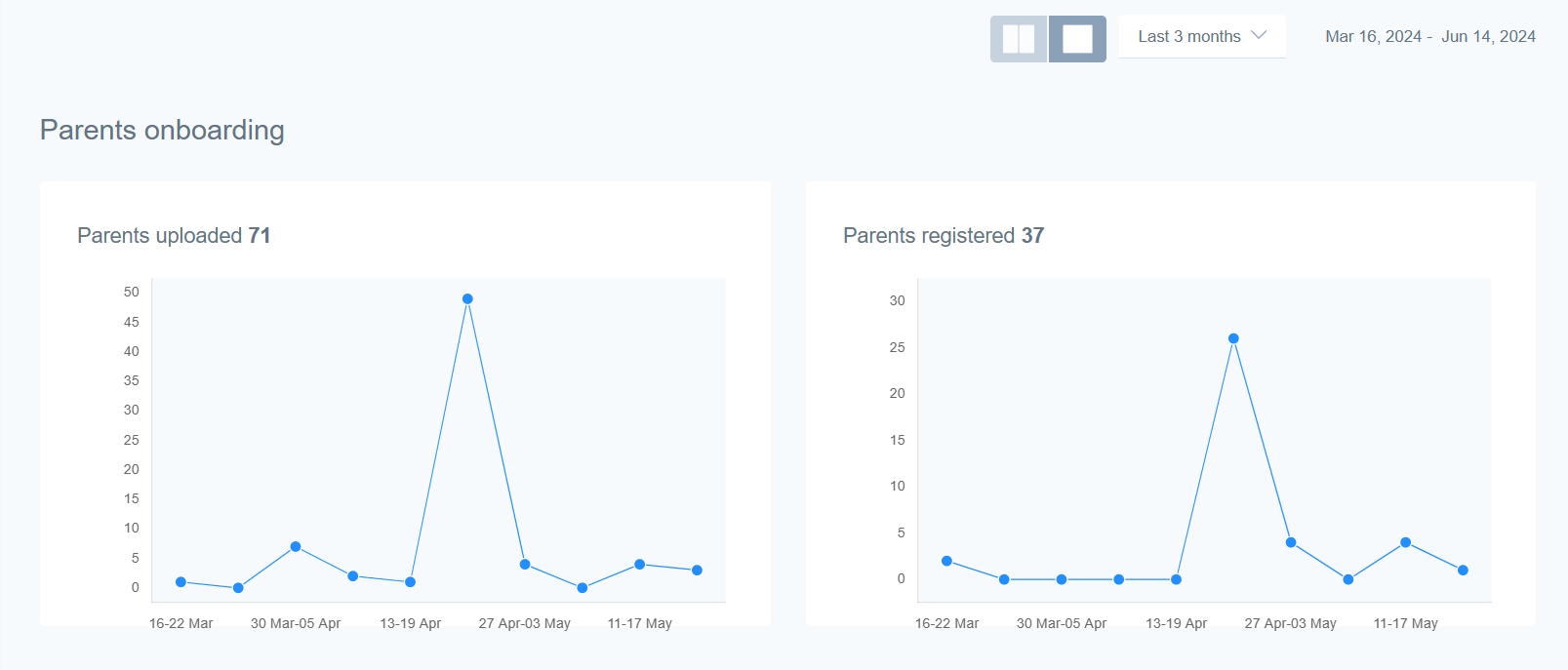
Parents Uploaded
This graph shows weekly data points for the total number of parents that have been uploaded into the system. It provides a clear view of how many parents have been added over time, helping you track the growth of your parental user base.
Parents Registered
These are the parents who have accepted the welcome email from Securly and will begin receiving weekly summaries. This metric helps you understand how many parents have successfully registered and are actively engaging with the Securly Home platform.
App Usage
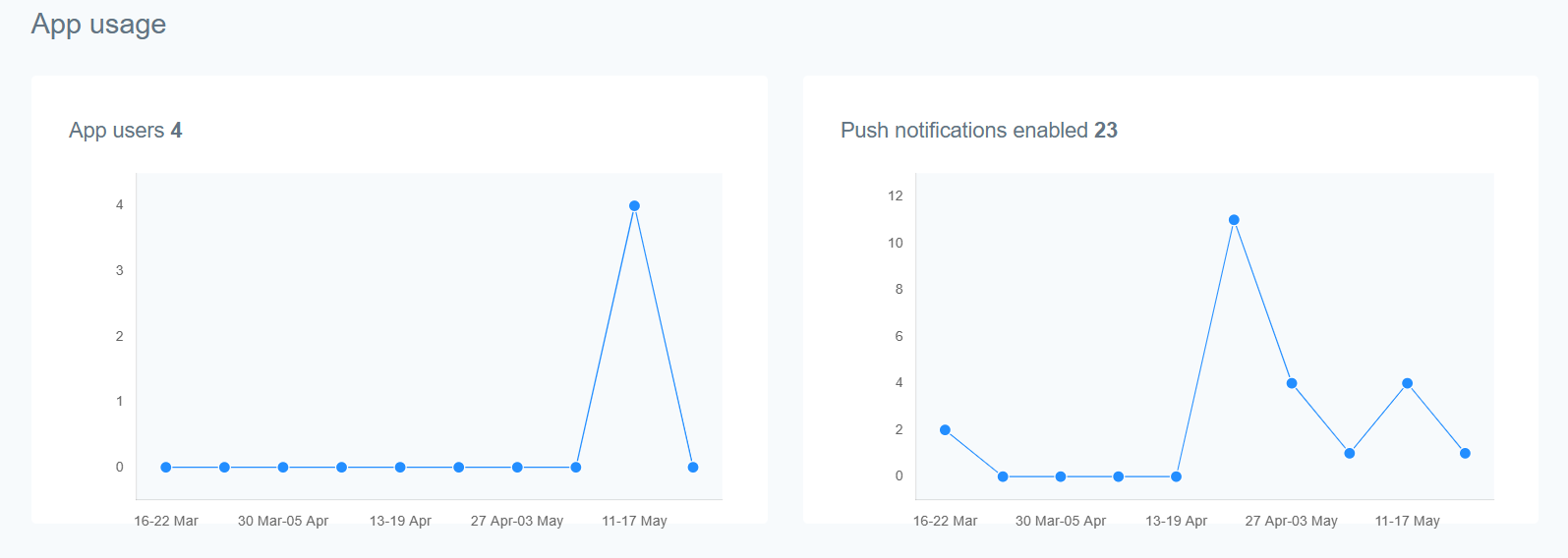
App Users
These are the parents who have downloaded, registered, and logged in from Securly Home for Android or iOS. This metric helps you gauge the adoption rate of the Securly Home app among parents.
Push Notifications Enabled
These parents have the Securly Home app and have opted to receive push notifications. These notifications are only used if you have shared Flagged Activity with parents in the “Settings” section. This metric helps you understand how many parents are receiving real-time updates about their children's online activity.
Subscriptions
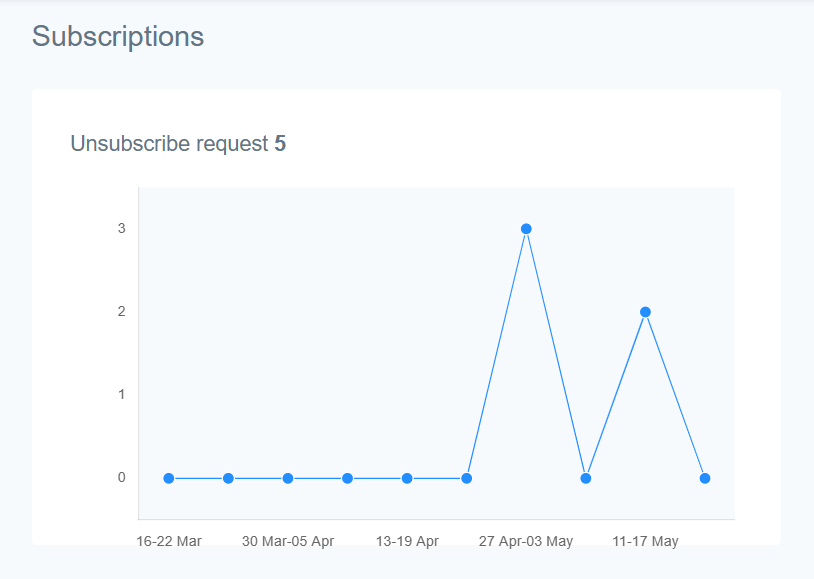
Unsubscribe Requests
These are the number of parents that have clicked unsubscribe from the weekly email. This metric helps you monitor the retention rate of your email summaries and identify any potential issues that may be causing parents to opt out.
Email Engagement
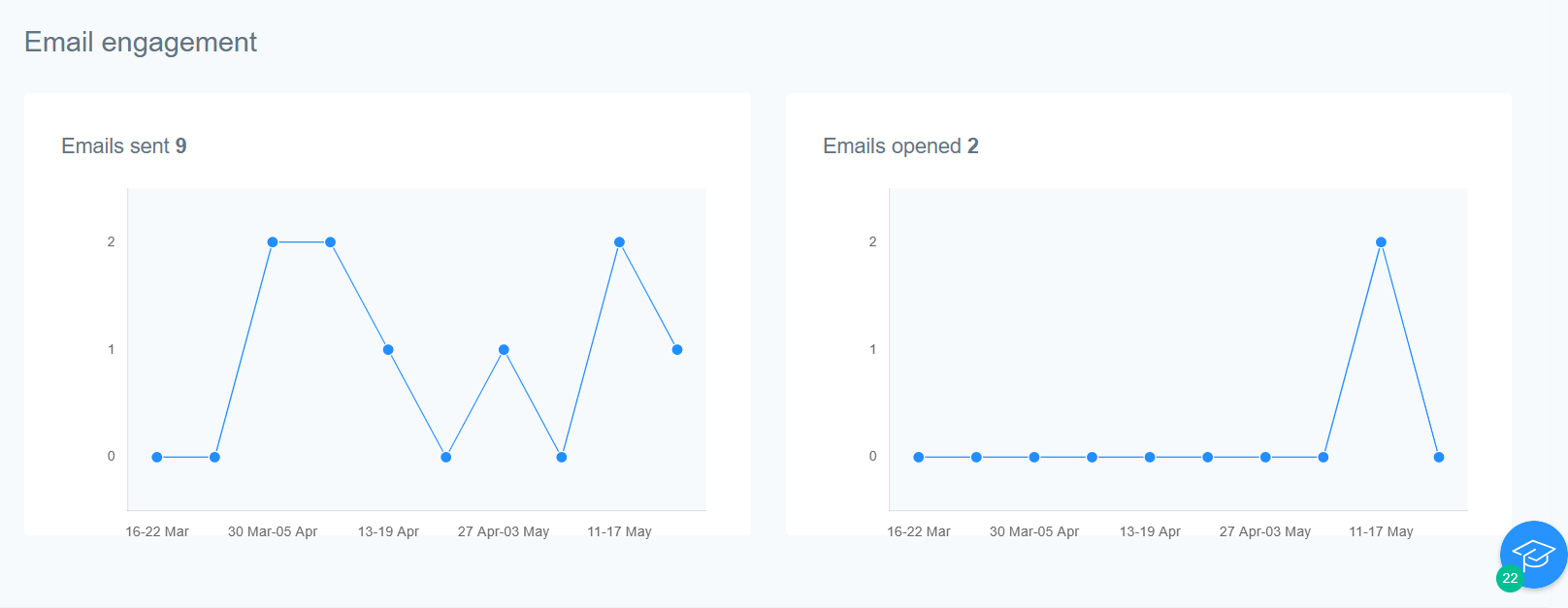
Emails Sent
These are the number of parents that received a weekly summary. Blank summaries are not sent, so this figure may be lower if there is no activity for a given student. This metric helps you understand the reach of your weekly summaries.
Emails Opened
These are the parents who opened the weekly email summary. This figure may be lower if parents use ad-blockers or email tracking blockers. This metric provides insights into how many parents are actively engaging with the email summaries.