Pass › Visitor
Sex Offender Alerts
Admins can send Sex Offender Alerts to specific staff and/or emergency contacts when a sex offender is present on campus.
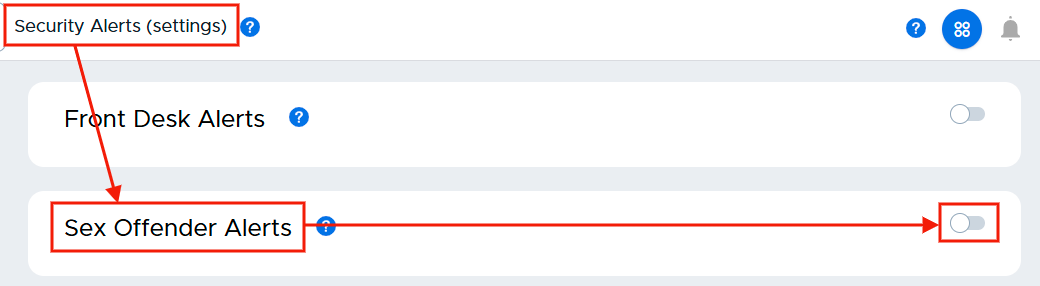
To enable the Sex Offender Alerts, slide the toggle to the right. (It will turn blue when activated.)
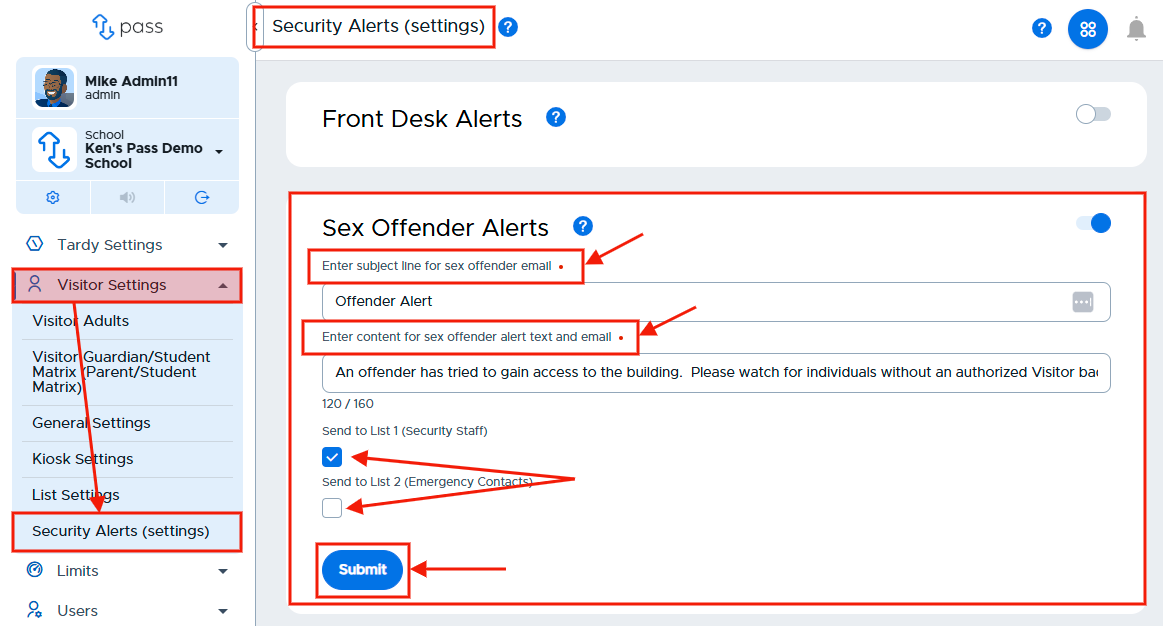
Once the Sex Offender Alerts has been enabled, enter the Subject line text for the Sex Offender Alert email and the content for the Sex Offender Alert text and email. Then check the appropriate boxes as to who will receive these emergency alerts - List 1 (Security Staff), List 2 (Emergency Contacts), or both. Click Submit when finished with this section. (The subject line and corresponding message are for illustration purposes only.)
Please note that alerts are not automatically sent. The front desk user or another Visitor adult will click to initiate the alert.