Pass › Pass Admin Guide
Setting Locations for Student APT (sAPT) Pass Requests
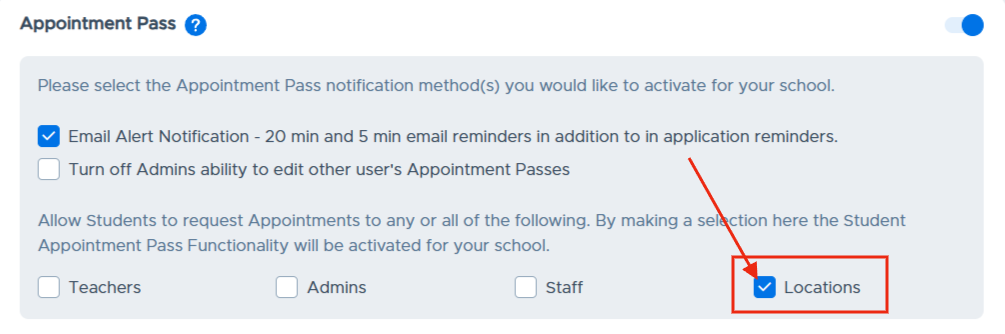
When a school would like students to be able to make an APT pass request to a location, such as the Nurse, Main Office, etc., an Admin will need to check the box next to “Locations” on the Appointment Pass Settings screen, as shown below.
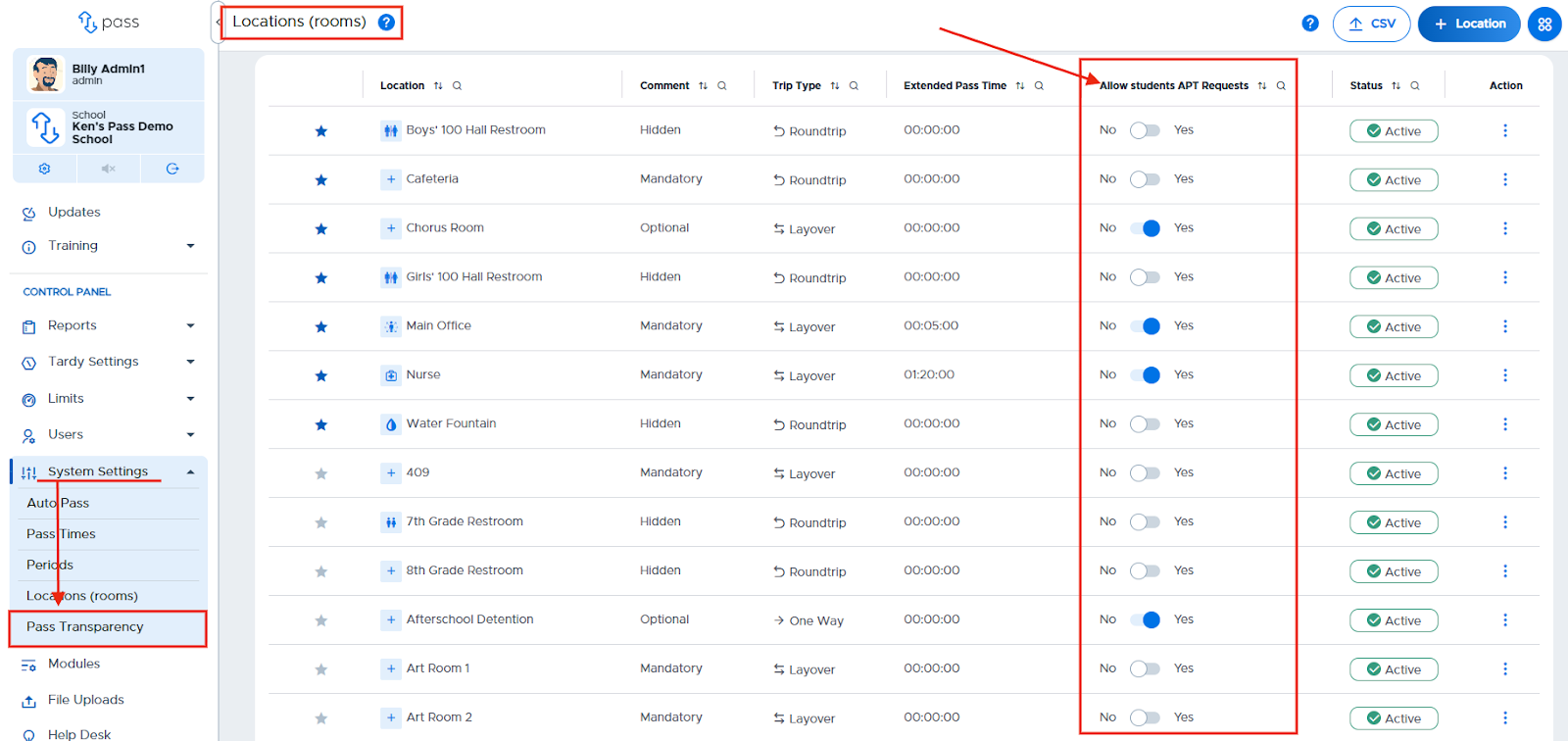
It may be important to review the “Locations (rooms)” list after enabling sAPT Requests for Locations. Admins will be able to select “No” for any location to which they do not want students to make APT pass requests.
Any and all users associated with an enabled location will be able to confirm sAPT requests.