Filter › Home
Activity Reports
From the Report Settings you can decide the types of student activities that parents can see. You can choose to display all student activity (on-campus + off-campus), only off-campus activity and educational sites, or only off-campus activity. This customization affects both the activity report emails and the activity logs in the Securly Home app.
You also have the flexibility to select individual categories for both in-school and out-of-school activities using the Outside school and In school tabs, ensuring that only relevant reports and activities are displayed. To configure activity reports, go to Settings > Filter Settings > Report settings.
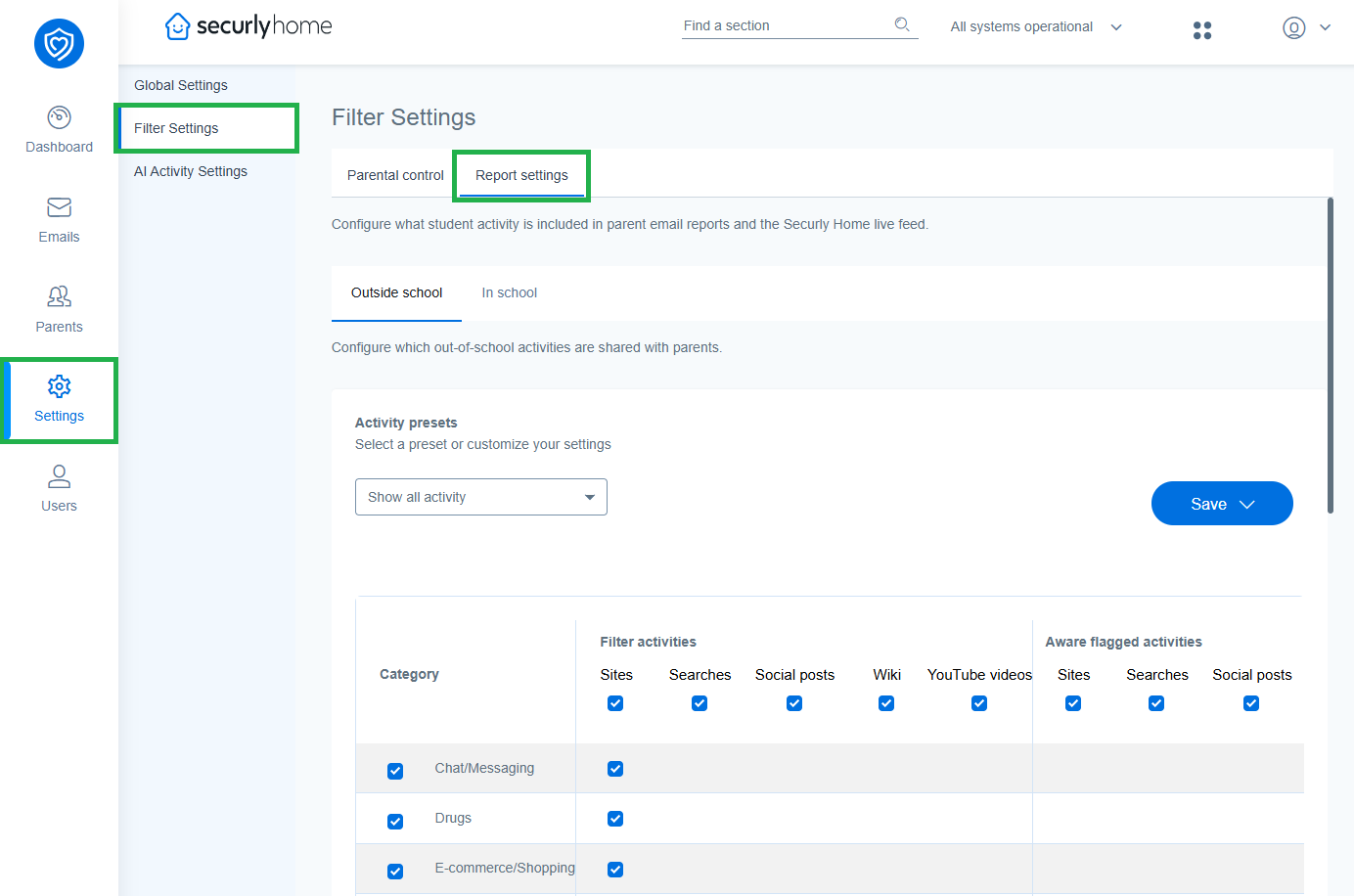
By default, the system is set to "Show all activity", but schools have the option to disable all activities or to create custom configurations. The activity matrix lists all categories, including types of activities like searches, sites, social posts, wikis, YouTube, and any activities flagged by Securly Aware (if the school also uses Aware). By selecting the checkboxes for each option, admins can ensure only those activities are visible to parents in the Home app and weekly reports.
Once configured, admins can save these settings as applying only to in-school activities, only out-of-school activities, or both.