Pass › Visitor
Watch List
Admins can create a list of potential visitors who require additional screening/supervision while on campus. If a guest is on this list and attempts to check in, they will be “Denied” access and will be referred to the front desk person, who can then uphold the denial, ask additional questions, alert security, or create an exception and allow that guest entry into the building.
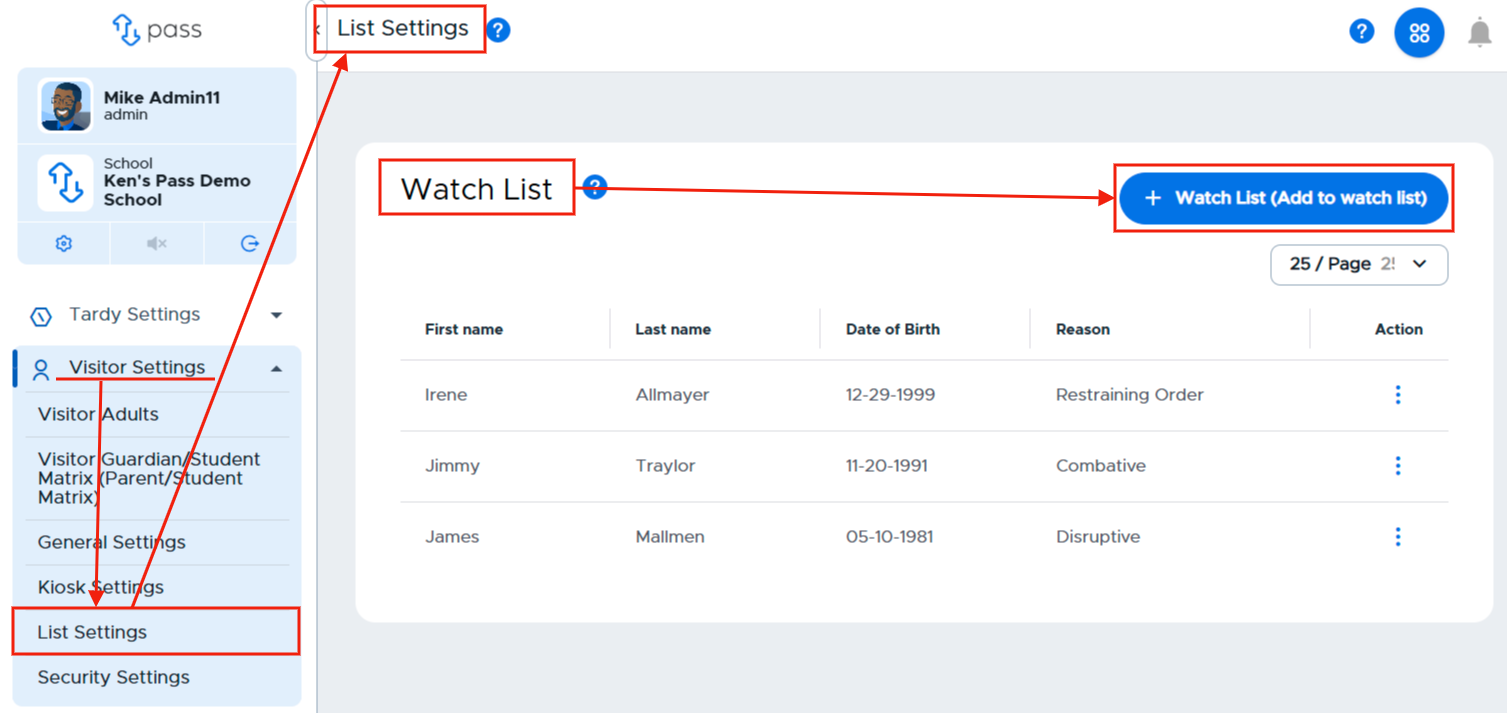
To create a Watch List, under Visitor Settings, click on List Settings. In the white Watch List box, click the blue + Watch List (Add to watch list) button.
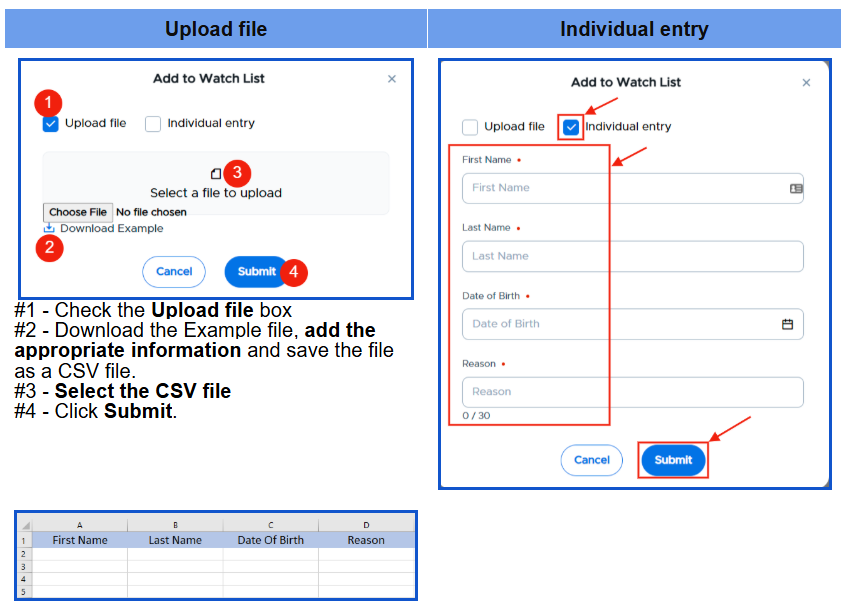
On the white popup screen, you have two options to add names to your Watch List. You can add names by uploading a CSV file OR by adding the individual names.
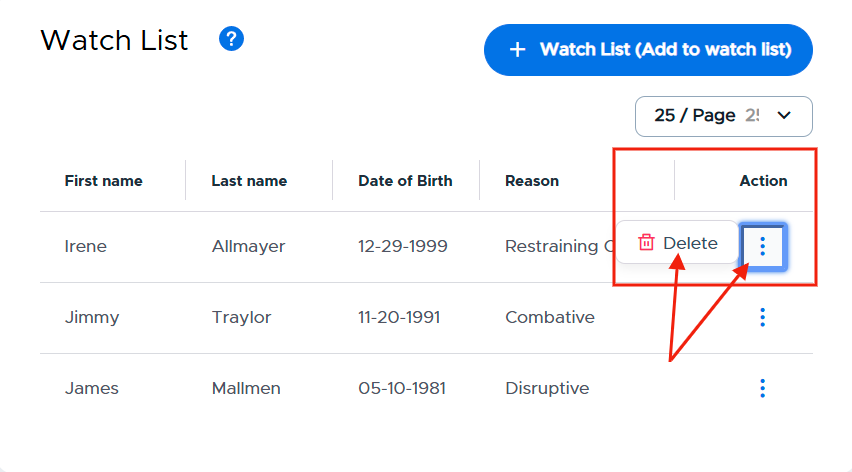
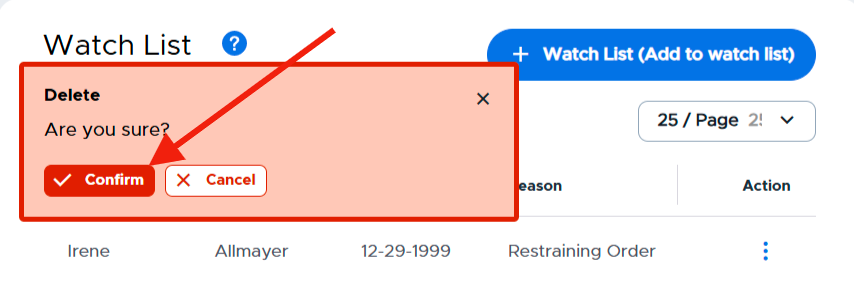
Once these individuals have been added either by a CSV file or manually, the list will be displayed on the screen. If you need to remove an individual from the list, simply click on the three (3) dots to the right of that person’s name, click Delete, and then Confirm.