Classroom › Classes
Closing apps on student devices
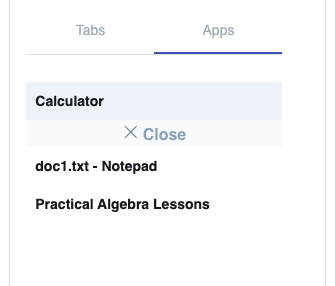
If you find a student getting distracted with an app, navigate to the Apps sidebar, then click on the desired app and hit the Close prompt to shut down the app.
Note
Closing applications on a student's device is only possible when using the Securly Classroom Windows and Mac desktop agents. If you aren't able to see students' Windows desktops or close apps, contact your IT department.