Aware › Aware Case Manager
Resolving or Dismissing cases
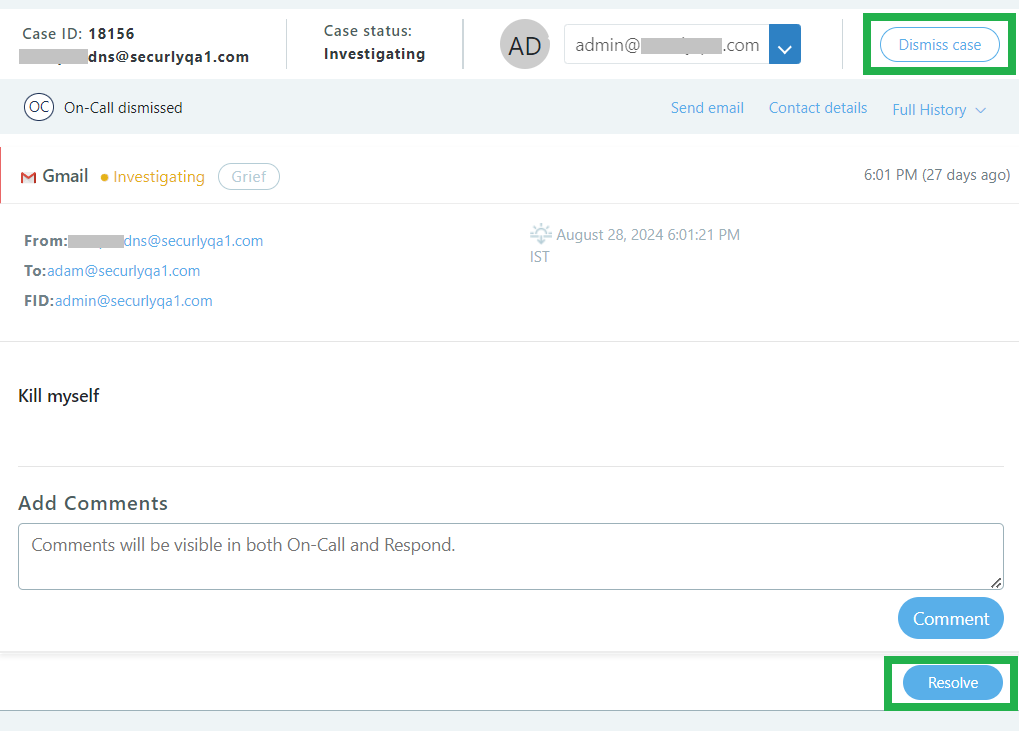
To dismiss a case, click the Dismiss case button in the upper right. Dismissing a case means that there was no action required, there was nothing of concern, or the flagged activity was a false positive.
You can also use the checkboxes to select multiple cases and use the dismiss button that appears at the top of the case queue to dismiss them all at once.
To mark a case resolved, click the Resolve button in the bottom right. Resolving a case means that outreach was made or the analyst investigated and resolved the case appropriately.