Flex › Flex Admin Guide
Teacher List
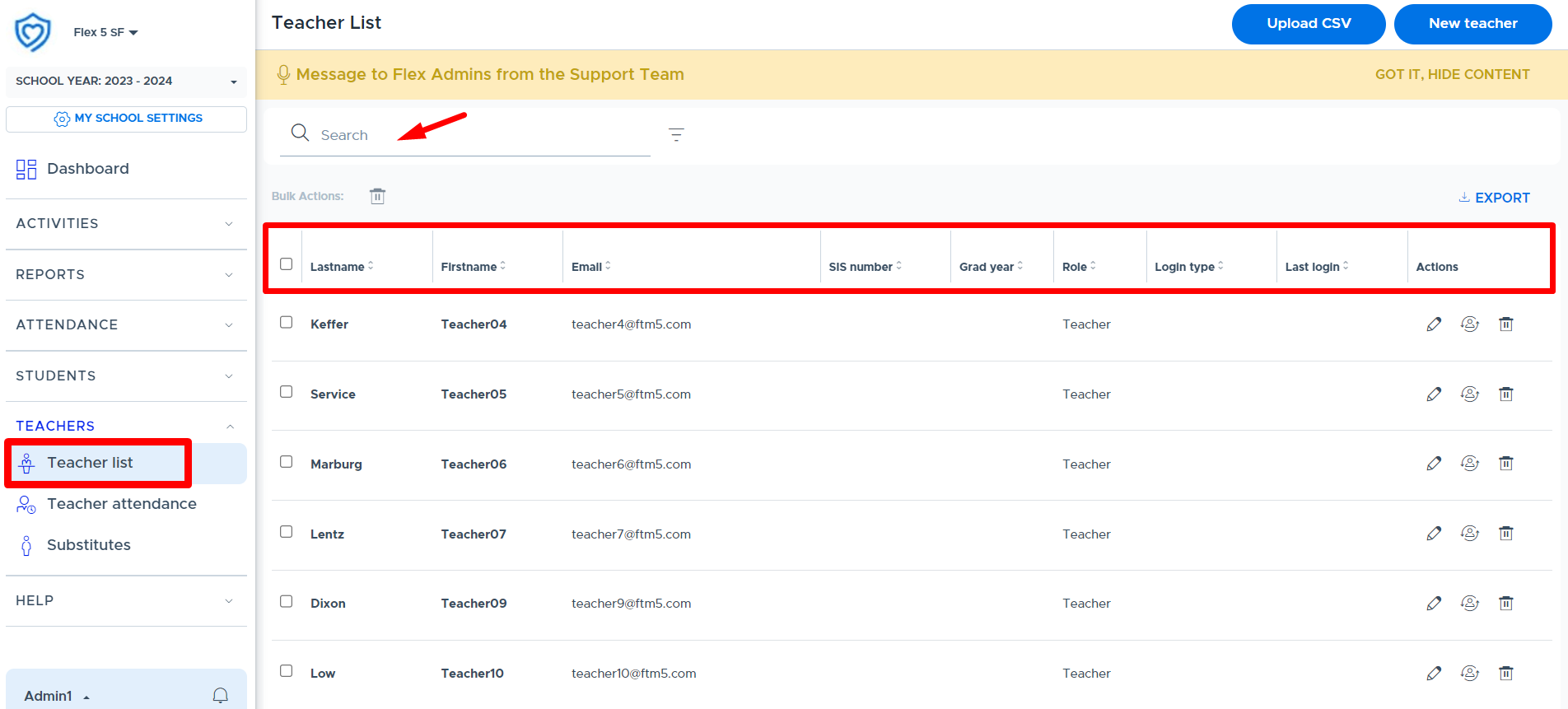
The “Teacher List” screen provides a list of all active “teachers” in the Flex system. This list does not include adults with the admin or staff role in Flex. Only admin users have access to this list. The screenshot below shows what is displayed for each teacher. It is possible to search and export this list.
Note
The format of the exported file does not match the required format for the “CSV user file” upload.
Admins can also do the following from this screen using the buttons in the “Status” and “Actions” columns, shown below.
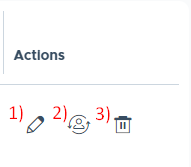
- Pencil / Edit Icon: Use the edit icon to access user details and make edits as necessary. Please keep in mind that if the user you are editing is part of a 3rd party sync, edits you make to fields other than the “Role” , will be overwritten the next time the system syncs. If your school provisions users via CSV user file, the edit must also be made in the file or it will be overwritten with the next file upload.
- Simulate Icon: An admin can simulate a teacher by clicking this simulate icon. This will take the admin into the teacher’s Flex system.
- Trash Can (Archive): It is possible to “archive” or remove a teacher from the system using the trash can icon. Please see the "Archiving (Removing) Users" section of this guide for more details.