Aware › Cases
Managing District Contacts
Contacts added under district contacts are not linked to specific OUs and will be the emergency contacts that the response team will reach out to if all other contacts are unavailable. It is recommended that you add at least two emergency contacts.
Follow the steps below to add a District Contact:
Click on the Add button in the right corner.
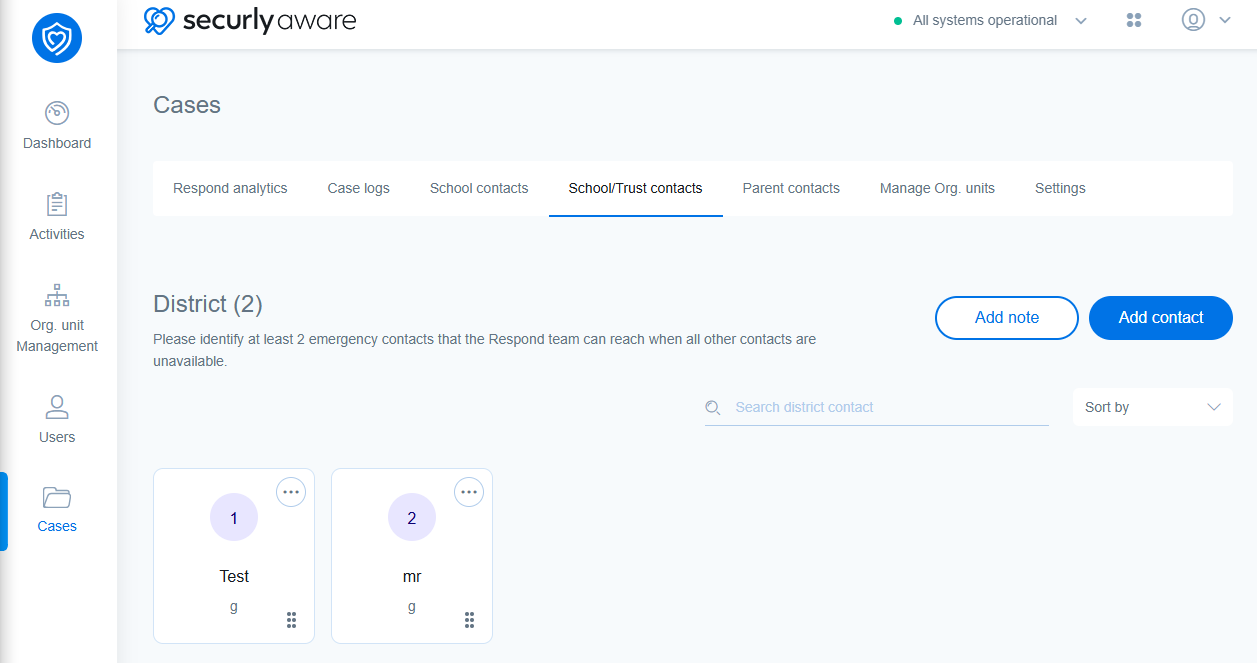
Fill in the name, job title, email address, and phone number of the contact in the sidebar popup.
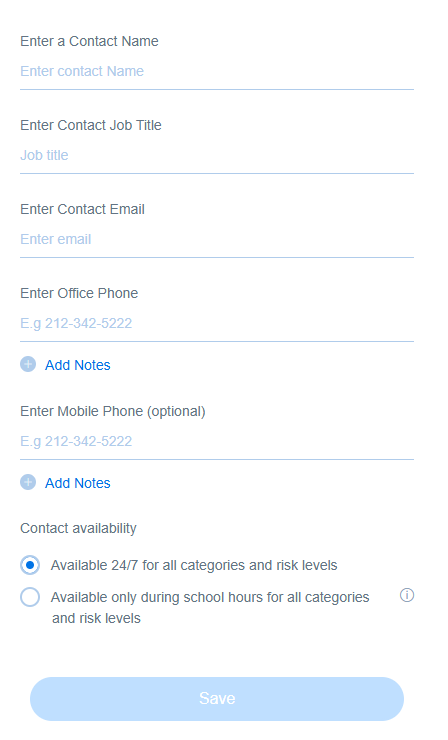
Set contact availability from the two available options. Choosing the first option will allow responders to contact the said person for all types of emergencies at any time of the day. The second option will allow the said person to be contacted only during the school working hours.
Note: For setting contact availability only during school hours, the school working hours must first be defined by navigating to Account Settings > School working hours.