Filter › Home
Adding Parents
To begin managing parental settings to give parents control over their child’s online activity at home, you must first establish parent-child relationships from the Parents menu.
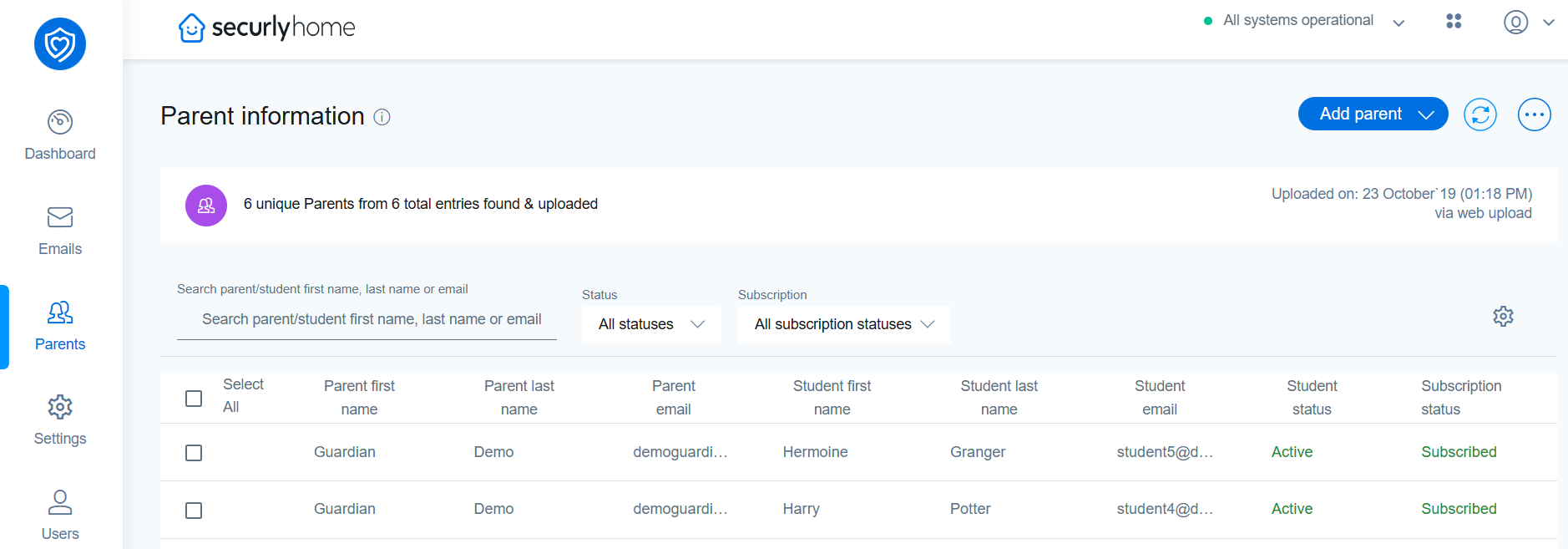
There are a few different options you can use to add parents/guardians to Securly Home:
-
Securly Sync:Schools can set up automatic synchronization to manage user accounts through Securly Sync. This method seamlessly integrates with existing student information systems (SISs) to automatically enroll parents in Securly Home. Please open a ticket with Securly Support to get started with Securly Sync.
-
Add Via CSV: A CSV file can also be used to sync users. This method involves manually uploading a CSV file containing parent information to register them for Securly Home access.
-
Add Parents Manually:Parents can be manually added to the system, giving you the flexibility to address specific cases that require manual adjustment.