Aware › Cases
Setting custom schedule for contacts
Selecting the custom availability schedule when setting up/editing a contact will allow you to set availability based on category, risk assessment, and time/day of the week.
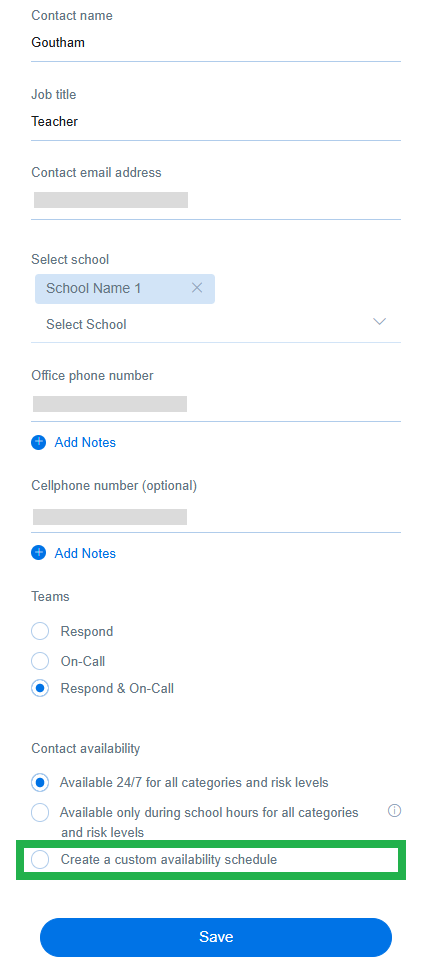
The selected categories and risk level will remain fixed across the contact’s available days. For example, if a contact is assigned violence and bullying categories for the weekdays, you cannot set violence coverage only on Monday or bullying coverage only on Tuesday. The responsibility for covering violence and bullying will fall on the contact throughout Monday to Friday.
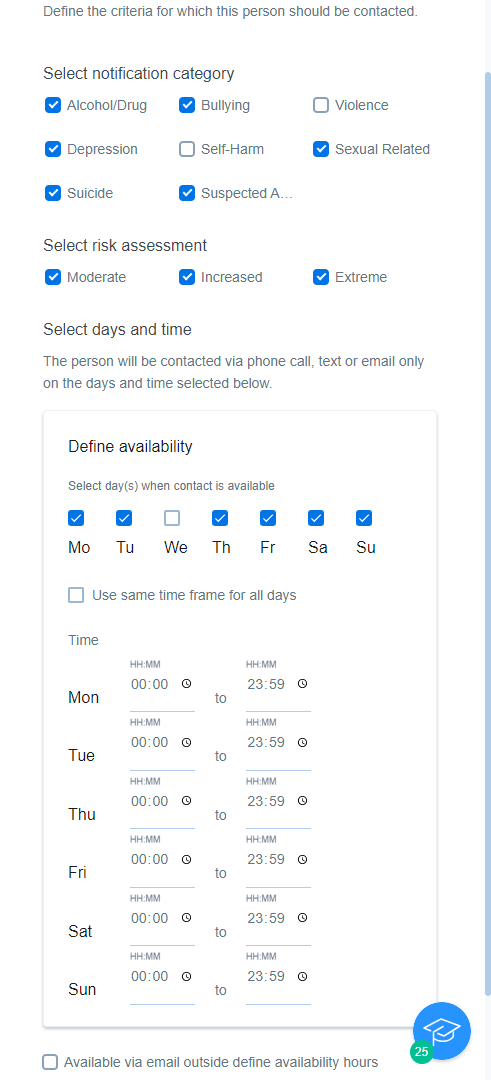
Using the checkbox at the bottom allows the system to contact the person outside of their set schedule, but only via email. You can also opt in for SMS notifications for all email alerts. Click here to learn more.
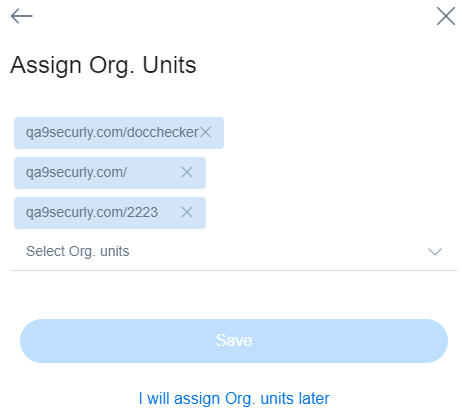
After setting the required availability for the contact, click on the Save and continue button. On the next screen, assign the required Org. units or skip for later to complete the process. If you set up multiple contacts with the same schedule, the responders will determine which contact to alert.
If you would like the response team to call law enforcement after hours, please ensure that you include the relevant local law enforcement agency as a contact. The response team will reach out only to these contacts for cases of all severities during the specified time.