AI Chat
AI Transparency Dashboard
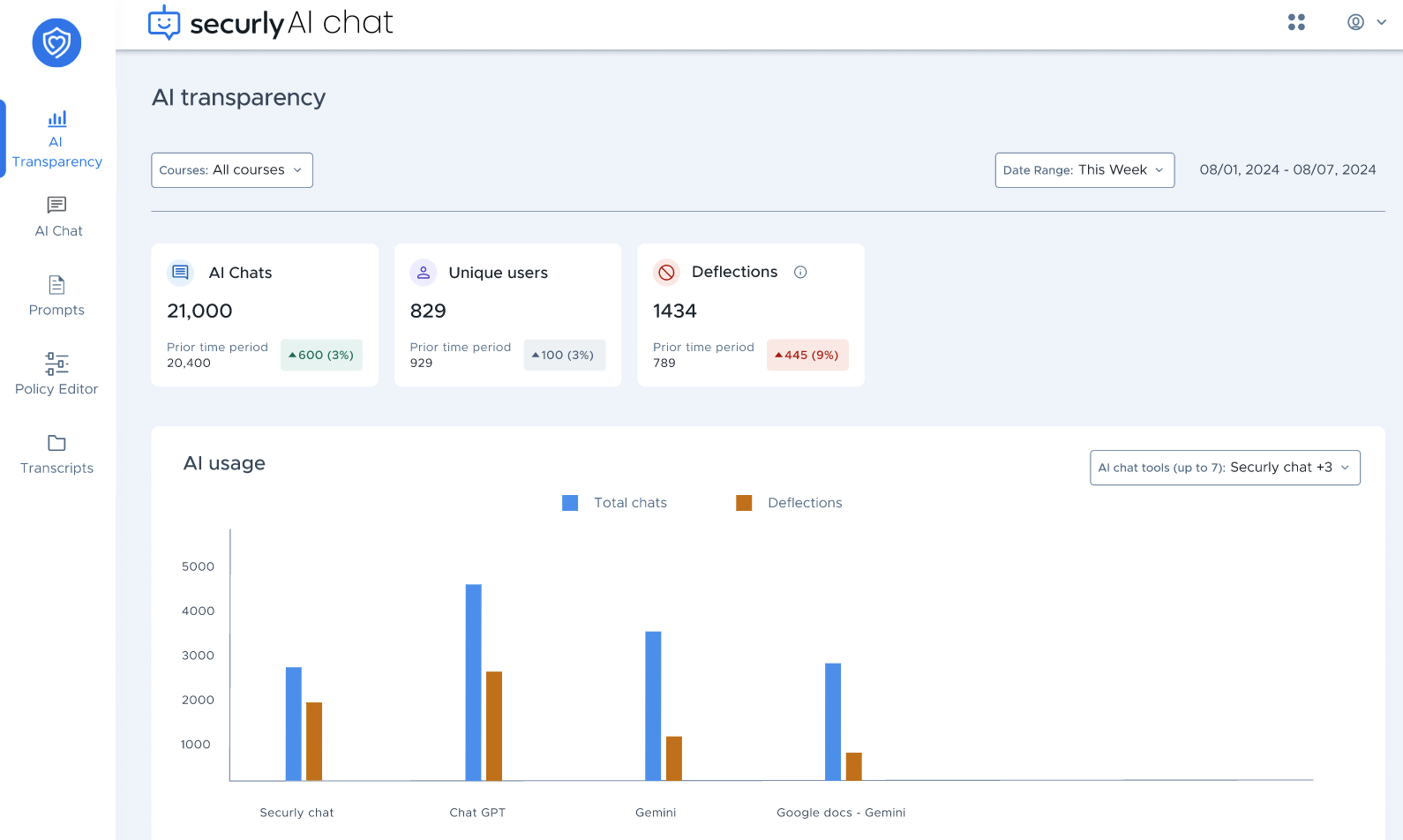
The AI Chat Transparency dashboard (part of Securly's AI Chat) helps schools monitor student interactions with AI chat platforms. It provides detailed statistics about chat activity, user behavior, and content deflections. AI Transparency is enabled by default for Securly AI Chat, but requires the Securly browser extension to monitor 3rd party AI sites.
Access and visibility
Key metrics overview
AI usage
Top courses with deflections
Top deflected users
AI usage by time of the day
Access and visibility
The dashboard is visible to admins. If you'd like to grant teachers access, please reach out to our Support team.
For admins, the dashboard displays data for all classes in the school district, while for teachers, it shows data only for the classes they are teaching.
Key metrics overview
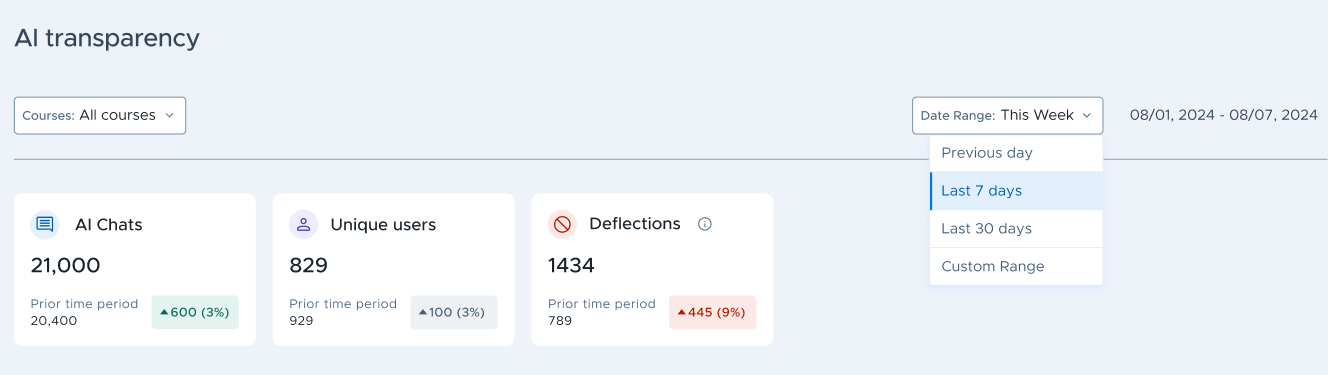
You have three widgets that offer a quick overview of student engagement with AI chat platforms:
AI Chats: Displays the total number of chat instances within the selected time period.
Unique Users: Shows the total number of distinct users who interacted with the AI chat platforms during the selected time period.
Deflections: Indicates the number of events where a user was diverted or prevented from exploring a topic further due to filtering policies in place, such as blocked searches related to bullying, violence, or other restricted content.
Each widget also shows data for the prior time period as per the selected date range (e.g., last week vs the week before, last 30 days vs the previous 30 days).
At the top left, you have the Courses filter which filters dashboard data as per the selected courses. For example, if we select the History course, the AI Chats widget would reflect the number of chats interactions users have had discussing/querying about history-related topics.
.PNG)
The filter allows you to select from all courses defined by the school in their SIS, and the list will only be populated if Securly Sync is connected to their SIS.
Note
Securly uses information about the classes students are enrolled in to estimate which course their activity in AI chat platforms relates to; however, the results may not always be perfectly accurate, and some chat miscategorization can occur.
AI usage
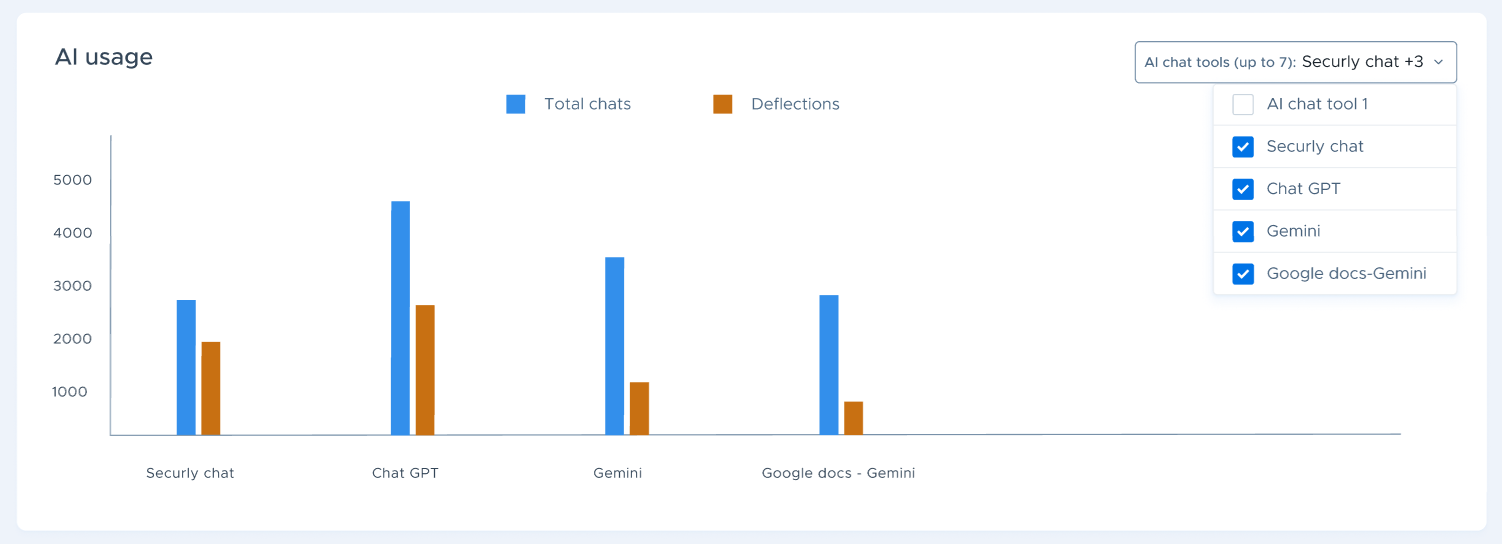
The AI usage graph shows chats and deflections for different AI platforms. You can use the dropdown selector in the top-right corner to choose which platforms to display, with the graph supporting data comparison for up to seven platforms at a time. The graph will also show only those platforms with recorded student activity. Currently, you can select from the following AI platforms:
Securly AI Chat
ChatGPT
Gemini
Google Docs (Gemini)
Microsoft Copilot
MagicSchool
School AI
Notebook LM
Brisk Teaching
Peardeck
Coverage of additional platforms is planned for future updates.
Top courses with deflections
.PNG)
This section compares the number of chats versus deflections by course. Clicking View all at the bottom right shows a complete list of the top courses.
Top deflected users
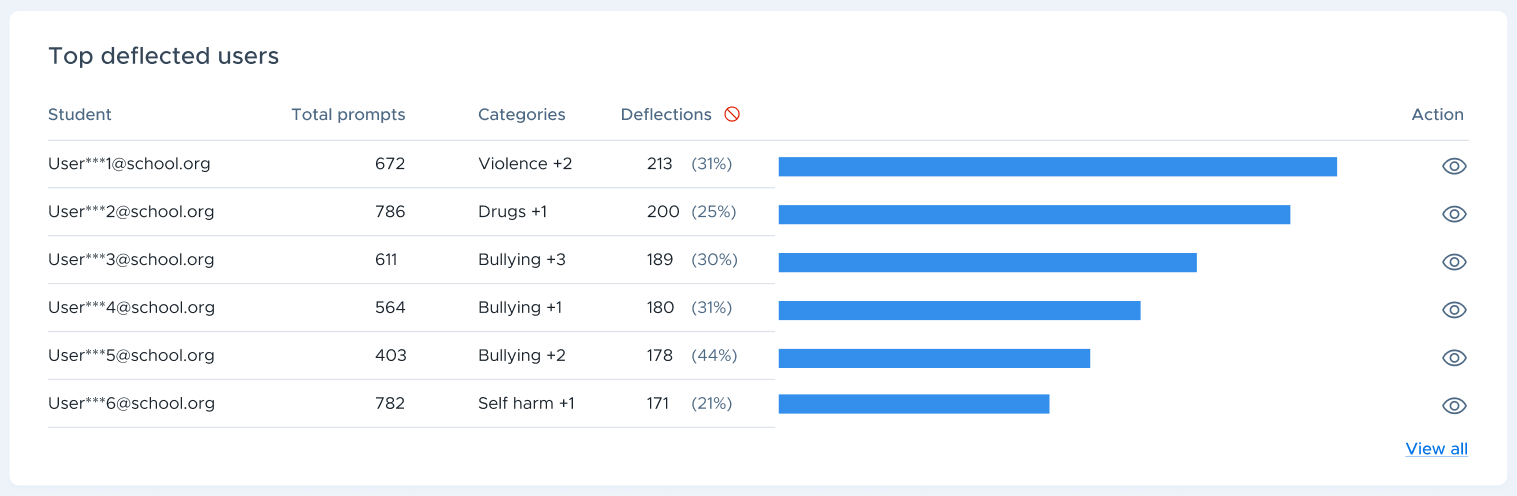
This section shows the top students who experienced the most deflections. It includes the total prompts, categories of content which caused the deflection (e.g., violence, drugs, bullying), and total deflections.
The student email IDs are hidden by default. You can click the eye icon on the far right to reveal them.
Like the previous section, you can click the View all link to view a complete list of top users.
AI usage by time of the day
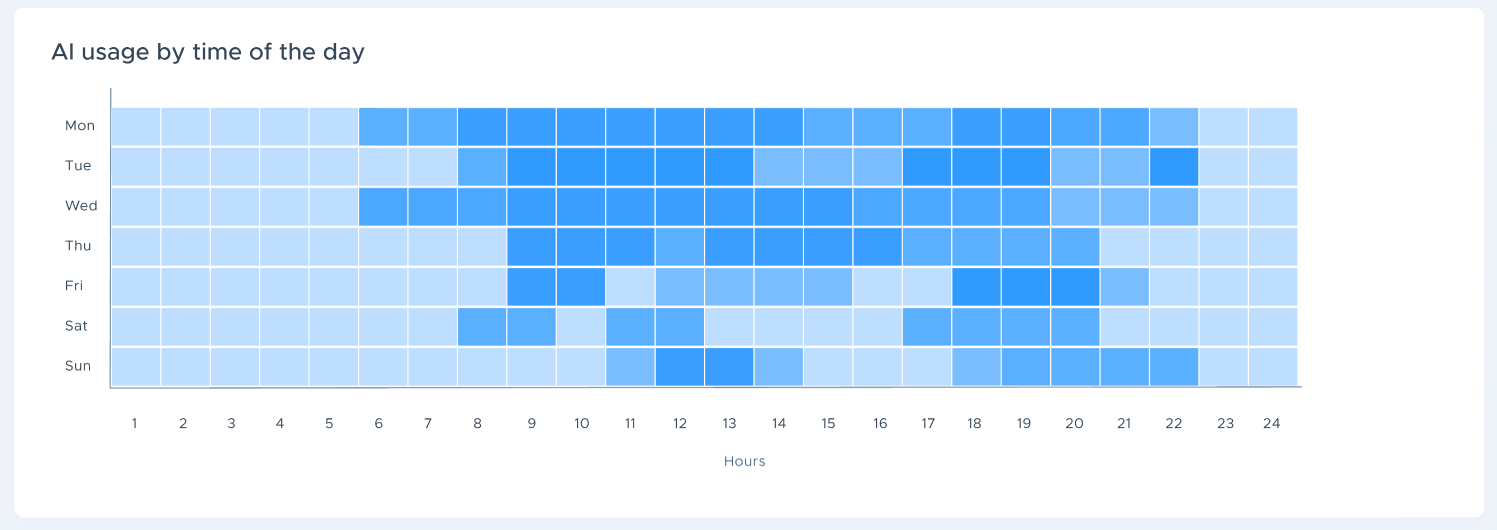
This heatmap shows AI usage by day and time and day, letting you identify peak usage hours, when deflections occur most frequently, and the opportunities to adjust filtering policies based on student behavior.
FAQ: Does Aware Monitor ChatGPT?
Question: Does Securly Aware monitor ChatGPT or similar AI platforms?
Answer: Yes, Securly Aware can monitor interactions with ChatGPT as part of Securly's AI Transparency solution. This includes detailed monitoring of student interactions with ChatGPT and other third-party AI tools like:
ChatGPT
Gemini
Google Docs (Gemini)
Microsoft Copilot
MagicSchool
School AI
Notebook LM
Brisk Teaching
Peardeck
Coverage of additional platforms is planned for future updates.
How It Works:
Integration: To effectively monitor ChatGPT and other AI platforms, schools must use the Securly browser extension. This allows for visibility into student usage and interactions.
Monitoring Features: Aware provides analytics and reporting features that help schools understand how students are engaging with ChatGPT. This includes tracking conversation logs and identifying any safety signals.
Benefits of Monitoring:
Safety: The monitoring features are designed to ensure that students are using AI tools safely and responsibly.
Engagement Insights: Schools can gain insights into how students are using these tools, helping educators support effective learning techniques.
Real-Time Alerts: Aware can trigger alerts for critical issues detected during AI interactions, enhancing student safety.
If you have further questions or need more specific details about the monitoring features, feel free to ask!