Skip to content
    Securly Learn DocsSign in
    All documentation

    Classroom › Classes

    Changing settings during class

    To change apply a new access plan or change the current one, you can use the access plan selector.
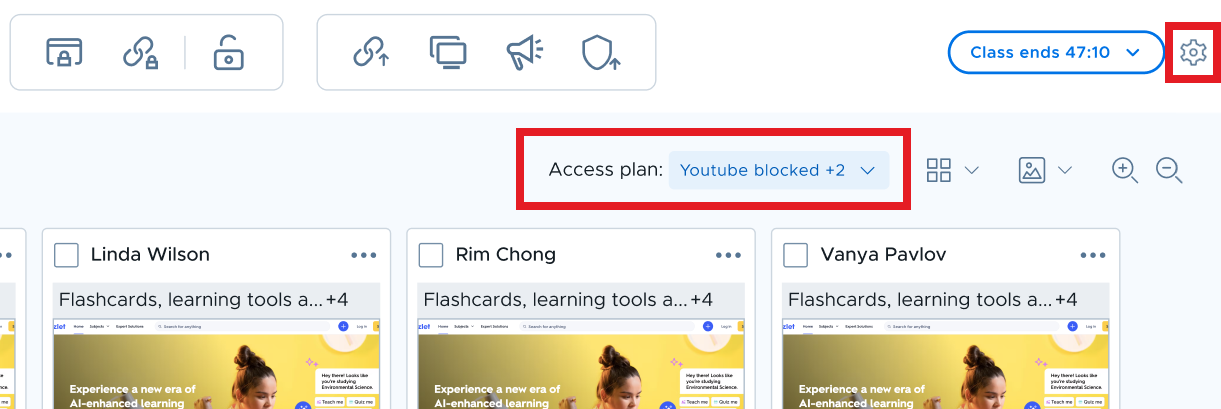
    settings _active class.PNG

    To modify other class settings during a class session, click the gear icon in the upper right corner of the screen. In the menu that appears after clicking the gear icon, you can adjust other class settings as shown below.
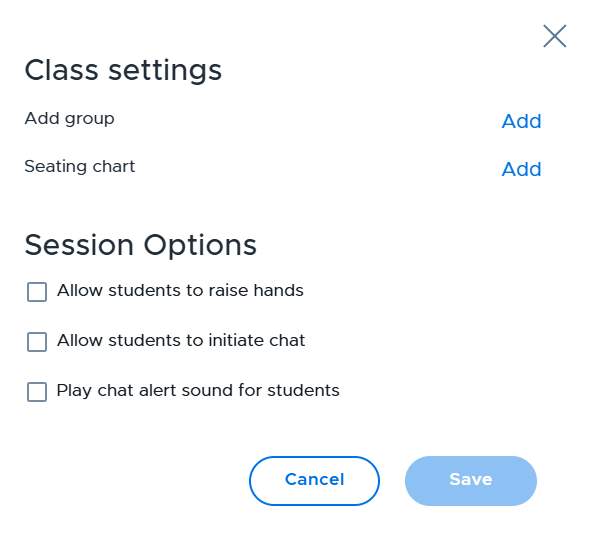
    image.png

    For more information on access plans, see this article.

    For more information on class settings, see this article.

    You're viewing the text-only version of the Securly Learn help center. Sign in for search, the AI assistant, images, audio, and downloads.