Classroom › Classes
Approving/declining a pass request
When a student requests a hall pass, a popup will appear on the teacher’s screen whose class they are requesting to leave, with the name of the student who raised the request and the destination where they are headed.
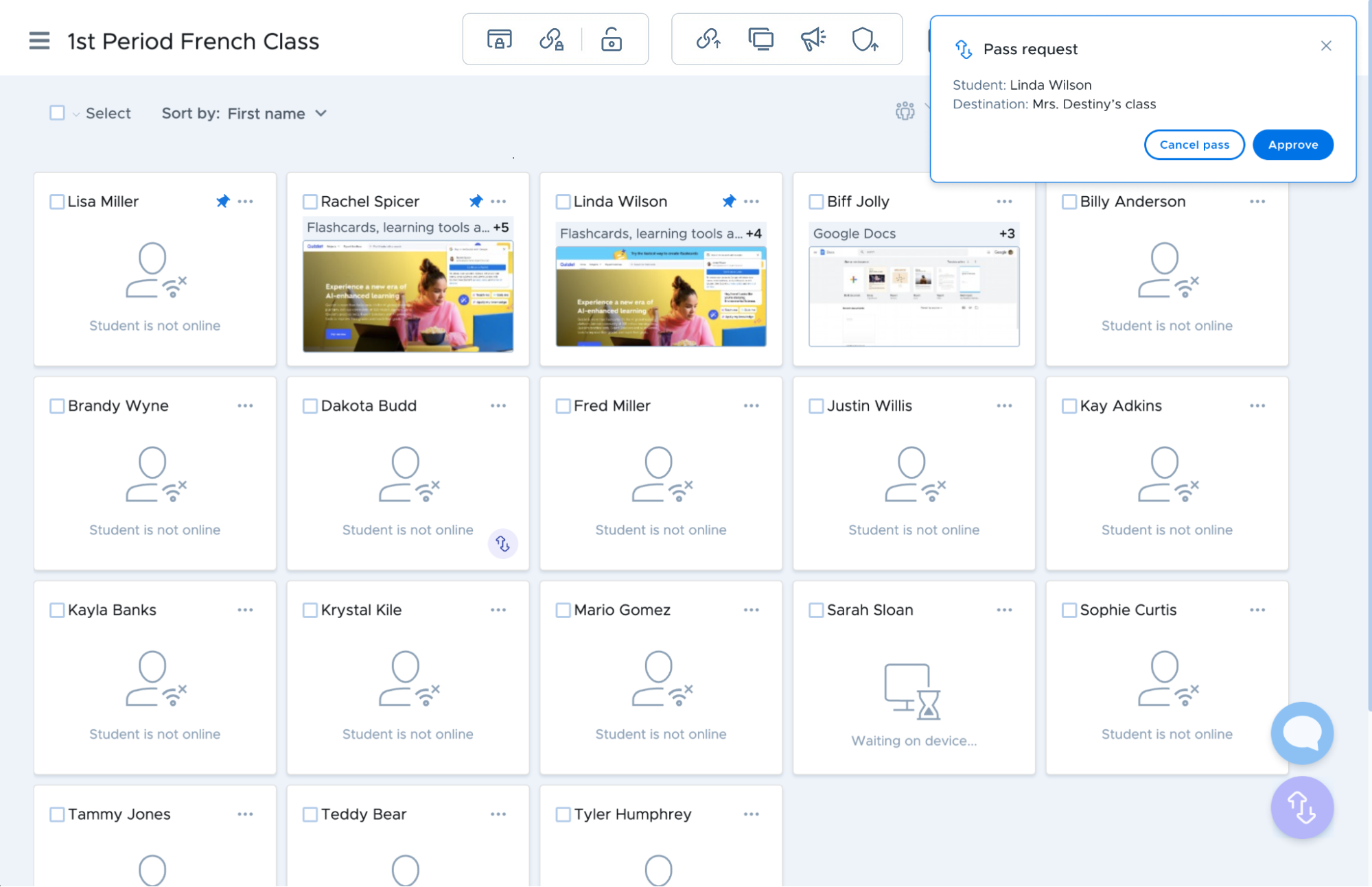
Notice that there is no badge in Linda's card view as her pass request has not been approved yet. She has a pass request from the current teacher's location to Mrs. Destiny. The teacher can choose to approve or deny the pass request. If they approve it then Linda will have a badge to show this active pass.
If the teacher decides to ignore the request or closes it, the request can still be approved or canceled from the notification center.