Filter › Filter Deployment
How to Deploy the Securly SmartPAC to macOS Devices via JAMF MDM
You can deploy the Securly SmartPAC to your macOS devices using various MDM solutions, including JAMF, FileWave, TabPilot, and Airwatch. This article focuses on deploying SmartPAC using JAMF MDM.
Follow these steps to deploy SmartPAC via JAMF MDM:
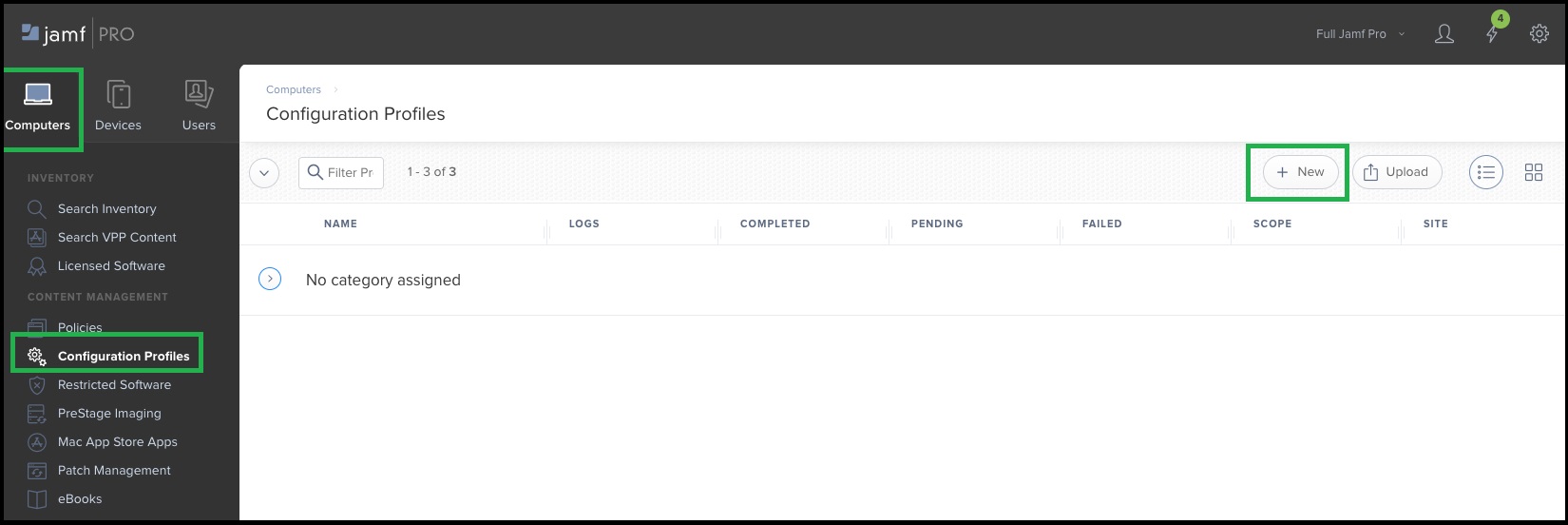
- Log in to your JAMF MDM account and navigate to Computers > Configuration Profiles. Create a new profile by clicking on New.
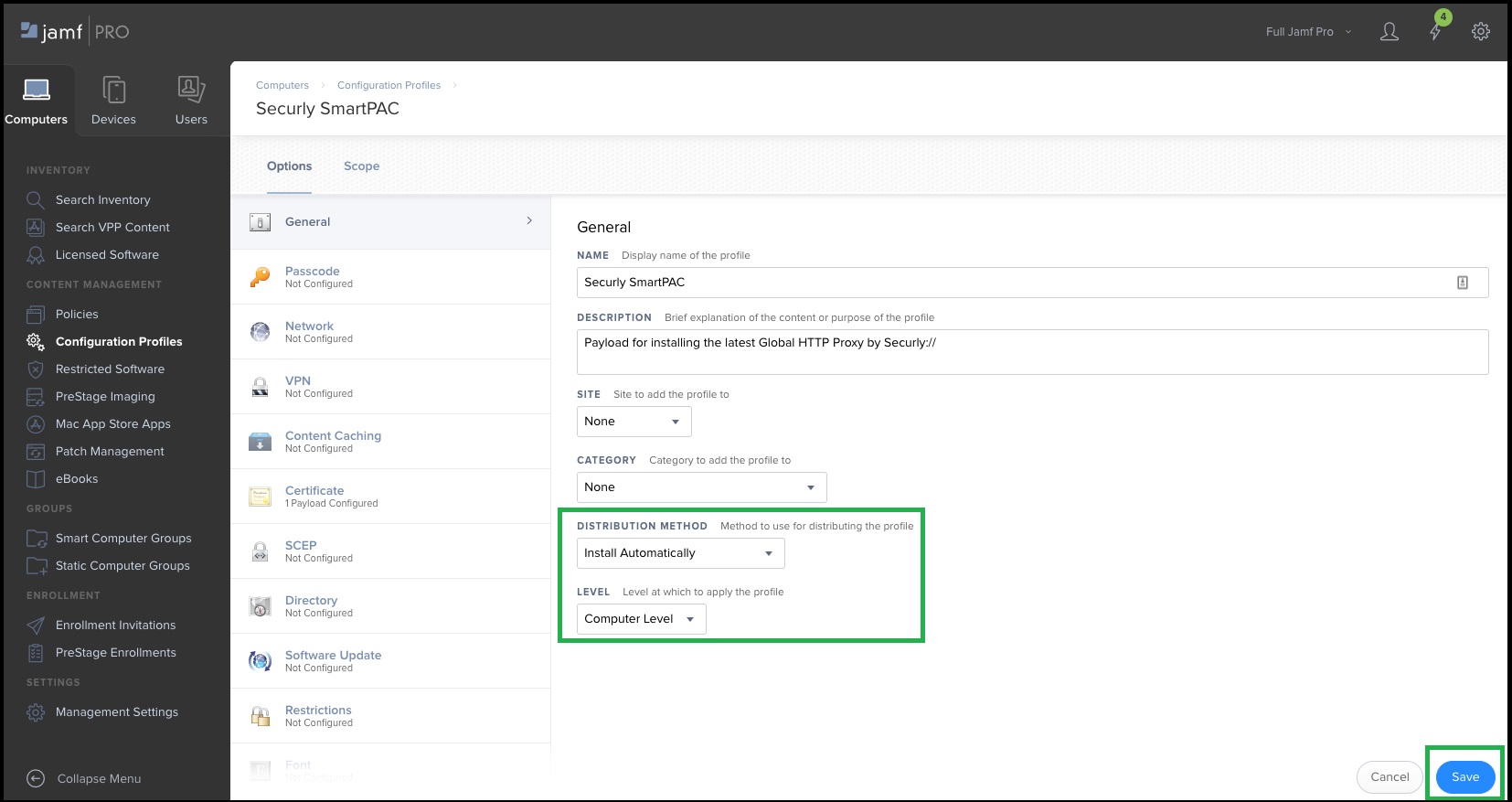
- Name the new profile appropriately.
- Set the Distribution Method to Install Automatically.
- Select Computer Level for the profile level, then click Save.
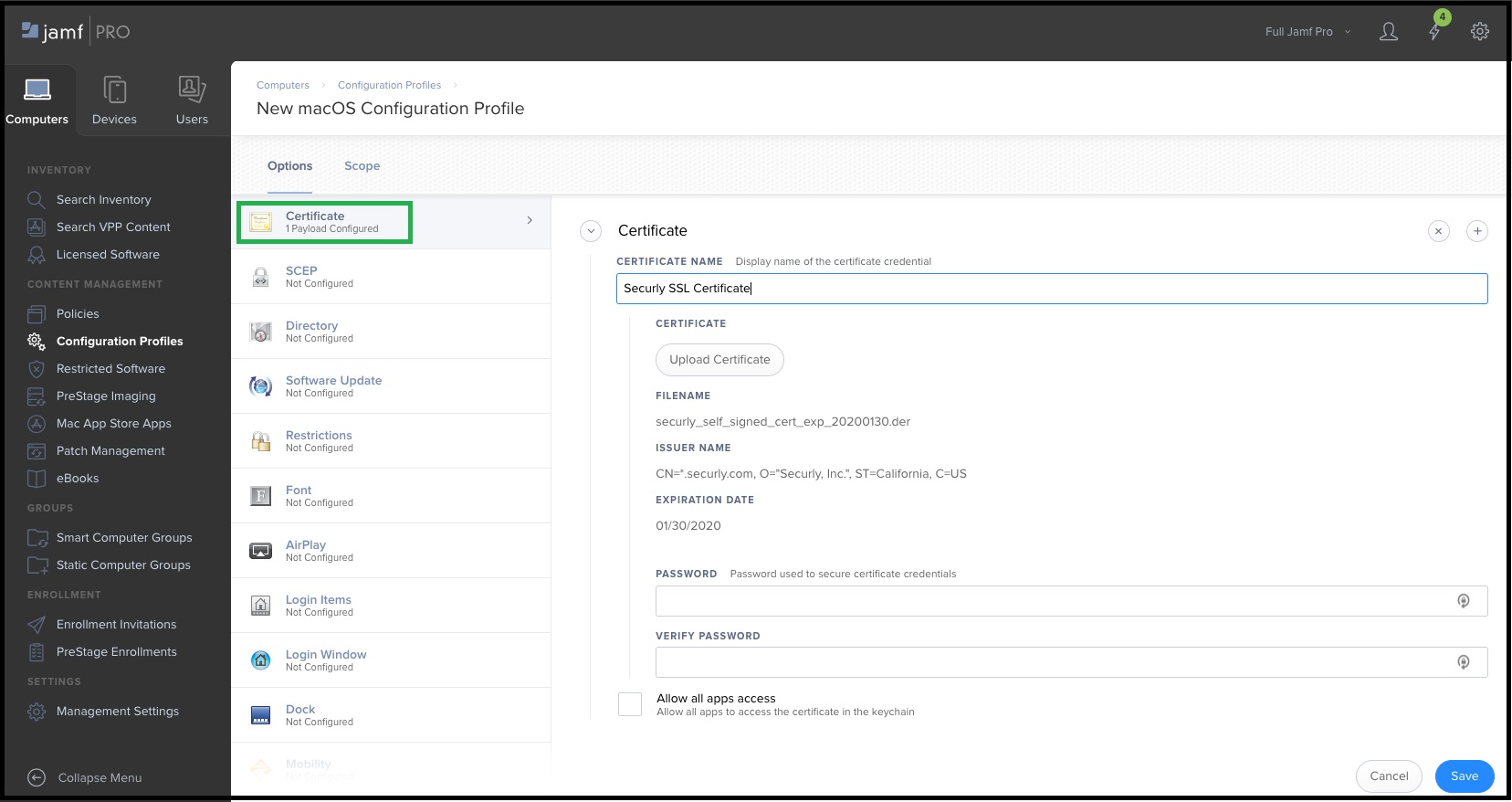
- In the left-side menu, scroll down to Certificates and add the Securly_CA_2034.der certificate attached at the end of this article.
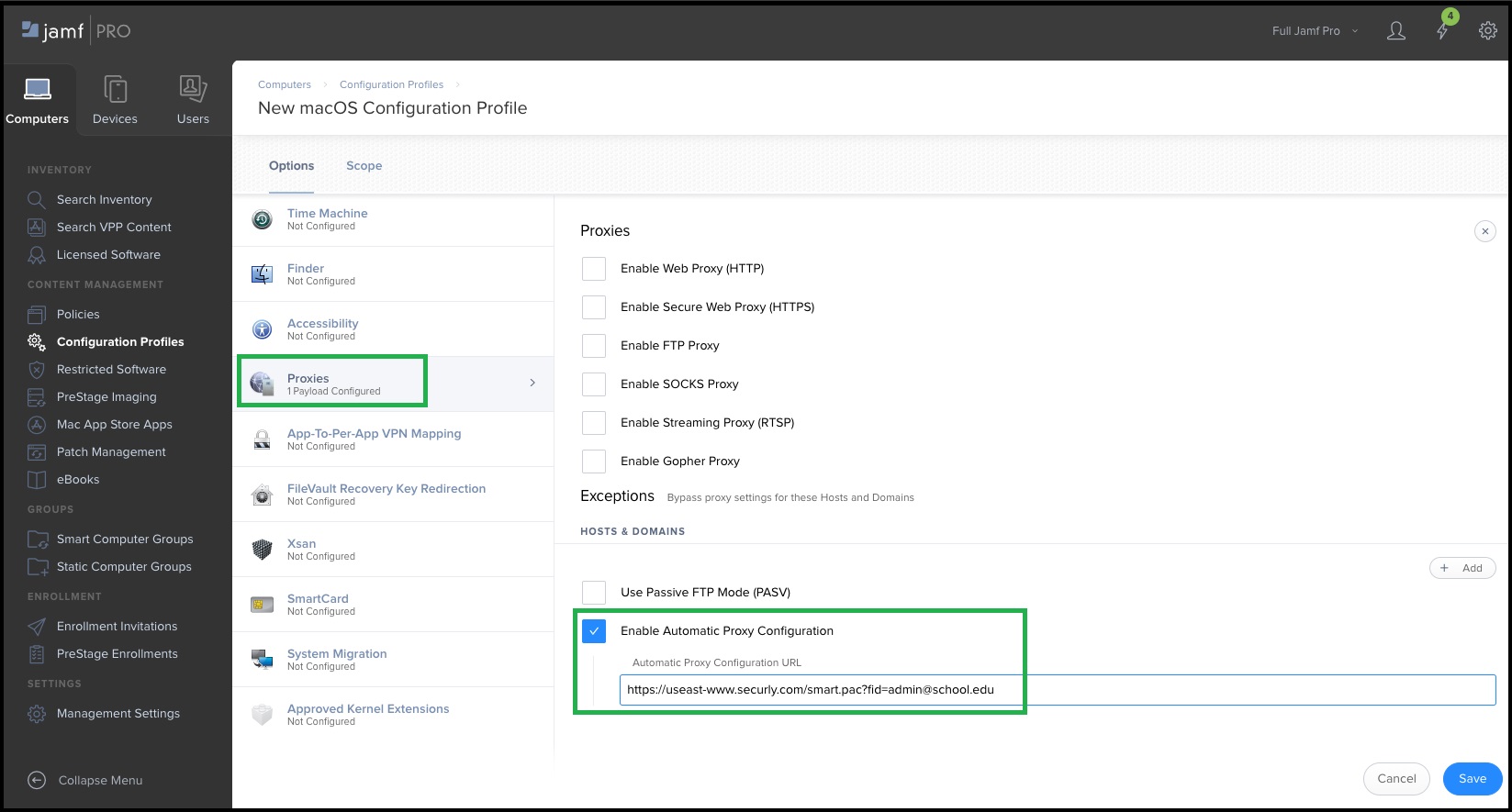
- In the left-side menu, scroll to Proxies and select Enable Automatic Proxy Configuration.
- Enter the SmartPAC URL provided by Securly Support in the Automatic Proxy Configuration URL field.
- Click Save to complete the deployment process.