Filter › Policy Management
Ending a Custom Group Before Its Expiry Date
Yes, you can end a custom group before its expiry date by either modifying its expiry date or deleting the group.
To modify the expiry date, navigate to Policy Map > Custom Groups and select the edit icon from the “More” icon (...) for the Custom Group you want to edit. You will need to select a new end date in the “Duration” field. Note that the group will expire at midnight on the expiry date selected.
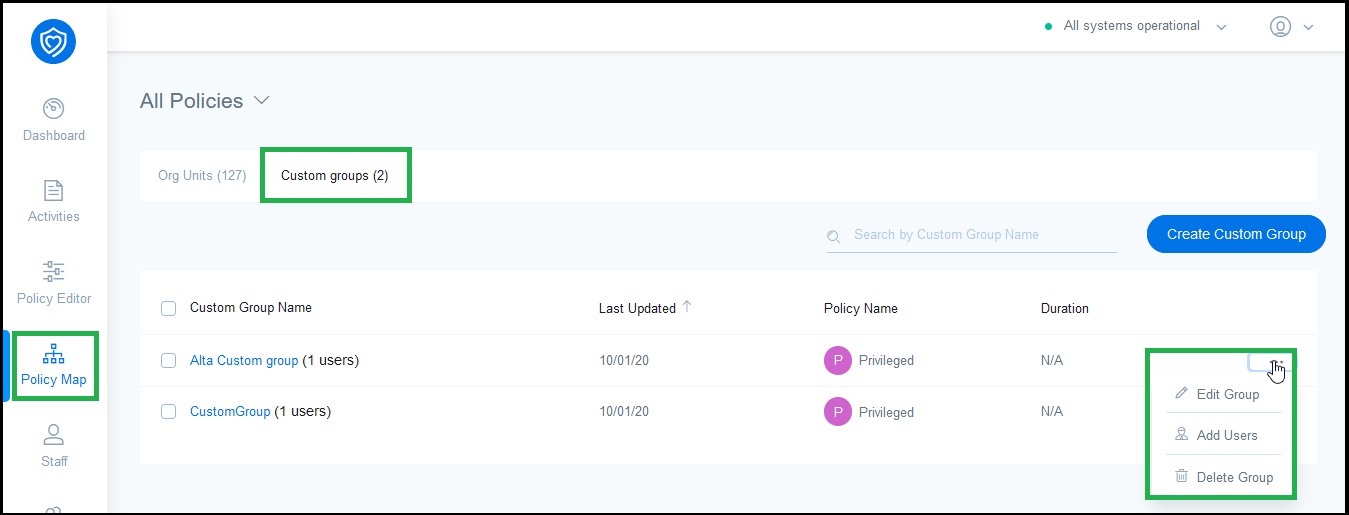
To delete a group, click the “Delete” icon for the Custom Group you want to end.