Filter › Policy Management
Understanding Time-Based Policies for Off-Campus Students
Time-based policies can be applied to students even when they are off-campus. To enable this feature, you should activate the “Set exception window for out-of-school policies” field in Global Settings. This setting allows other in-school policies, including the kid’s OU policy, Default Policy, or Custom Group policies, to apply if time-based policies are not enforced for the student.
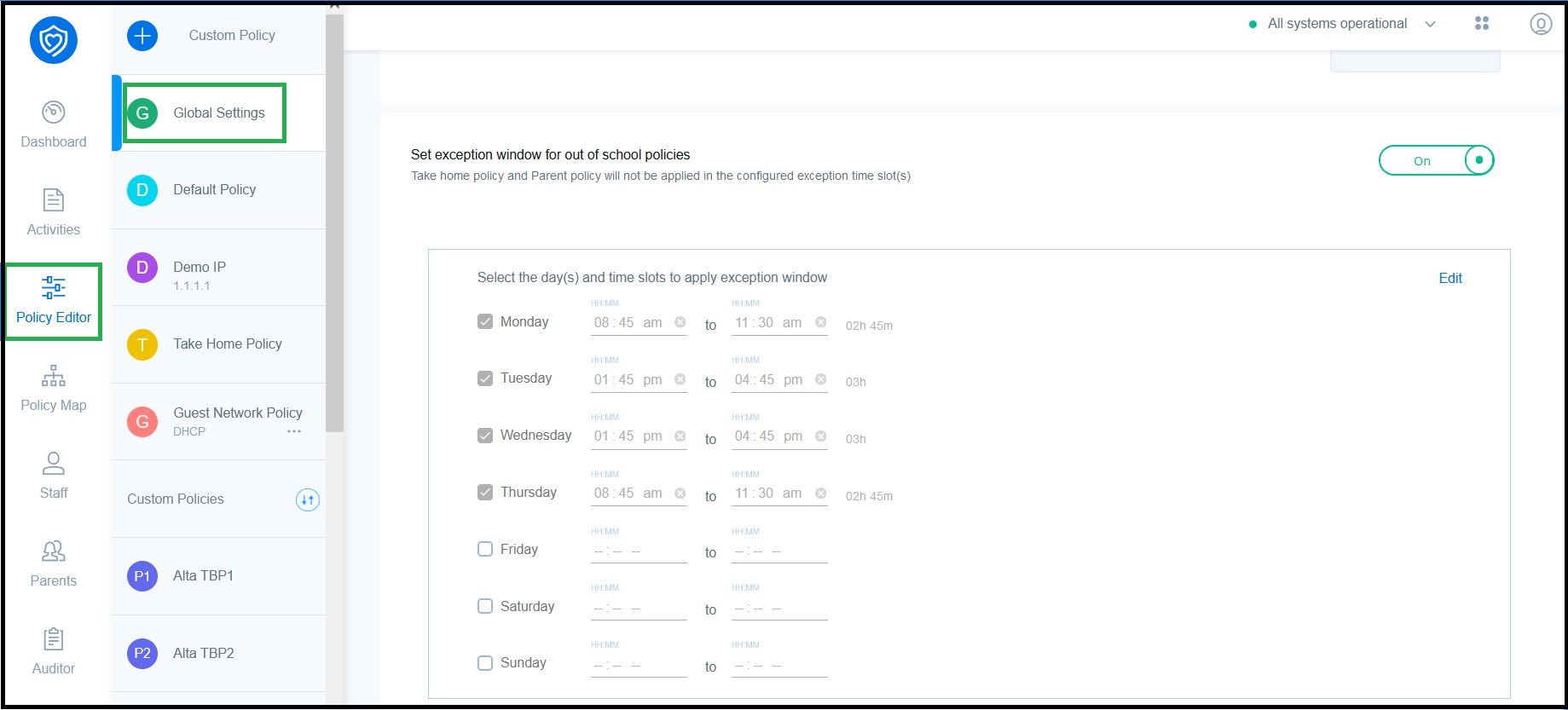
Once enabled, you can select the specific days and times when the exception window should apply. During these selected periods, the student will receive the time-based policy, even if a parent policy or take-home policy is in effect. For days and time slots not specified, the parent policy or take-home policy will apply if the student is off-campus.
If a policy is configured as a time-based policy and the ‘Exclude from take-home policy’ field is enabled, the student will not be filtered according to the take-home policy. Instead, they will receive the time-based policy.
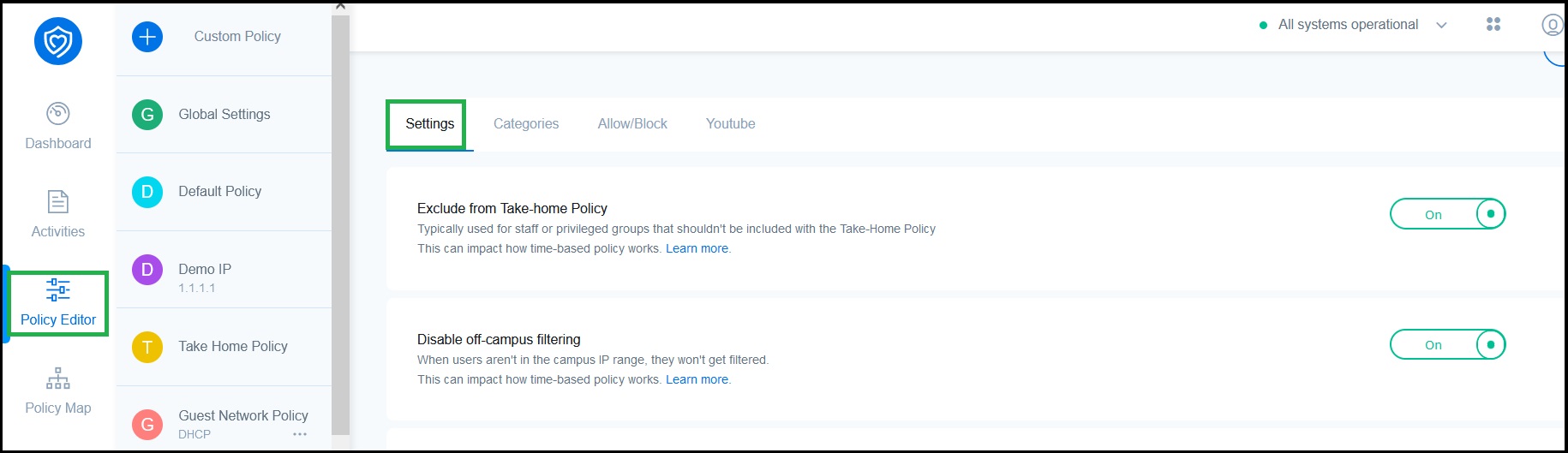
Additionally, if a policy is set up as a time-based policy and the ‘Disable off-campus filtering’ option is turned on, the student will not be filtered at all and will not receive a time-based policy due to this setting. To ensure that the time-based policy is applied off-campus and filtering continues, make sure that this setting is not enabled.