Classroom › How to for Teachers
How to Opt Out of Class Summary Emails
When a class session ends, an email summary will be sent out to all teachers of that class. However, teachers have the option to opt out of these emails. To opt out of these emails, follow these steps:
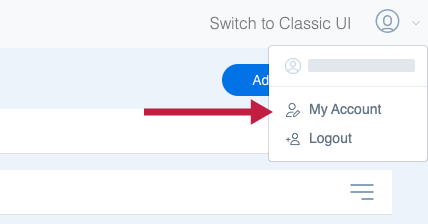
Step 1: While in Device Console, click on the user icon in the upper right corner of most menus. Then, click My Account.
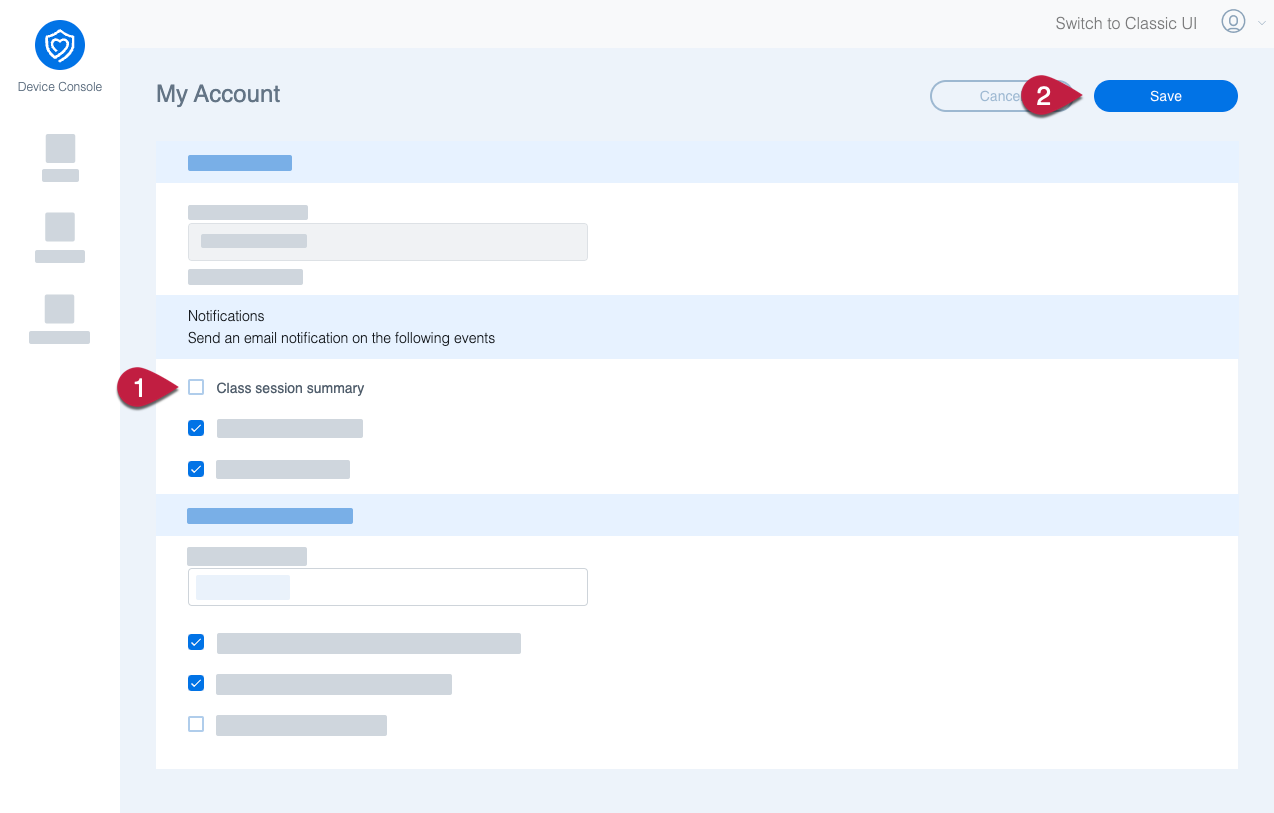
Step 2: On the My Account page, look for the Notifications section, and under it uncheck the Class session summary. Then, click Save.
You will no longer receive class session summary emails.