Classroom › How to for Admins
How to check on a class in session
As a teacher or admin, it is possible to join a class session that is currently in progress without having to start it yourself. This functionality is available to admins as well as teachers, although teachers are limited to only classes that they have access to.
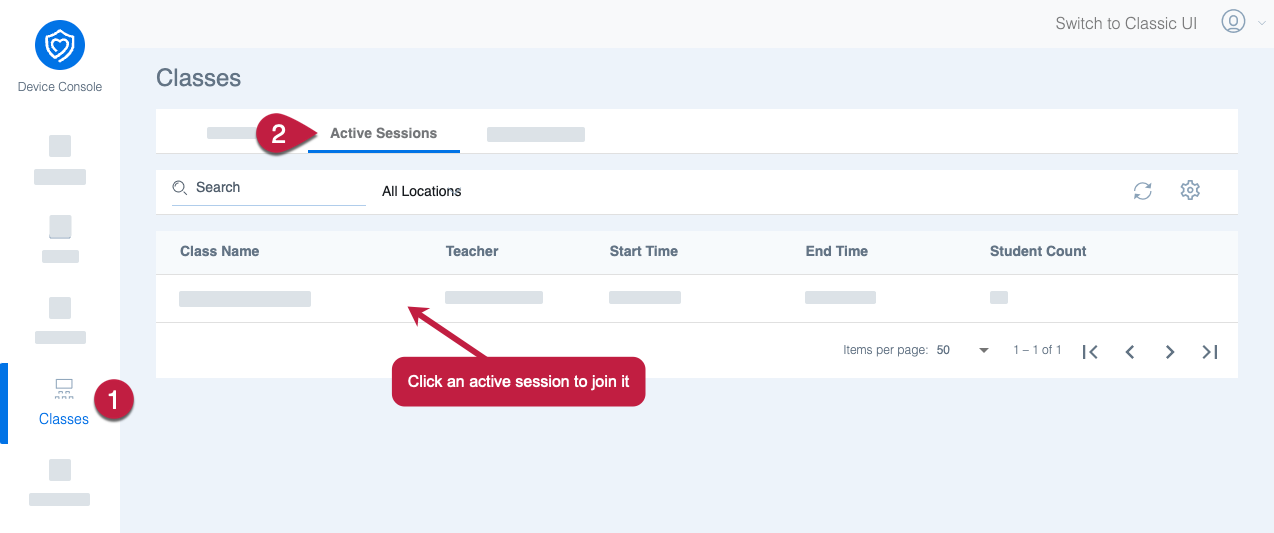
From the Classes menu, click the Active Sessions tab. This menu will show all class sessions that are currently running. You can click any active session to join it.
You can also join a class by selecting Start Class as normal. If the class is already running, you'll be taken straight to it instead of selecting students and session options.