MDM › Managing Devices
Refreshing an iPad eSIM
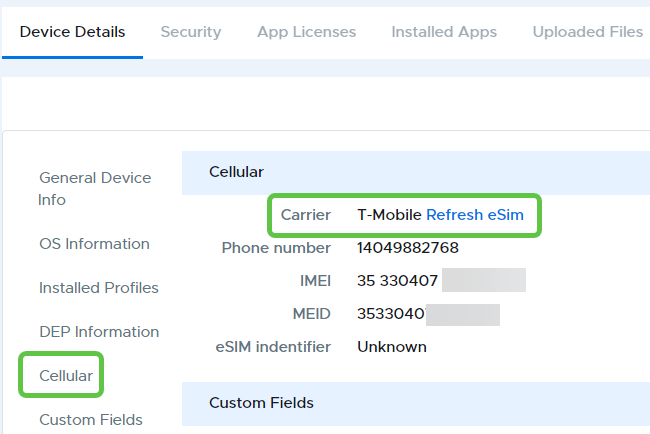
A command to refresh the eSIM for a cellular-enabled device with service provided through an eSIM can be done from Device Details by clicking “Refresh eSIM” next to the carrier listing in the Cellular section.
An eSIM refresh can also be done in bulk for multiple devices by selecting the devices from a device group list, then selecting “Refresh eSIM” from the three-dot menu at the top right of the table.