Classroom › Settings
School hours
Class sessions can only be run during school hours. To set up school hours, use the School schedule sub-menu.
You can define multiple schedules and assign schools to any of those schedules. This allows you to create schedules for specific groups of schools or even unique schedules for every school, if necessary.
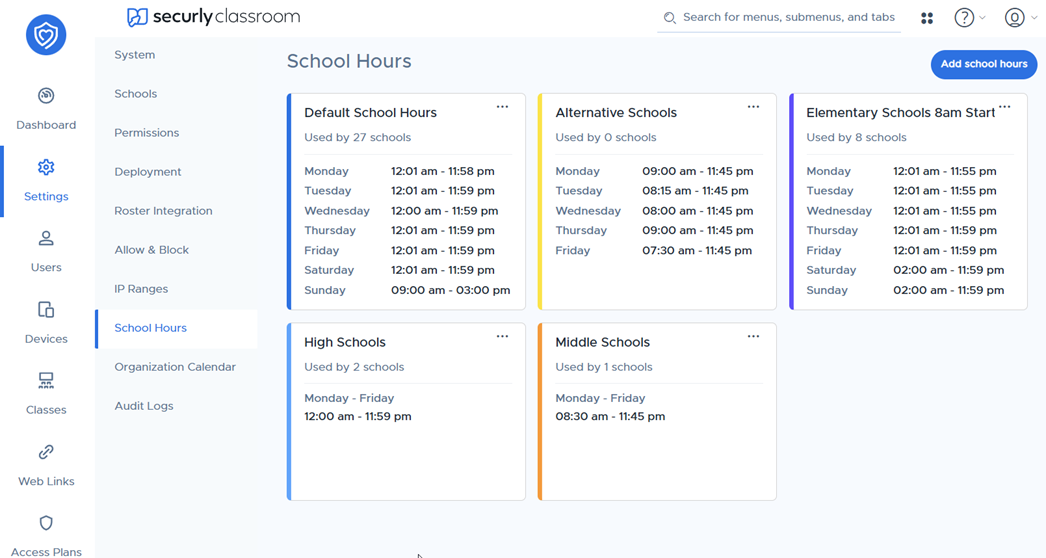
Adding school hours
You will start with a single default schedule, but you can add more by clicking Add school hours.
In this sidebar, select Weekdays to use the same start and end time each weekday, or Custom by day for more granular control.
Click the add button in the Assign to school(s) field to select which school(s) you would like to assign this schedule to.
You can edit schedules by clicking the three-dot menu in the upper right corner of the card.