Filter › Deploying Securly Filter
Deploying SmartPAC on macOS devices using JAMF MDM
FoTo deploy SmartPac using JAMF MDM, follow the steps below:
-
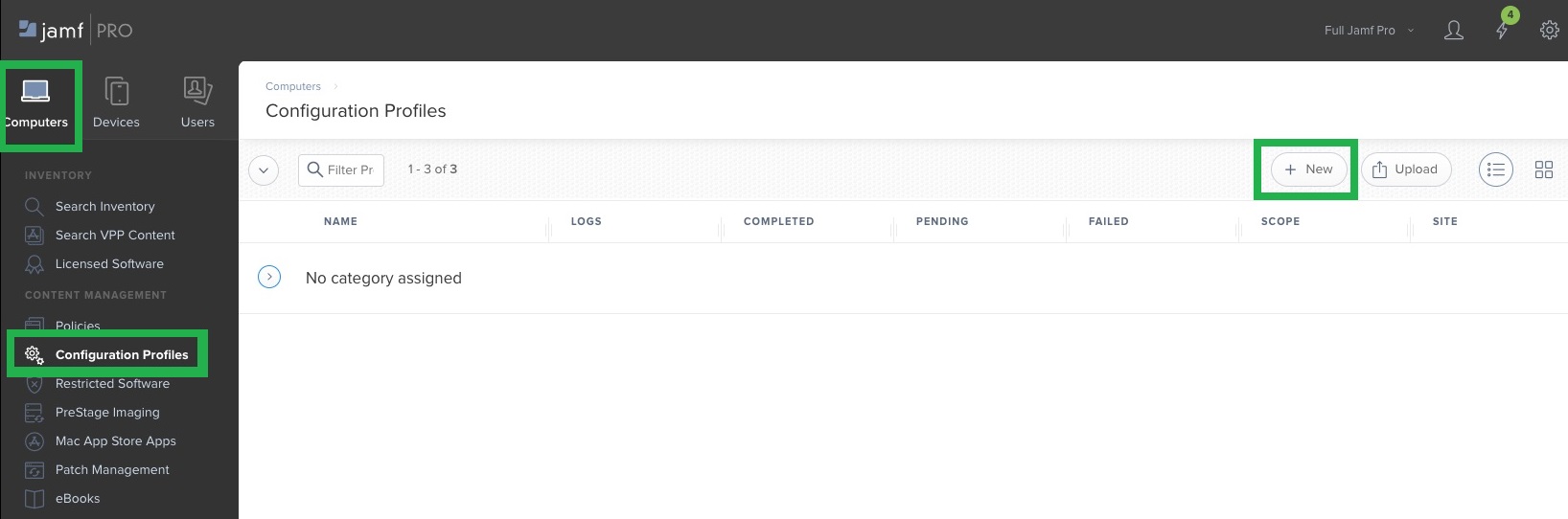
Login to your JAMF MDM and navigate to Computers > Configuration Profiles and create a new profile by clicking on 'New'.
-
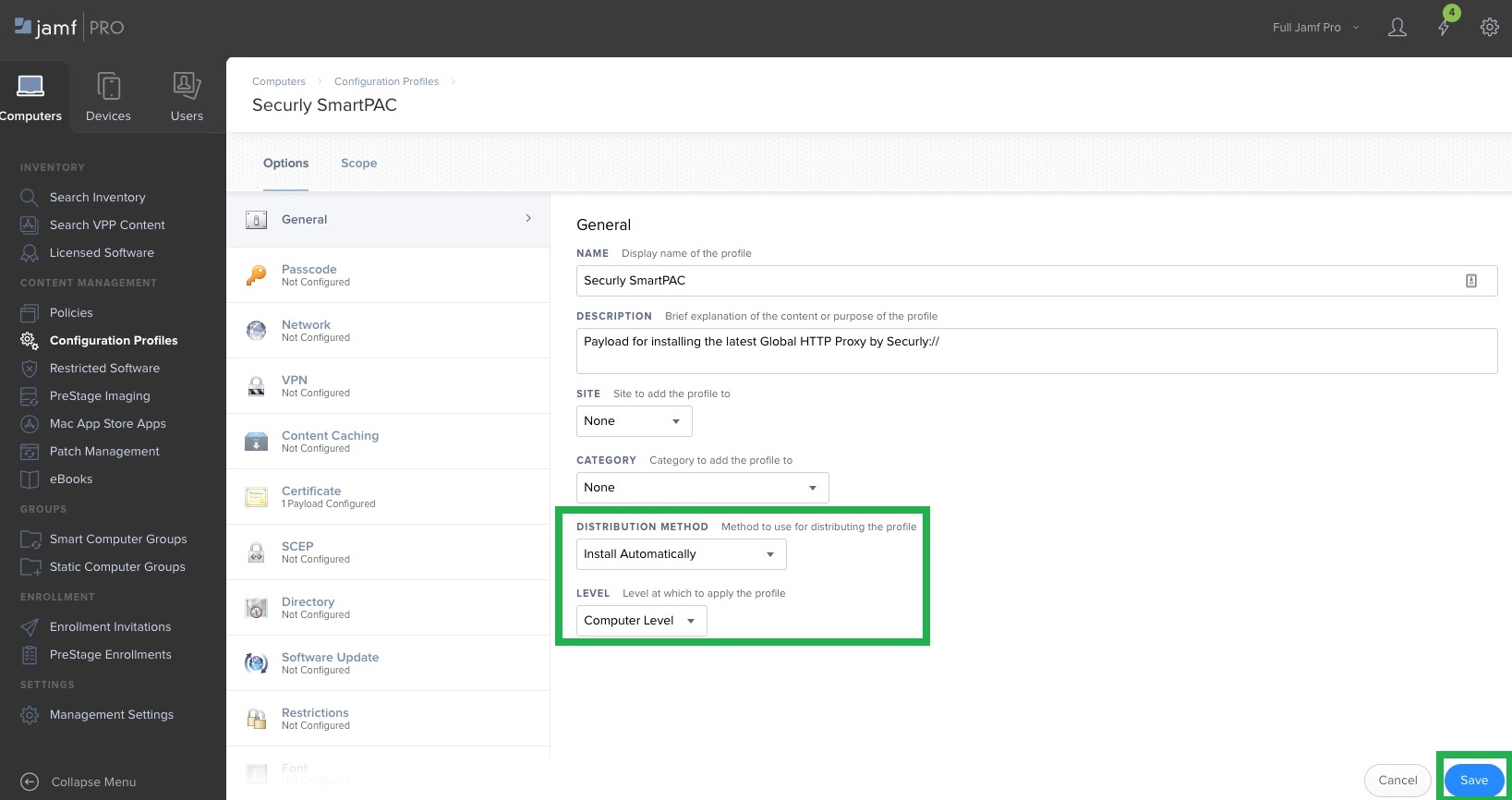
Give the new profile a name.
-
Select the Distribution Method as 'Install Automatically'.
-
Select the Level to be ‘Computer Level’, then click on 'Save'.
-
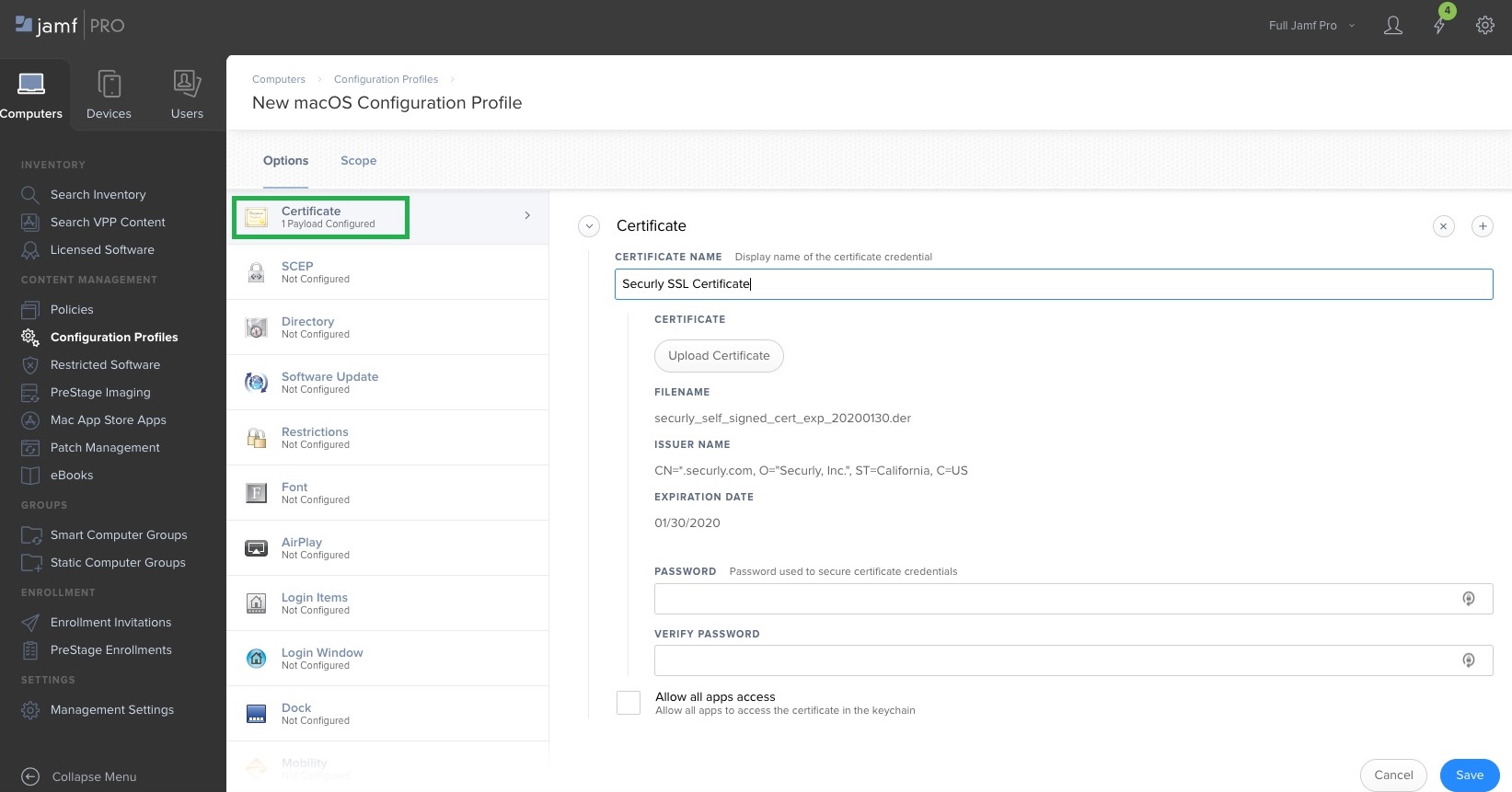
Under the left-side menu, scroll down to "Certificate" and add the Securly certificate.
-
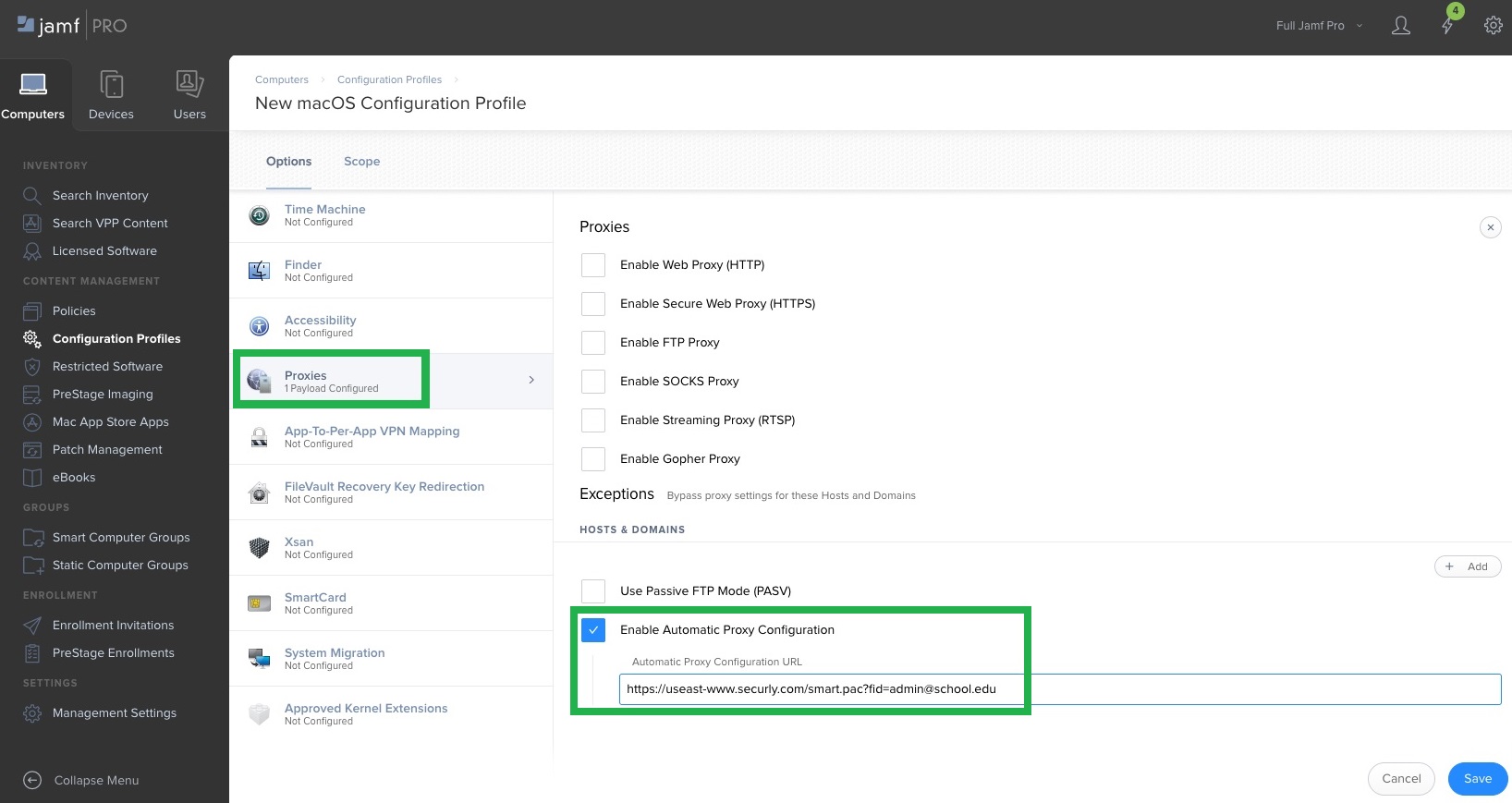
Under the left-side menu, scroll to "Proxies" and select "Enable Automatic Proxy Configuration".
-
Input the SmartPAC URL provided by Securly Support in the "Automatic Proxy Configuration URL" field.
-
Click on "Save" to complete the process.