Pass › Visitor
Checking in Staff Members
Though NOT an intended use, Visitor Management can be set up to check in teachers and staff when they use their state-issued driver's licenses (or other government ID) at the kiosk. (Teacher ID cards and other employee IDs cannot be scanned using Visitor.) The system will still check teachers and staff against the Offender list, Watch list, etc. You can set up a Custom Reason with a title like “Staff” for your teachers to use. You can also set a Destination for them to select, if needed. This will allow you to run accurate reports and view the information in your Visitor Log.
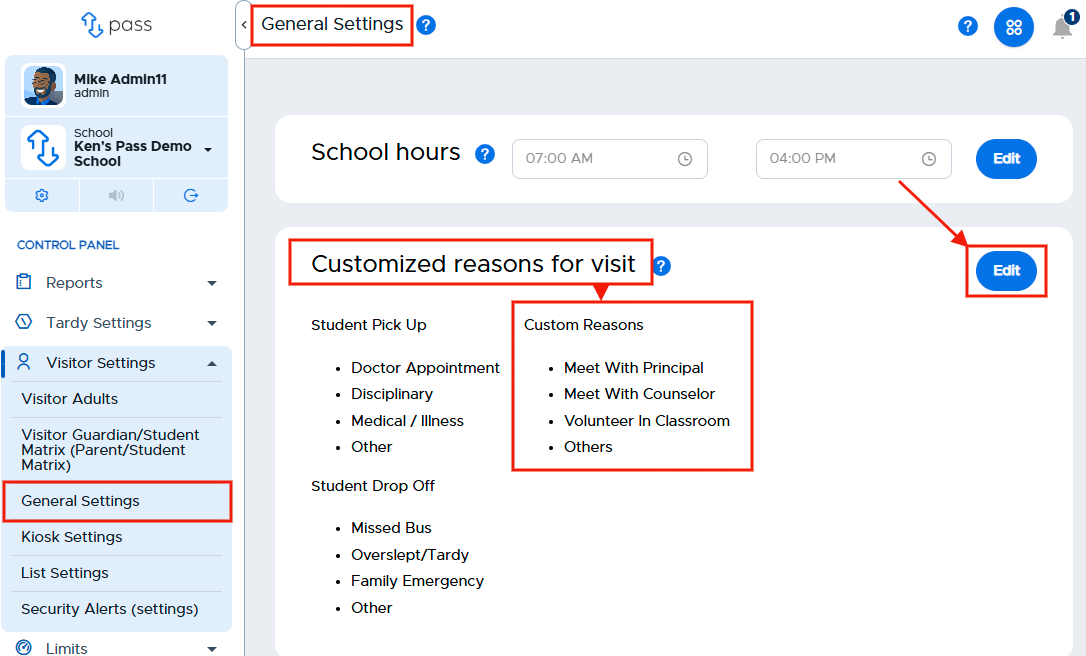
To enable this functionality, under the Control Panel, click Visitor Settings and then General Settings. Under Customized reasons for visit, click the blue Edit button.
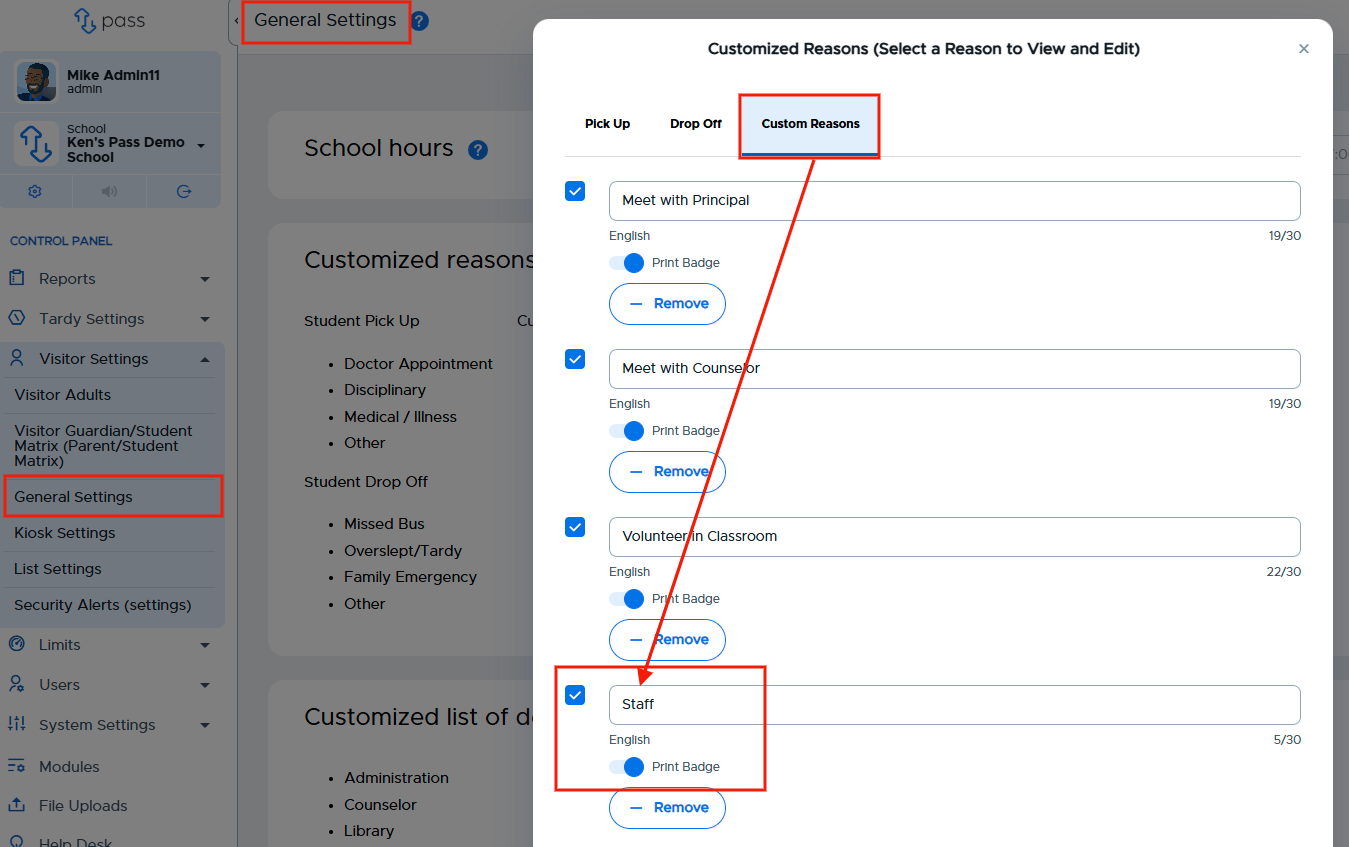
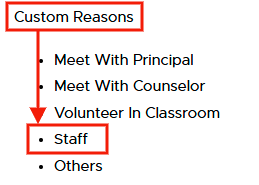
On the popup screen, click Custom Reasons and add the name of the reason (“Staff”). Toggle the “Print Badge” option ON, if desired. Click Submit when finished.
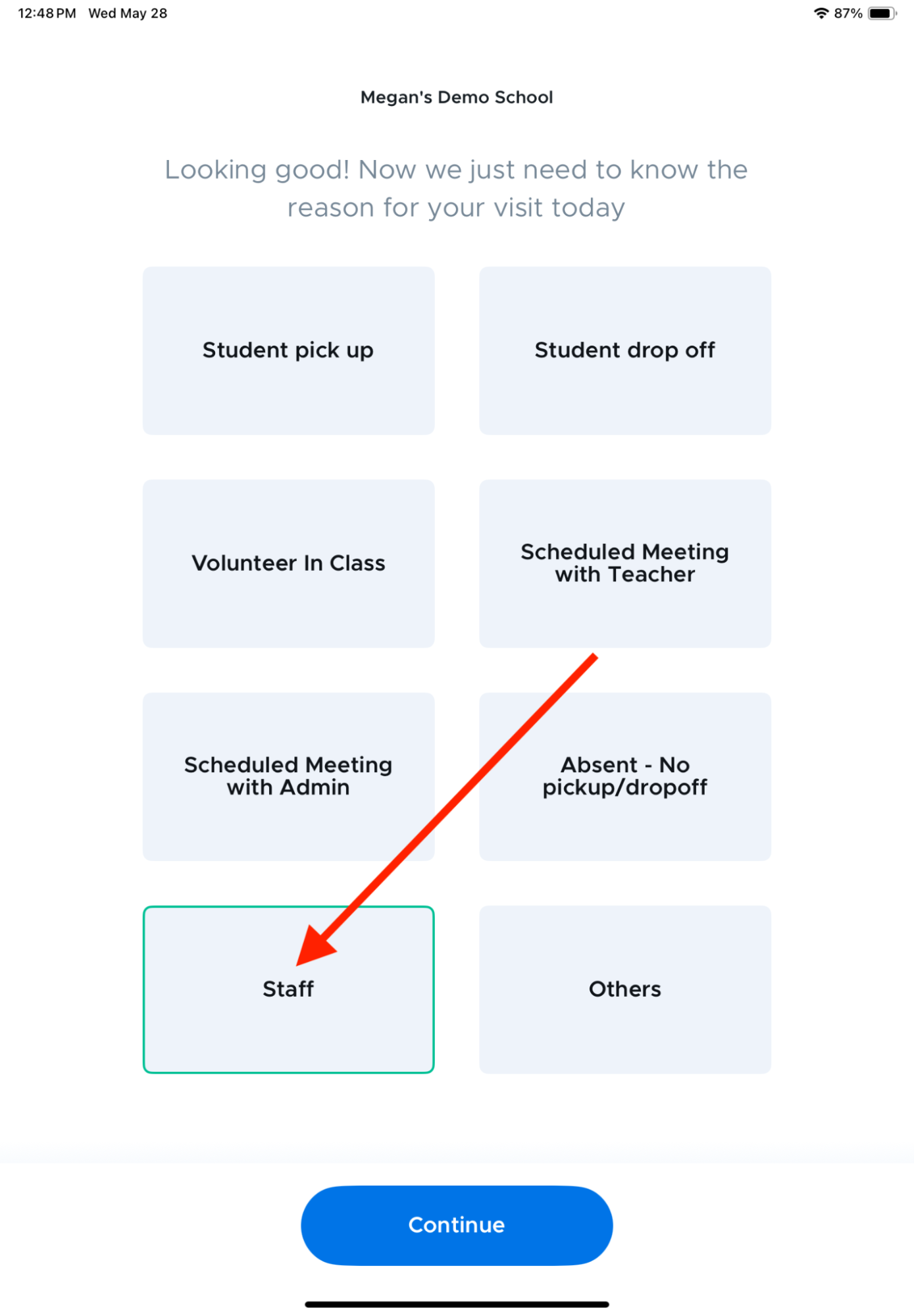
Staff can use the same self-serve kiosk as guests. They will scan their ID or enter their information and select Staff as the reason for their visit.
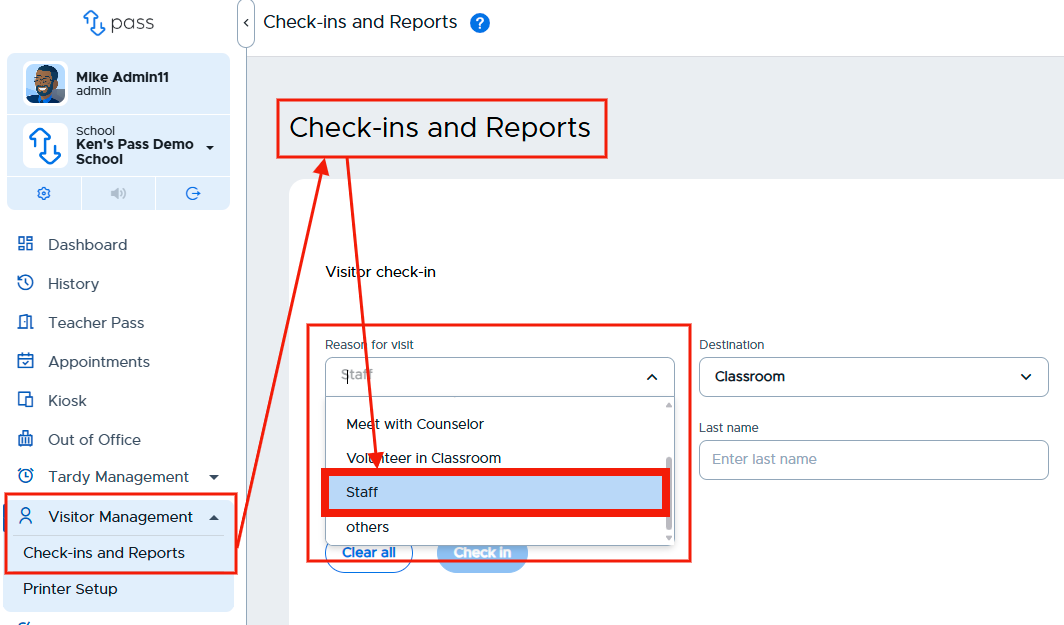
If you are manually checking in staff, under “Reason for visit” you’ll select “Staff”.
The staff member’s check-in will be captured in the Visitor Log.
