Pass › Visitor
Visitor Pre-set List
The Pre-set Visitor List is a great way for a school to ensure that only visitors vetted by the school are allowed entry to the campus. These individuals could include contracted counselors, district maintenance staff, etc. If they are present on the list, Visitor approves them immediately and provides them a guest pass.
Before enabling a Pre-set Visitor List, please consider these points:
- Guests who are not present on the pre-set list will not be able to check themselves in.
- People listed on the pre-set list are not checked against the National Sex Offender Registry or internal Watch List.
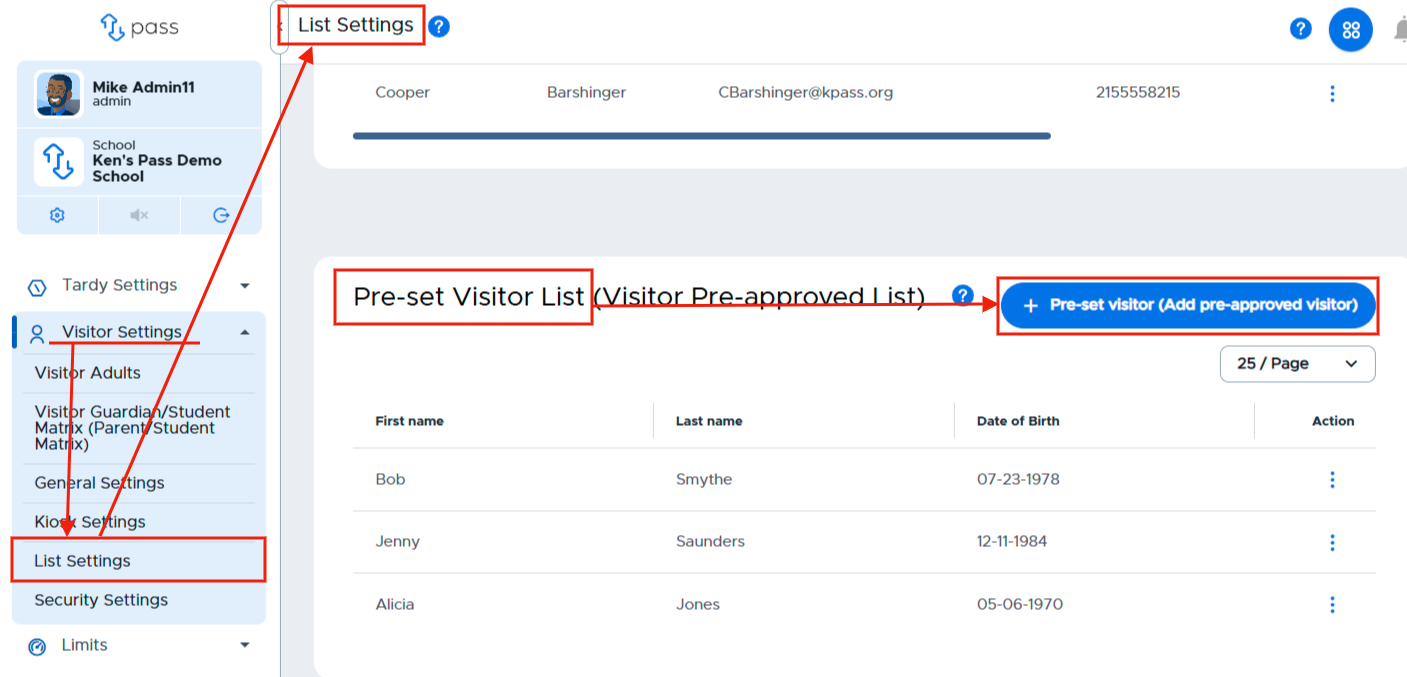
To create a Visitor Pre-set List, under Visitor Settings, click on List Settings. In the white Visitor Pre-set List box, click the blue + pre-set visitor (Add pre-approved visitor) button.
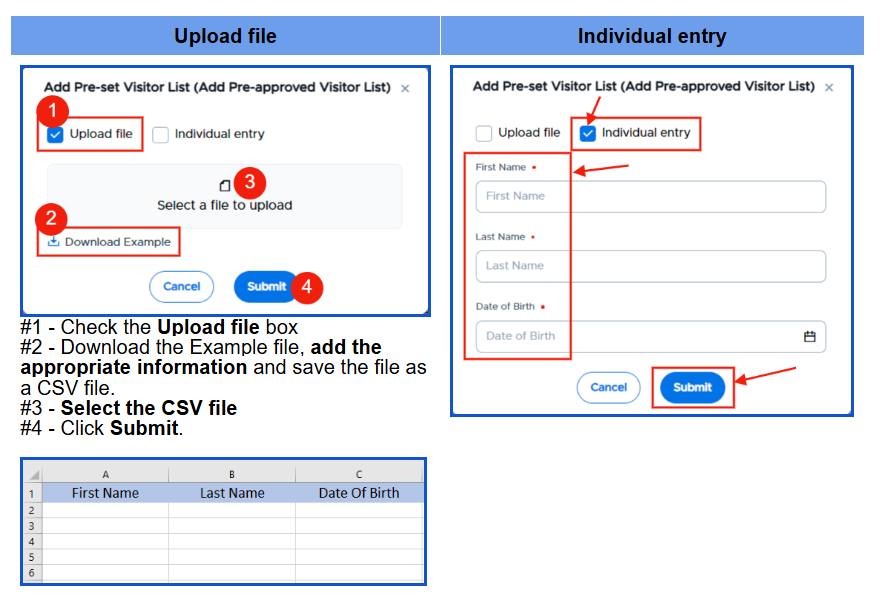
On the white popup screen, you have two options to add names to your Visitor Pre-set List. You can add names by uploading a CSV file OR by adding the individual names.
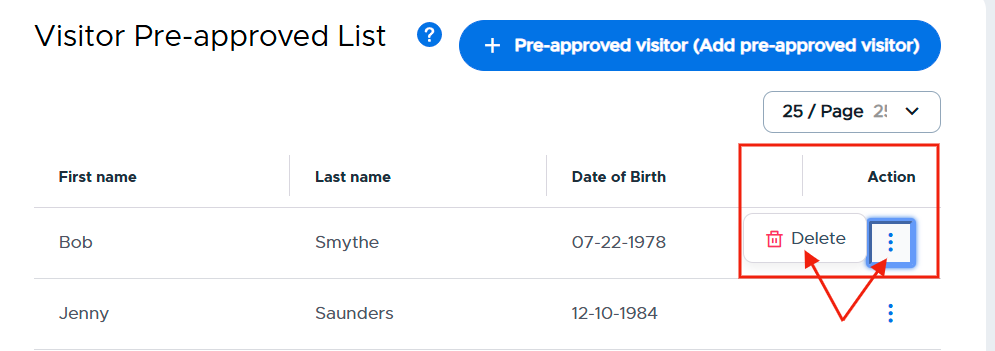
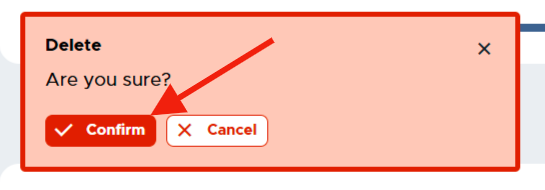
Once these individuals have been added either by a CSV file or manually, the list will be displayed on the screen. If you need to remove an individual from the list, simply click on the three (3) dots to the right of that person’s name, click Delete, and then Confirm.