MDM › Settings
Permissions
Use the Permissions sub-menu to select functions available to users of each role in your organization.
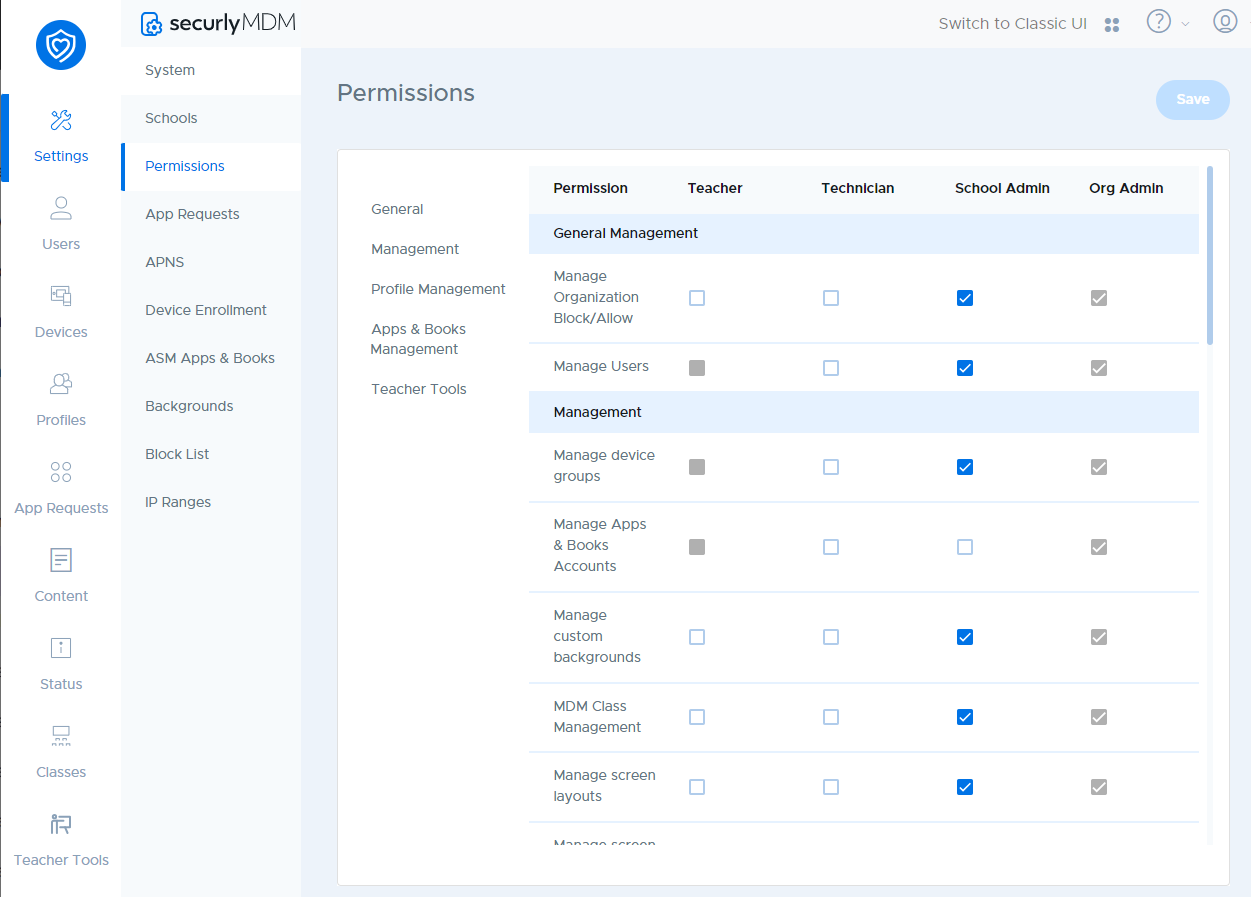
There are six user roles in Securly Classroom. These are:
- Teacher
- Technician
- School Admin
- Org Admin
A greyed out box means that feature is disabled for users of that role and cannot be enabled. For Org Admins, all permissions are always available.