Filter › Settings
Allow Lists
Modifications to these settings can have a significant impact on the core filtering functionality.
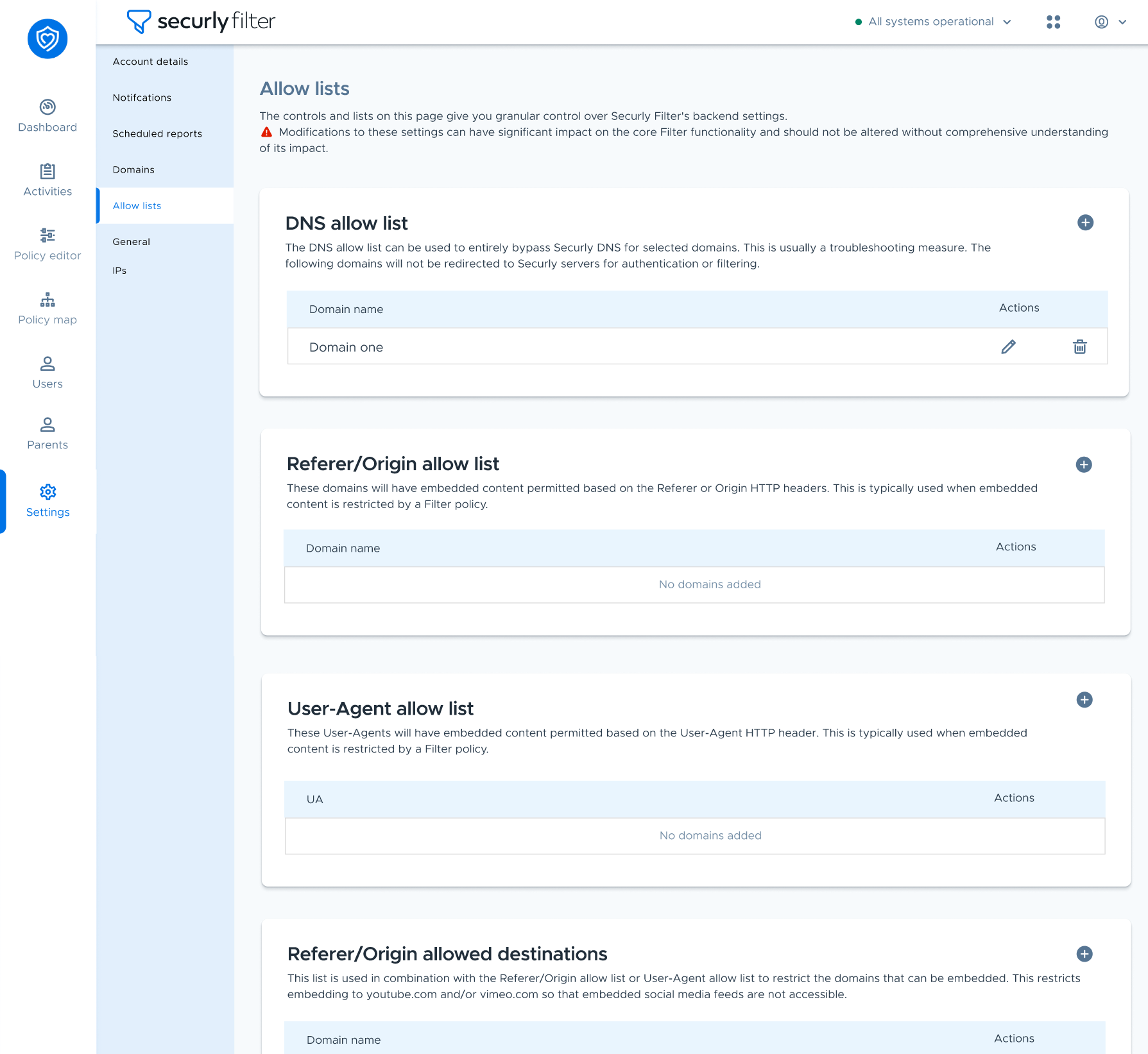
| Allow list type | Description |
|---|---|
| DNS allow list | Domains entered in this list can be used to entirely bypass Securly DNS, meaning that they will not be redirected to Securly servers for authentication or filtering. |
| Referer/Origin allow list | Domains entered in this list will have embedded content permitted based on the Referer or Origin HTTP headers. This is typically used when embedded content is restricted by a Filter policy. |
| User-Agent allow list | This list allows embedded content to be permitted based on the User-Agent HTTP header. This is typically used when embedded content is restricted by a Filter policy or when applications (particularly on iOS) that generate web traffic need to bypass Filter to function properly. |
| Referer/Origin allowed destinations | This list is used with the Referer/Origin allow list or User-Agent allow list to restrict which destination domains an approved source may embed. It is not a second allow list. If it is empty, a matching Referer/Origin or User-Agent bypass may reach any destination; if it contains domains, the bypass is limited to those destinations. |
How Referer/Origin bypass interacts with blocked destinations
A Referer/Origin allow-list match is evaluated before normal Filter policy evaluation. For DNS and SmartPAC/proxy traffic, it bypasses brokering and the later policy checks, including the customer Global Allow/Block list. The mandatory IWF/CTIRU block is the exception and still takes precedence.
Example: YouTube is blocked globally, but a school needs an embedded YouTube video to play on mymaths.com.
Add mymaths.com to the Referer/Origin allow list. The embedded YouTube video can then play when it is loaded from mymaths.com because the referer bypass is evaluated before the global YouTube block.
Direct visits to youtube.com remain blocked because they do not have the approved mymaths.com referer.
Use allowed destinations only when the bypass must be narrowed
Referer/Origin allowed destinations is a restriction, not another allow list. If it is left empty, an approved source can use the bypass for all embedded destinations. If you only want mymaths.com to embed YouTube, set:
Referer/Origin allow list: mymaths.com
Referer/Origin allowed destinations: youtube.com
To permit both YouTube and Vimeo, add both youtube.com and vimeo.com to the allowed destinations list. Other embedded destinations will continue through normal filtering.
Effective processing order
Mandatory IWF/CTIRU block
Referer/Origin or User-Agent bypass
Brokering and policy evaluation
Customer Global Allow/Block
Policy site Allow/Block
Categories, keywords, and later policy checks