MDM › Managing Devices
Preventing Users from Installing OS Updates
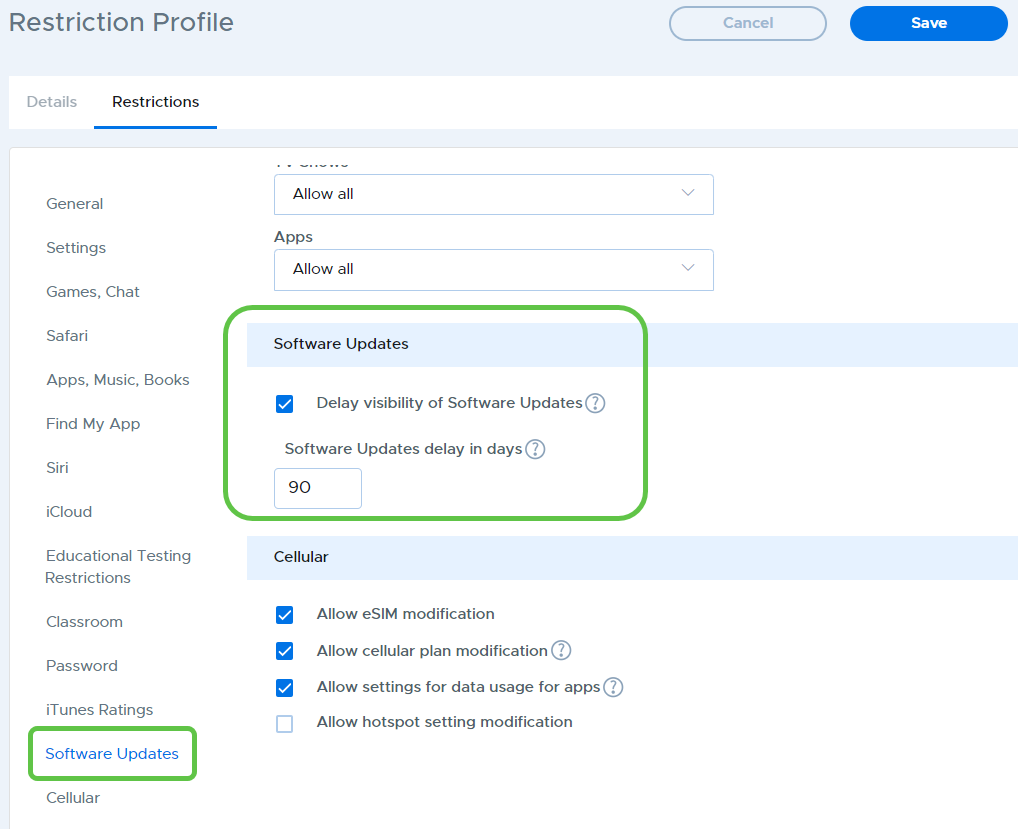
Using restriction profiles, you can prevent OS updates from being available on devices so that users are unable to install them. It’s possible to delay notification of new updates for up to 90 days. To do this, create or edit the restriction profile applied to the device group. Use the Software Updates section to configure these settings.