Pass › Visitor
School Hours
This setting allows admins to define the length of the school day.
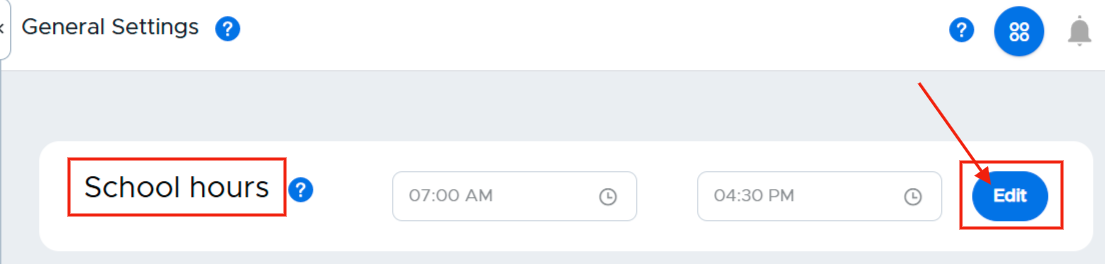
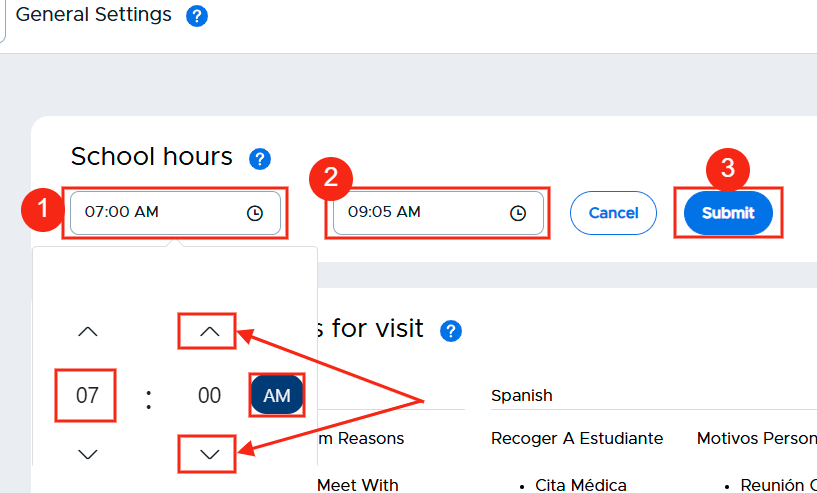
To set the times for your school day, click on the edit button to the right of School hours. Click in the first box and set the start time for your school day (HH:mm and AM or PM). In the second box, set the end time for your school day (HH:mm and AM or PM). When finished, click the blue Submit button.
You can reset or modify the school hour settings at any time.