Aware › Managing Account Settings
CPOMS Integration
Administrators can enable the Child Protection Online Monitoring System (CPOMS) integration to allow Case Manager analysts/authorized school staff to directly send cases to CPOMS from Aware Case Manager.
To set it up, an Aware admin can navigate to Account settings by using the Profile icon at the top right. They can then enter the school's CPOMS API URL, an API Key, the Category ID that the pushed cases should be filed under, and then initiate the connection.
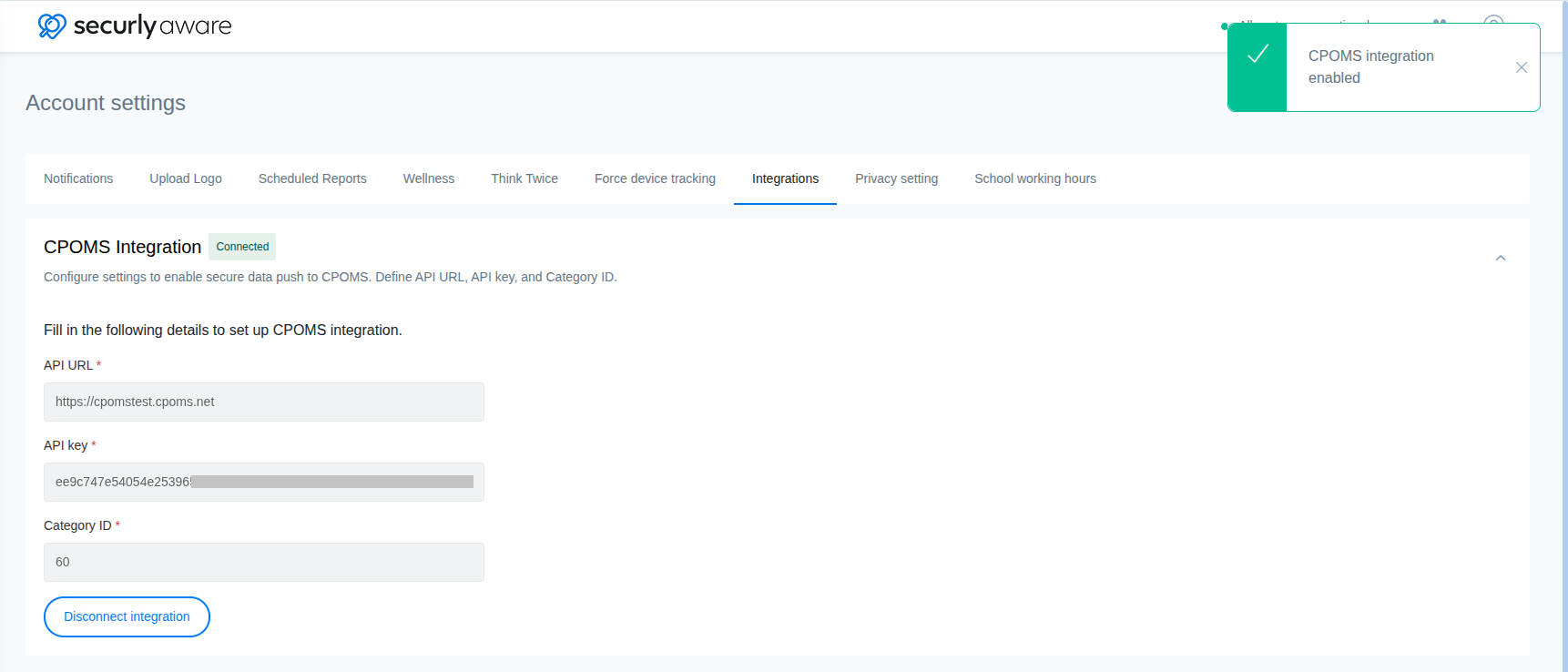
Once connected, users will see a Push to CPOMS button on any case they have access to in Aware Case Manager.
.png)
This button sends that specific case's data to the concerned student's CPOMS record, including student details, attached activities and their content (e.g., emails, documents, searches, site visits, social media, chat messages, staff observations), and comments added by analysts in Case Manager.
Important Considerations
Each case is pushed individually. Aware does not allow automatic forwarding of all alerts or alerts of a certain type as they come in, so as to give schools control over what reaches CPOMS.
The push is one-way. Updates, notes, or status changes made in CPOMS after the push are not reflected back in Aware.
A case can be pushed more than once. Aware does not block a repeat push, which will create an additional incident in CPOMS.
Only users assigned to a Case Manager group (under the Users menu) will have to option to use the push data to CPOMS for the cases they have access to based on the org unit/security group selected in the Case Manager group.