
/Pass
Students (Student Menu)
›
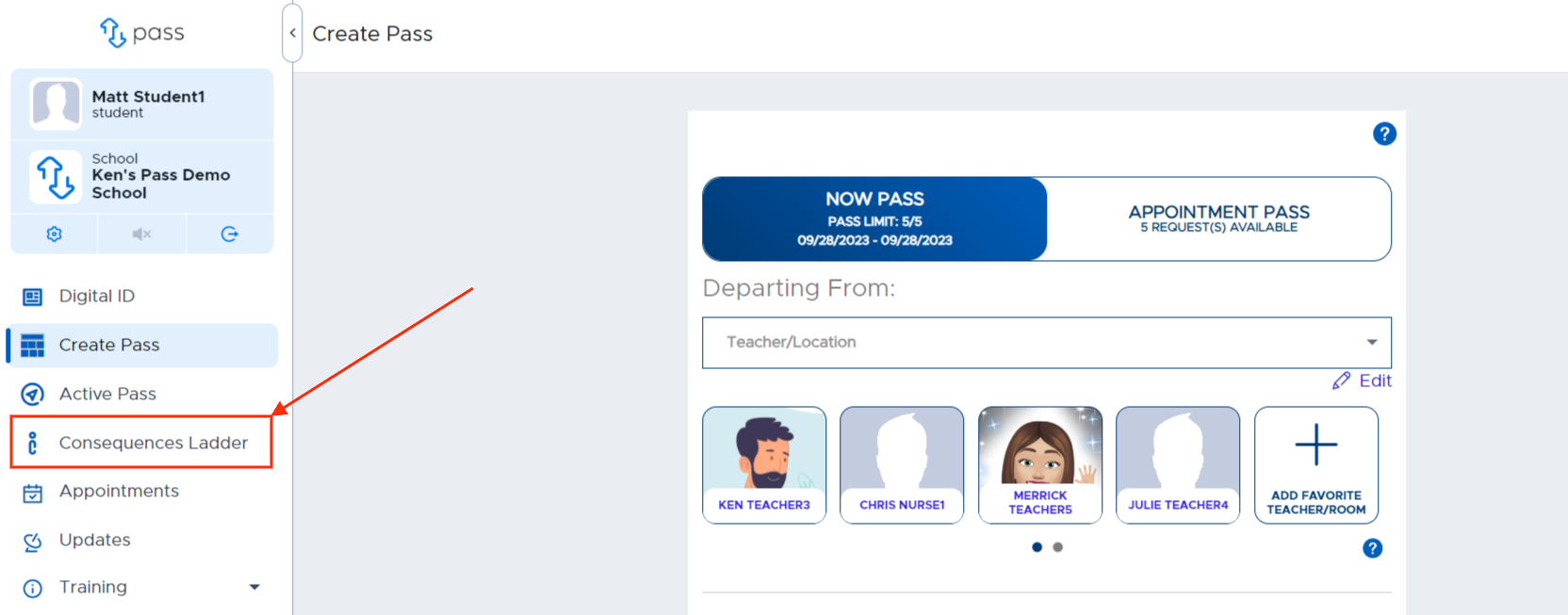
Students will see the Consequence Ladder if a school admin has enabled this feature.
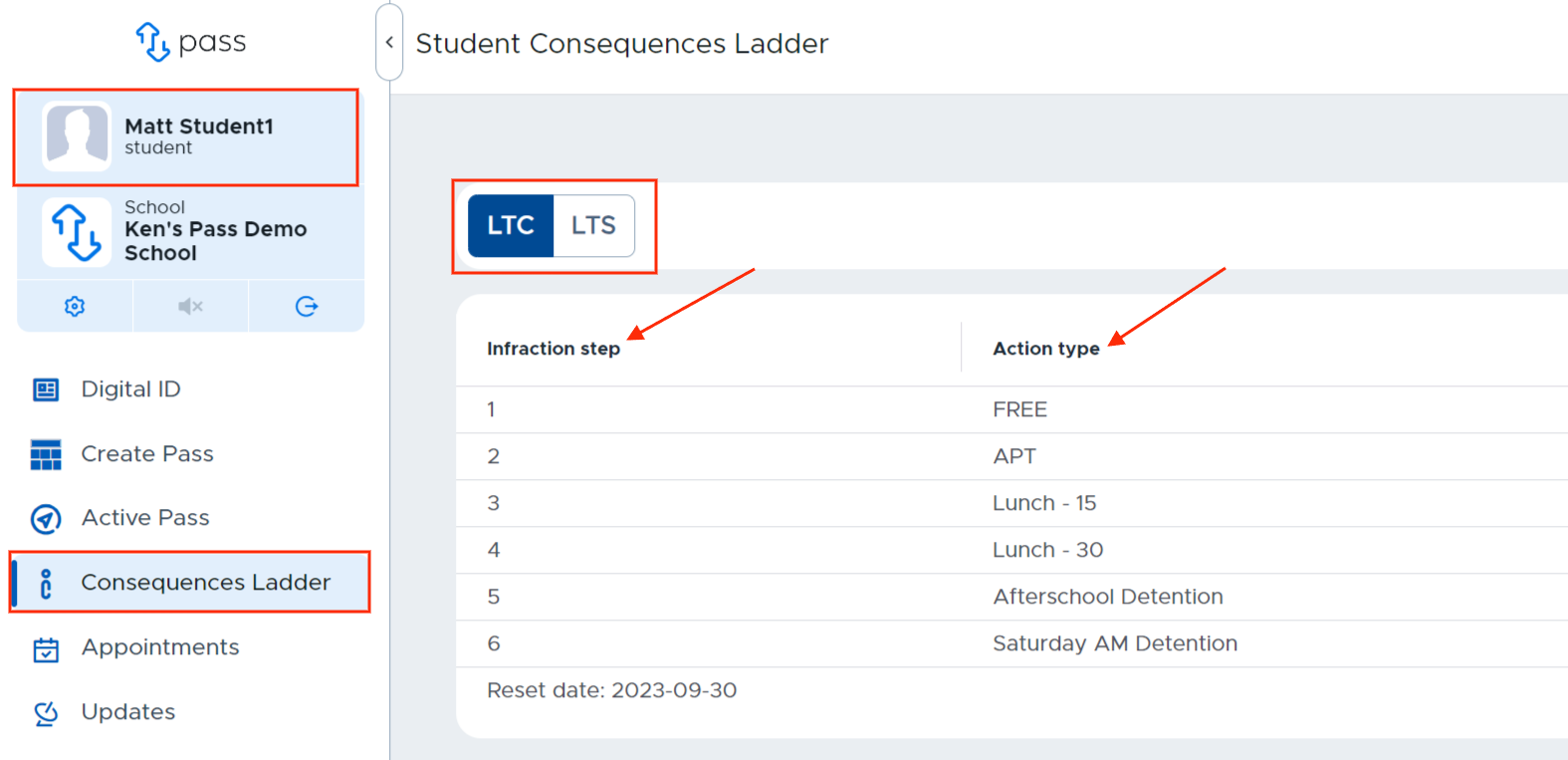
When students click on the Consequence Ladder on their device, they will see the Infraction step and the Action type.
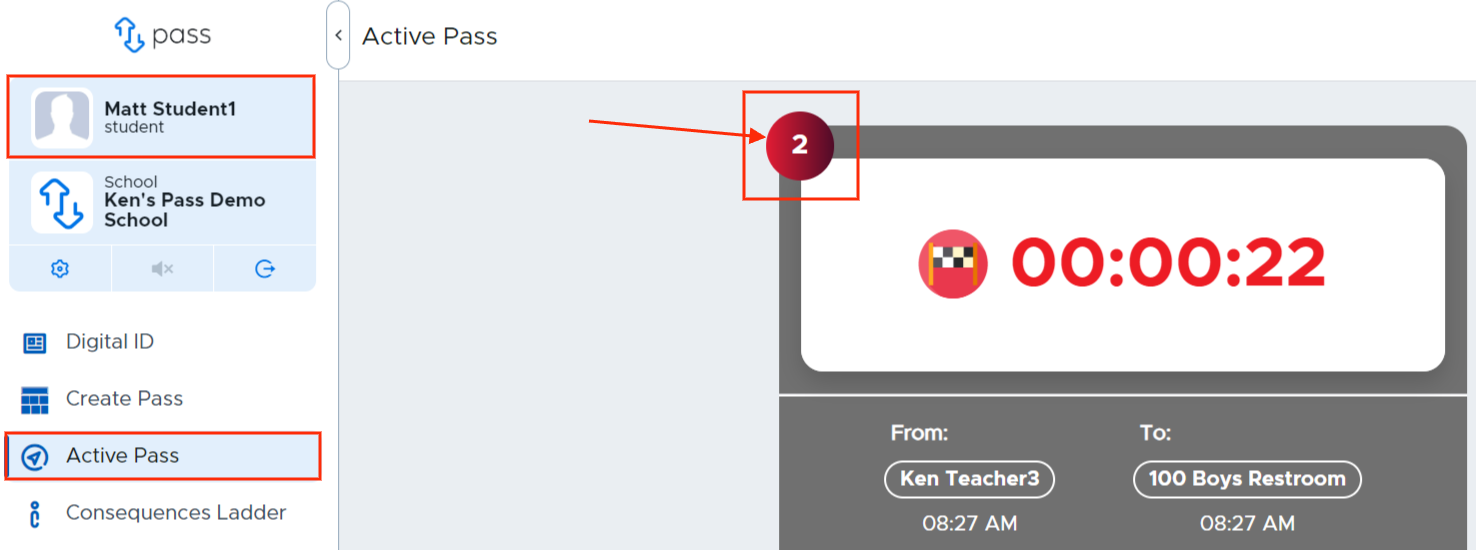
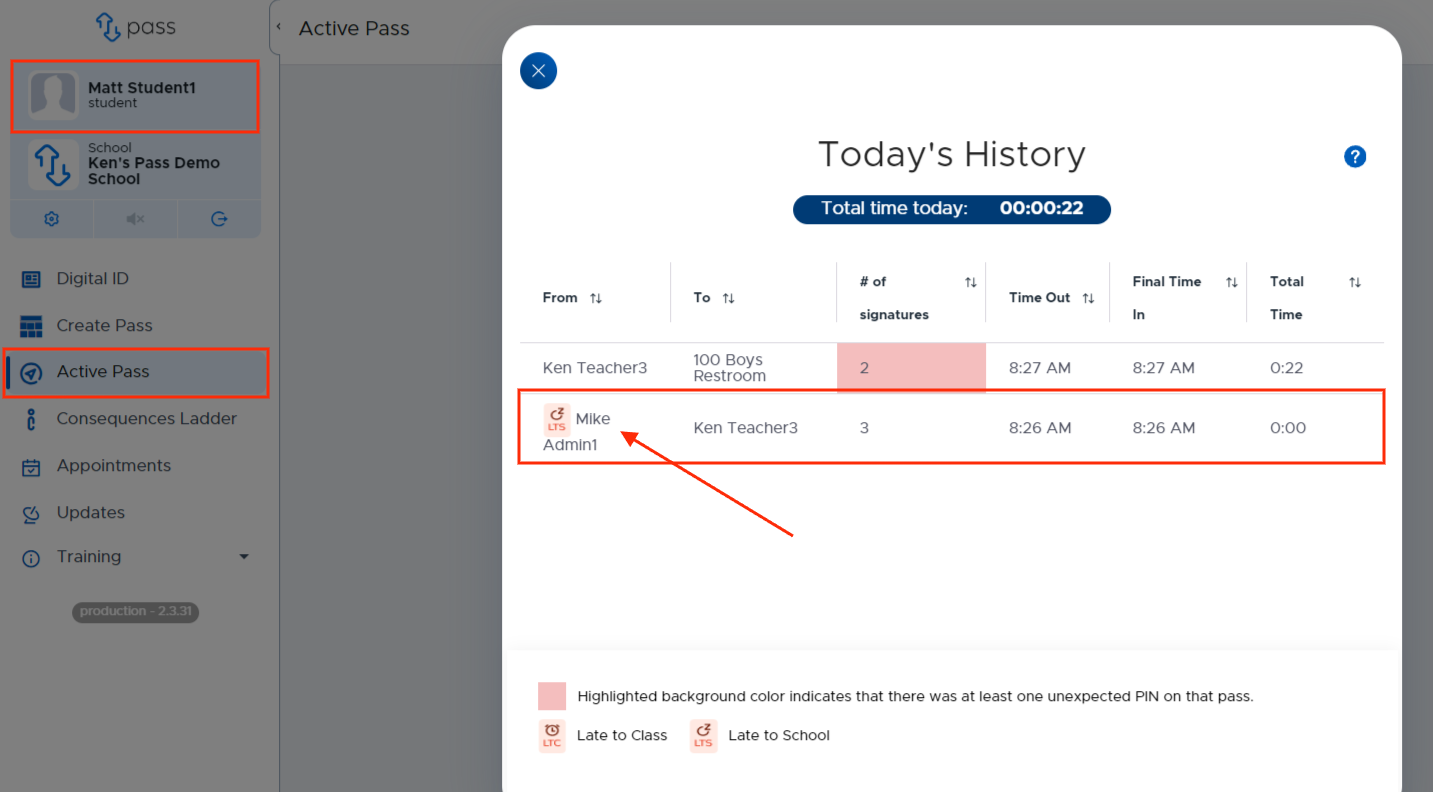
Students will also be able to see if a pass was LTC or LTS by looking at their Today’s History by clicking on the red number in the upper left corner of their passes.
Loading comments...