Aware › Managing Account Settings
Setting up email alerts
When you navigate to Account Settings, the Notifications tab will be selected by default. From here, you can configure what type of email alerts and to whom the alerts should go to. If your school has also availed Securly-managed alert analysis - On-Call, you’ll see two sub tabs: one for configuring emails alerts specific to Aware and one for On-Call alerts. Learn more about Securly On-Call.
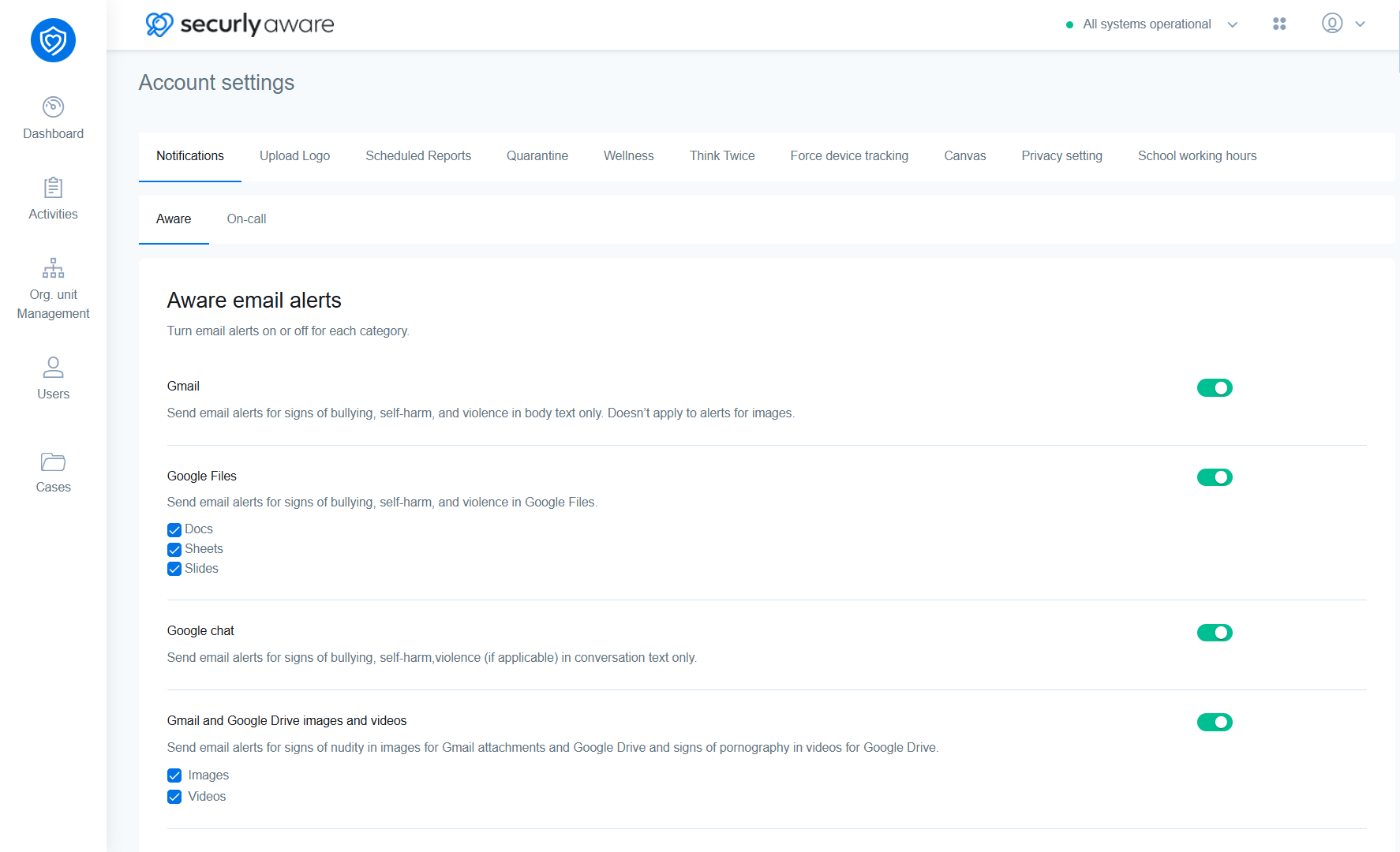
Aware alert settings
| Setting | Description |
|---|---|
| Gmail | Enabling this toggle will send email alerts for signs of bullying, self-harm, and violence in only the body text of the emails. It doesn’t take the images into account. |
| Google Files | Enabling this toggle will send email alerts for concerning activity for the selected Google apps. You can individually select whether you wish to turn on alerts for Docs, Sheets, or Slides using the checkboxes. |
| Google Chat | Enabling this toggle will send email alerts for concerning text found in Google Chat |
| Gmail and Google Drive images and videos | Enabling this toggle sends email alerts for signs of nudity in images for Gmail attachments and Google Drive and signs of pornography in videos for Google Drive. You can choose whether you want to turn on alerts for only images or videos using checkboxes. |
| Site visits | Enabling this toggle sends email alerts for signs of bullying, self-harm, violence, and gun terms (if applicable) in body text only. |
| Web searches | Enabling this toggle sends email alerts for signs of bullying, self-harm, violence, and gun terms (if applicable) in body text only. |
| Social posts | Enabling this toggle sends email alerts for signs of bullying, self-harm, violence, and gun terms (if applicable) in body text only. |
| Canvas | Enabling this toggle sends email alerts for signs of bullying, self-harm, violence, and gun terms (if configured) in body text, and nudity in attachments. |
| Email entry field | The email address specified here will receive alert notifications for all suspicious activities detected by Aware. Please enter only one email address. |
| Mute alerts after school working hours | Enabling this disables Aware email alerts outside of the defined school working hours. Learn more about setting school working hours. |
On-Call alerts
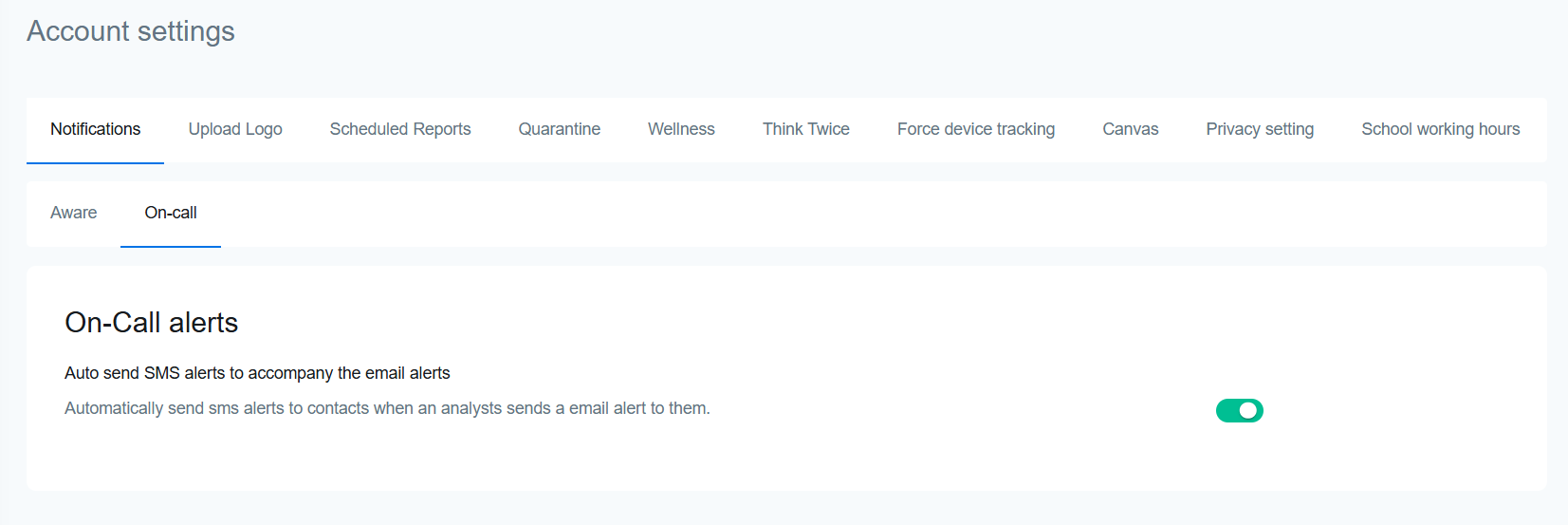
Enabling On-Call alerts toggles automatic sending of SMS alerts to school contacts when an On-Call analyst sends an email alert to them.